> For the complete documentation index, see [llms.txt](https://help.dedust.io/en/llms.txt). Markdown versions of documentation pages are available by appending `.md` to page URLs; this page is available as [Markdown](https://help.dedust.io/en/ru/trade/coins/summary.md).
# Coin summary
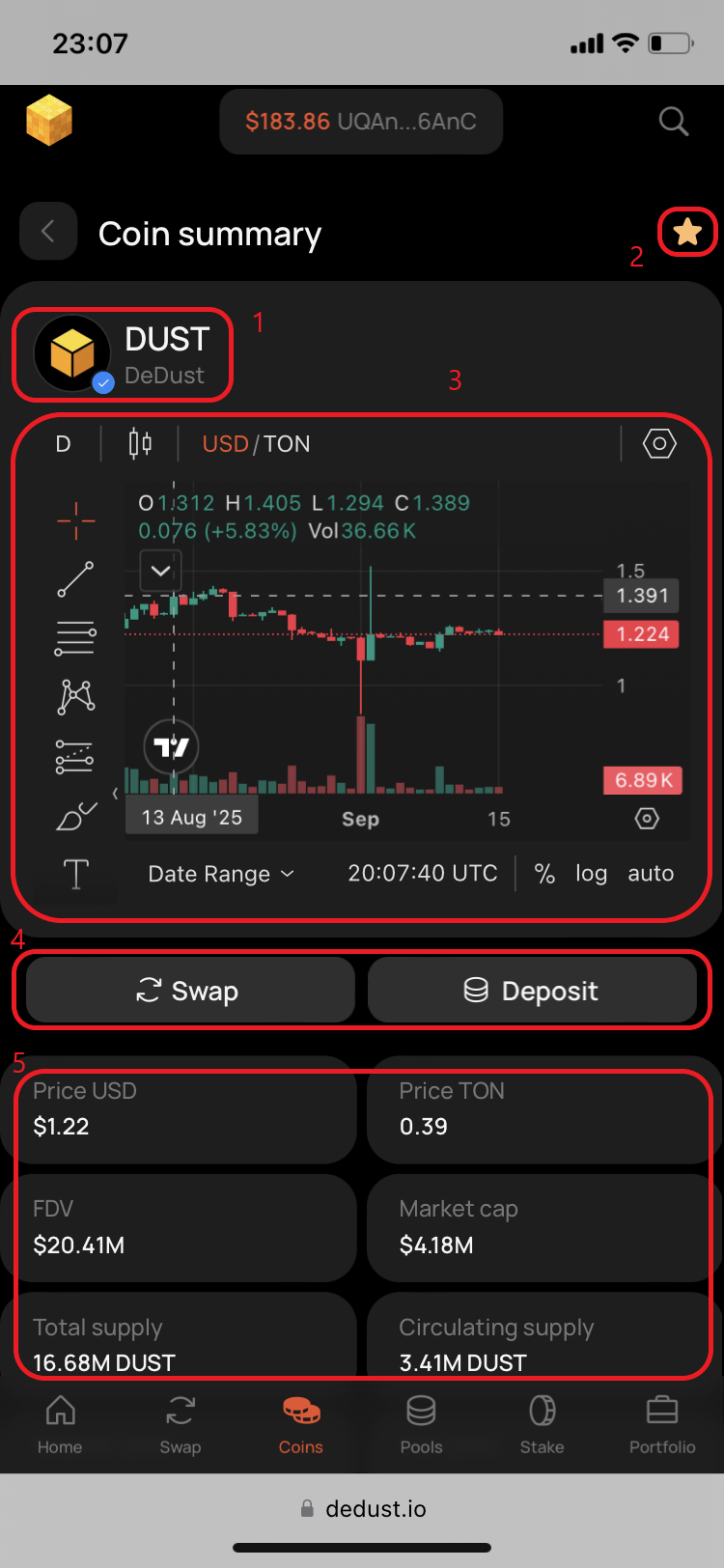
**Coin summary** page contains the following elements:
1. Token's name, ticker symbol and logo, with level of trust / risk indication.
2. Watchlist mark.
3. Price chart powered by [TradingView](https://www.tradingview.com/).
4. Swap and Deposit liquidity buttons.
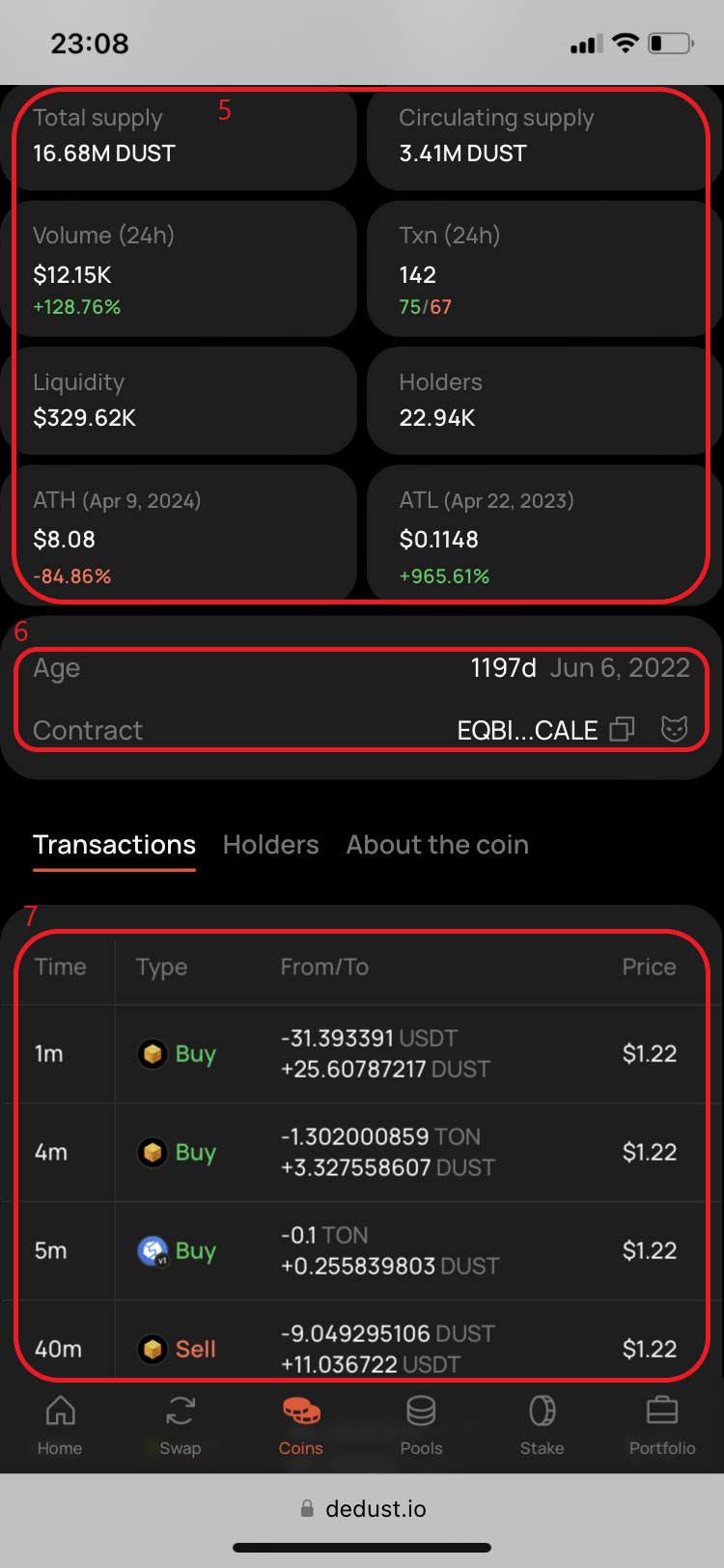
5. Coin's price and a set of key metrics.
6. Age, date of first mint and token's unique smart contract address, with two buttons:
* For copyign token's contract address
* For opening token's page in Tonscan[^1]
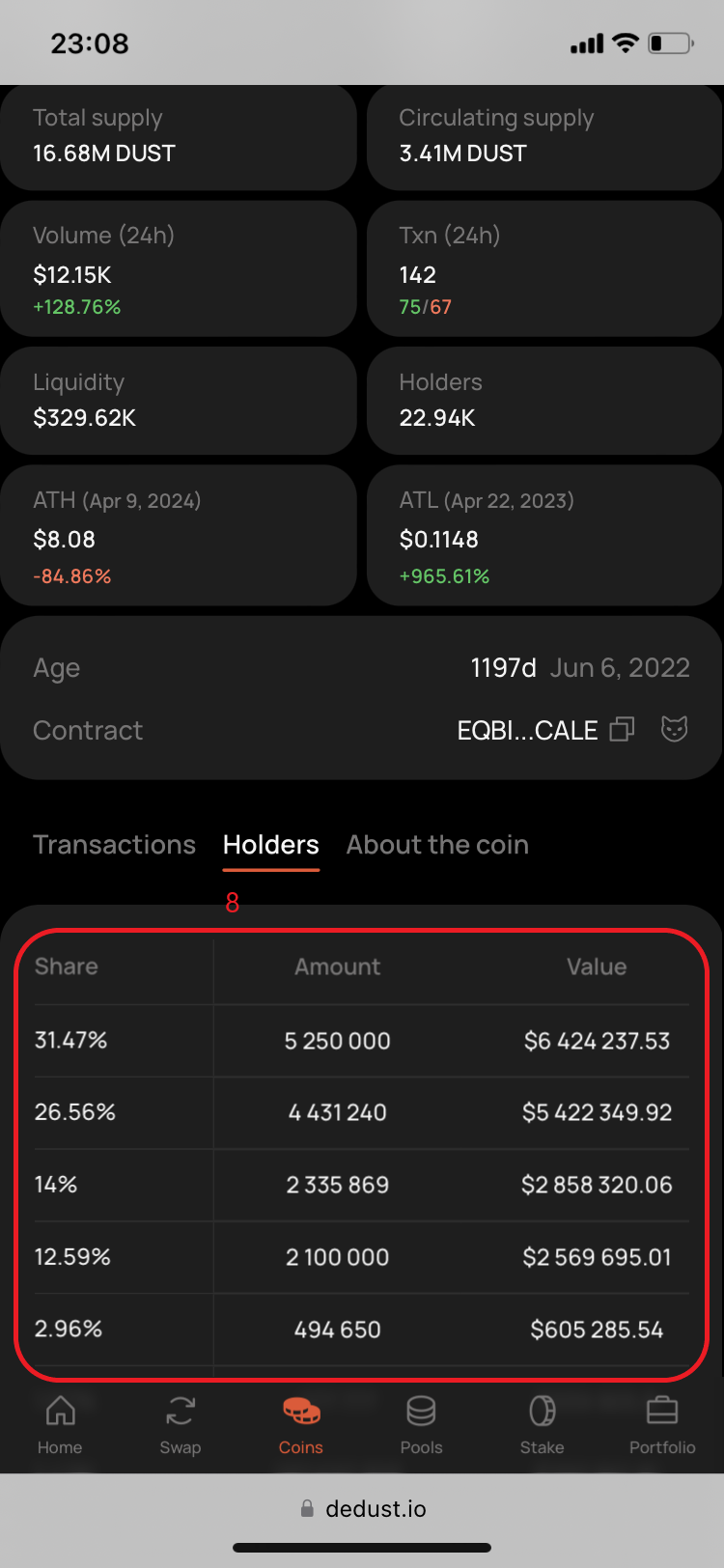
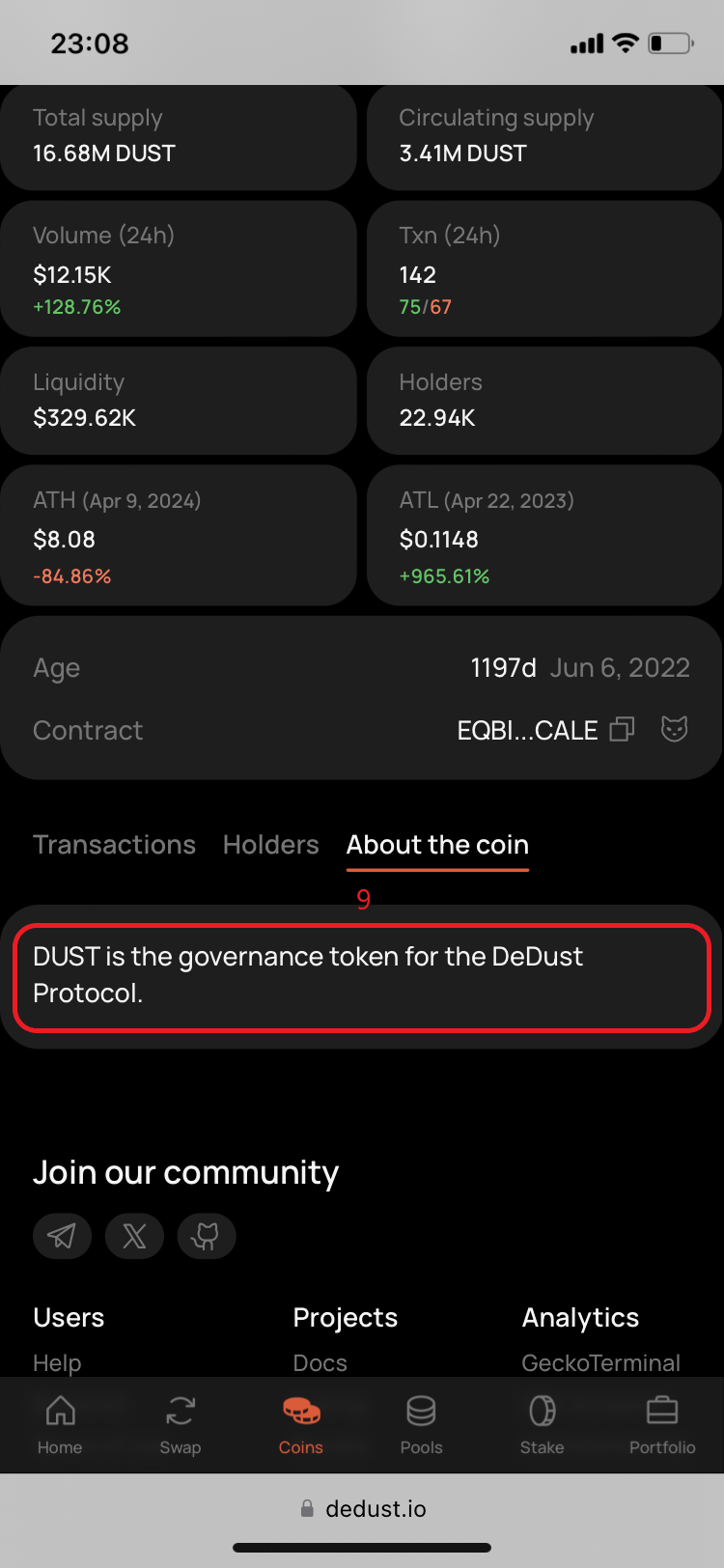
Below the contract address you'll find moreinfo on separate tabs:
* **Transactions** — with latest token trades
* **Holders** — with all token holders
* **About the coin** — token's description (for trusted tokens, if available)
[^1]: [Tonscan.org](https://tonscan.org/) - TON blockchain explorer