> For the complete documentation index, see [llms.txt](https://help.dedust.io/en/llms.txt). Markdown versions of documentation pages are available by appending `.md` to page URLs; this page is available as [Markdown](https://help.dedust.io/en/ru/start/wallet/safepal.md).
# Copy of SafePal
Let's create a wallet in [SafePal](https://www.safepal.com/) app using the mobile version of the application in this guide. You can download SafePal for [iOS](https://www.safepal.com/download/appstore) or [Android](https://play.google.com/store/apps/details?id=io.safepal.wallet\&referrer=utm_source%3Dsafepal.com%26utm_medium%3Ddisplay%26utm_campaign%3Ddownload).
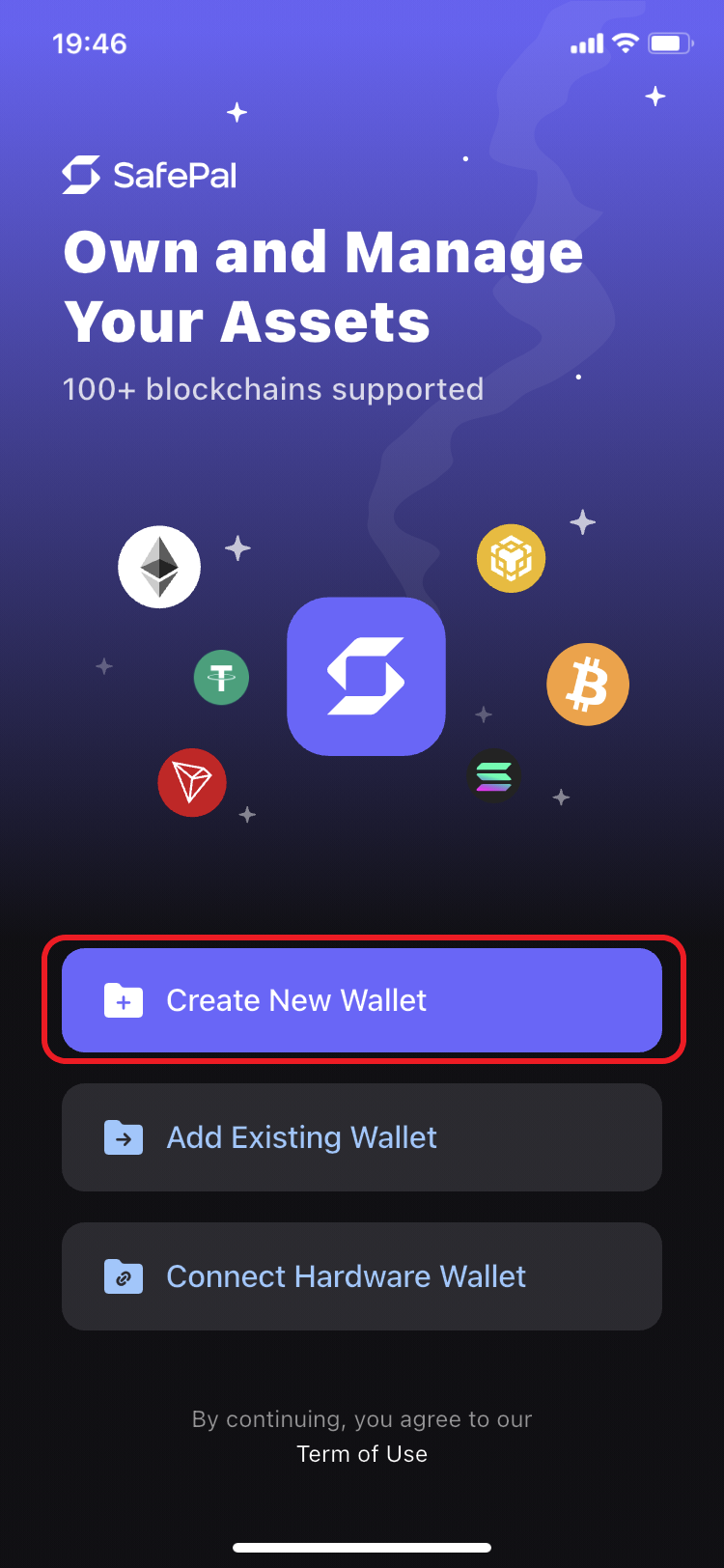
1. Open the SafePal app and select ‘Create New Wallet’.
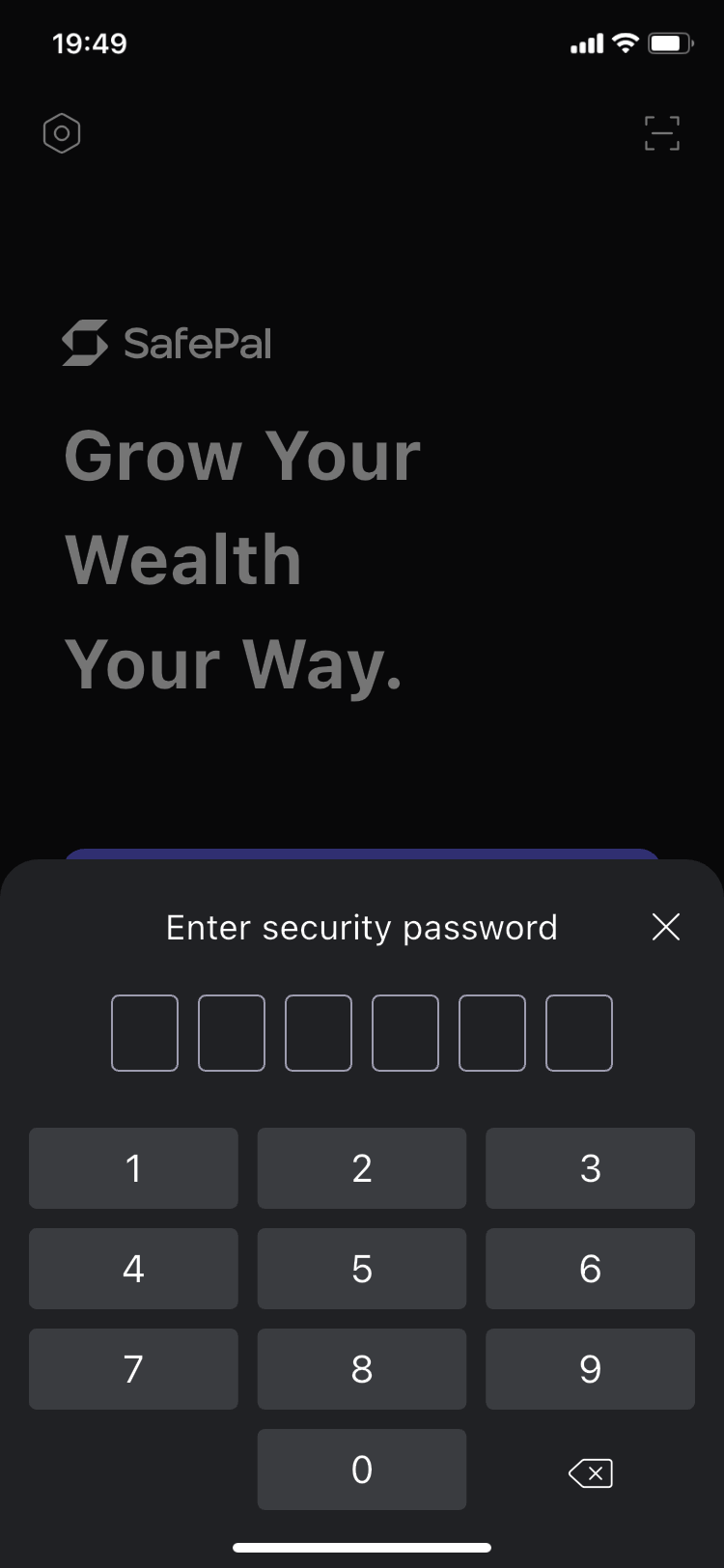
2. Create a security password to protect your wallet.
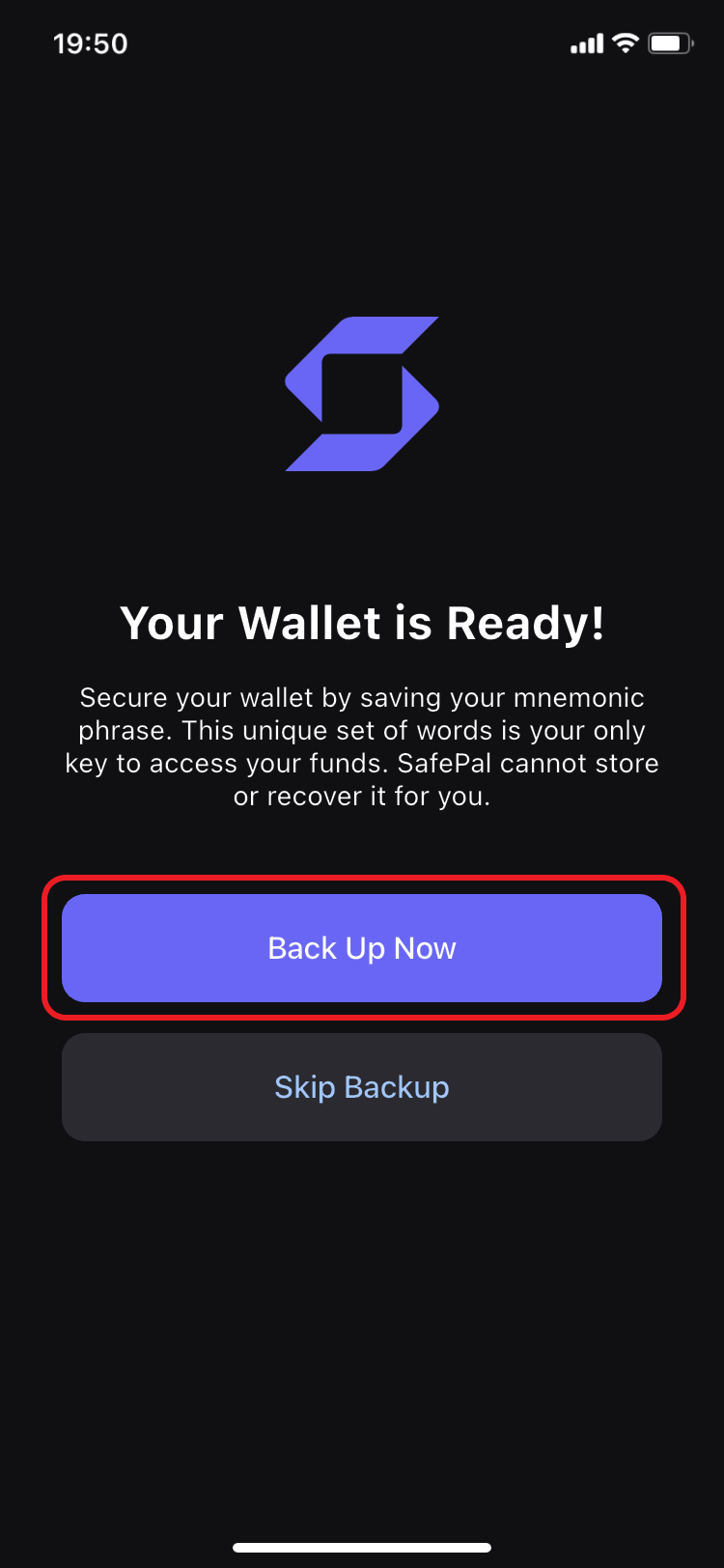
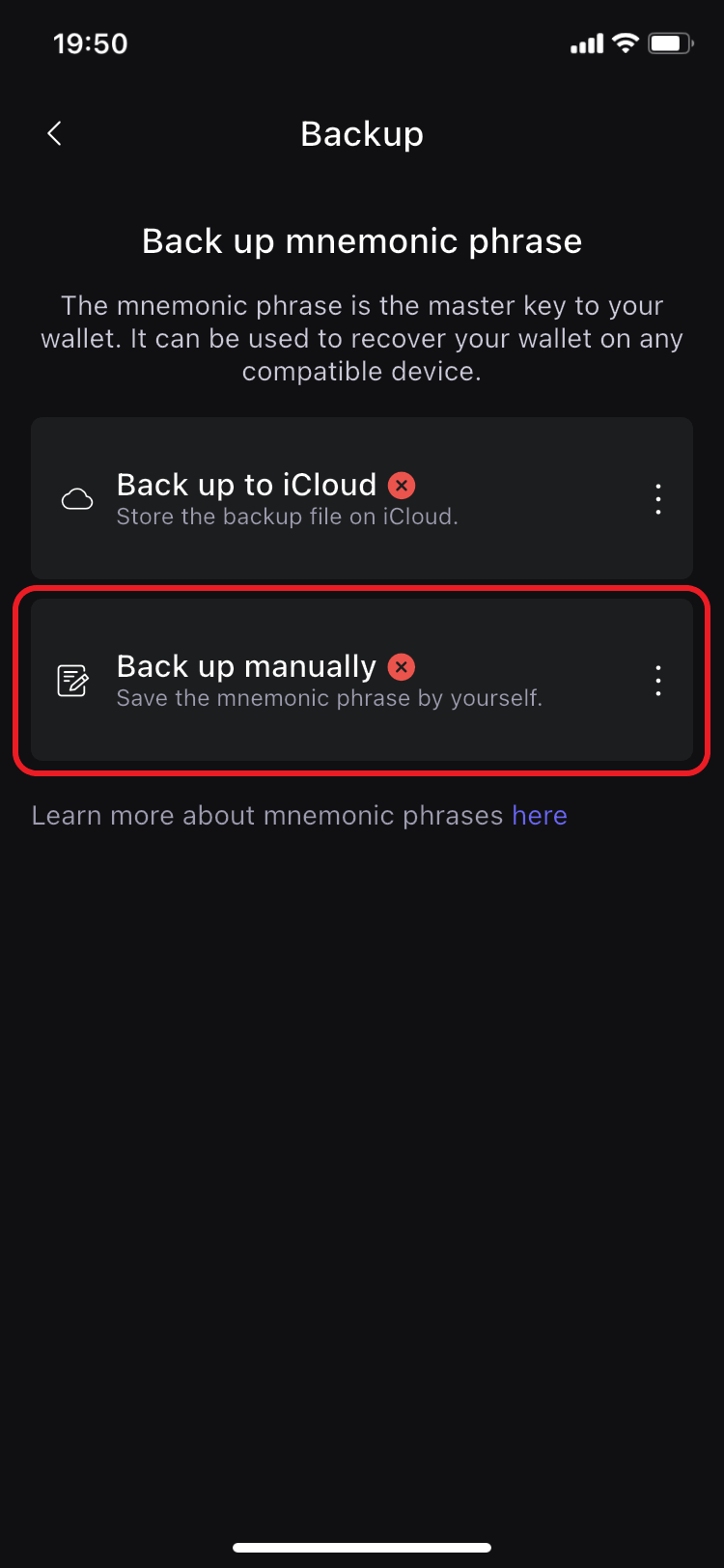
3. Press 'Back Up Now' and carefully go through all steps to save your mnemonic phrase not to lose the access to your wallet.
Step 1
Step 2
Step 3
4. Choose 'Back up manually' option.
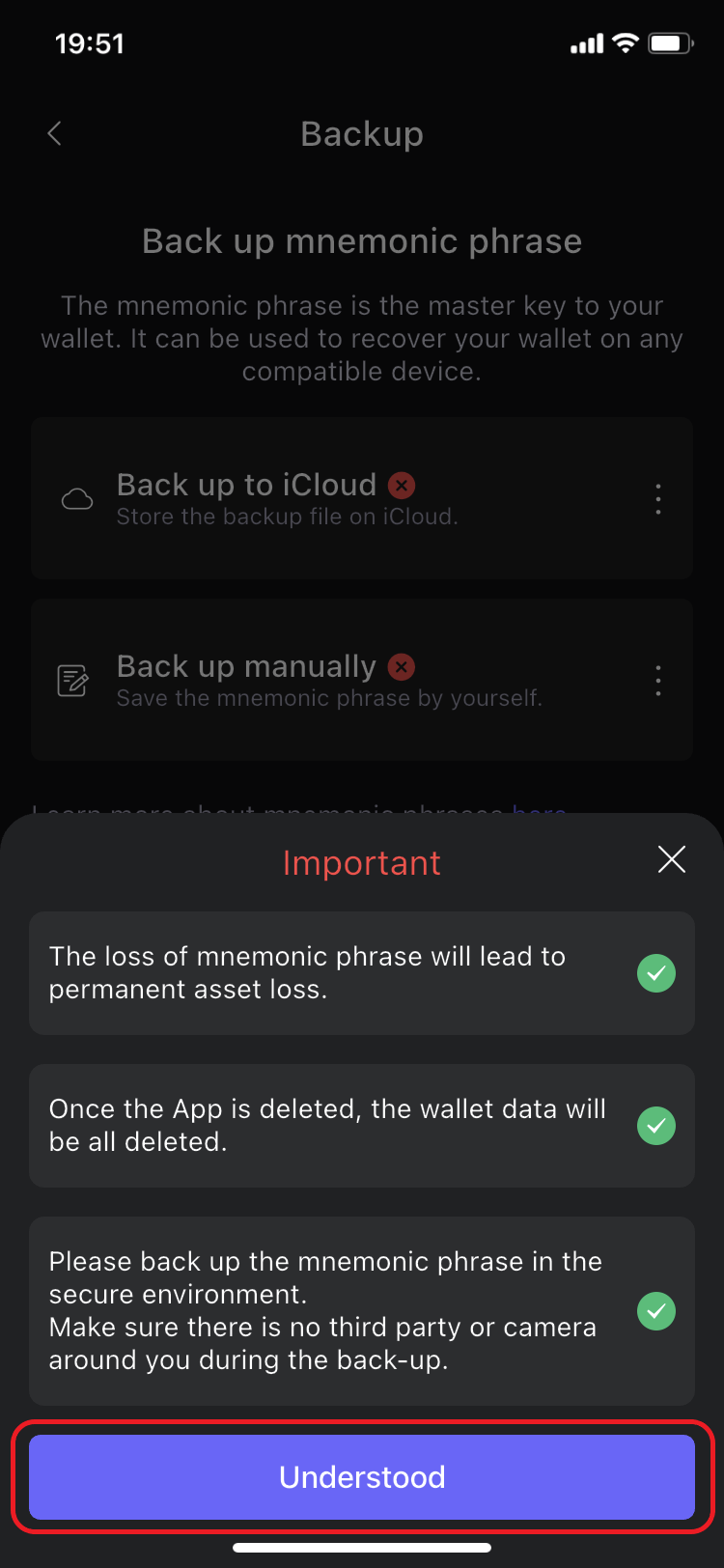
5. Read responsibly and mark as acknowledged all the statements, and press 'Understood'.
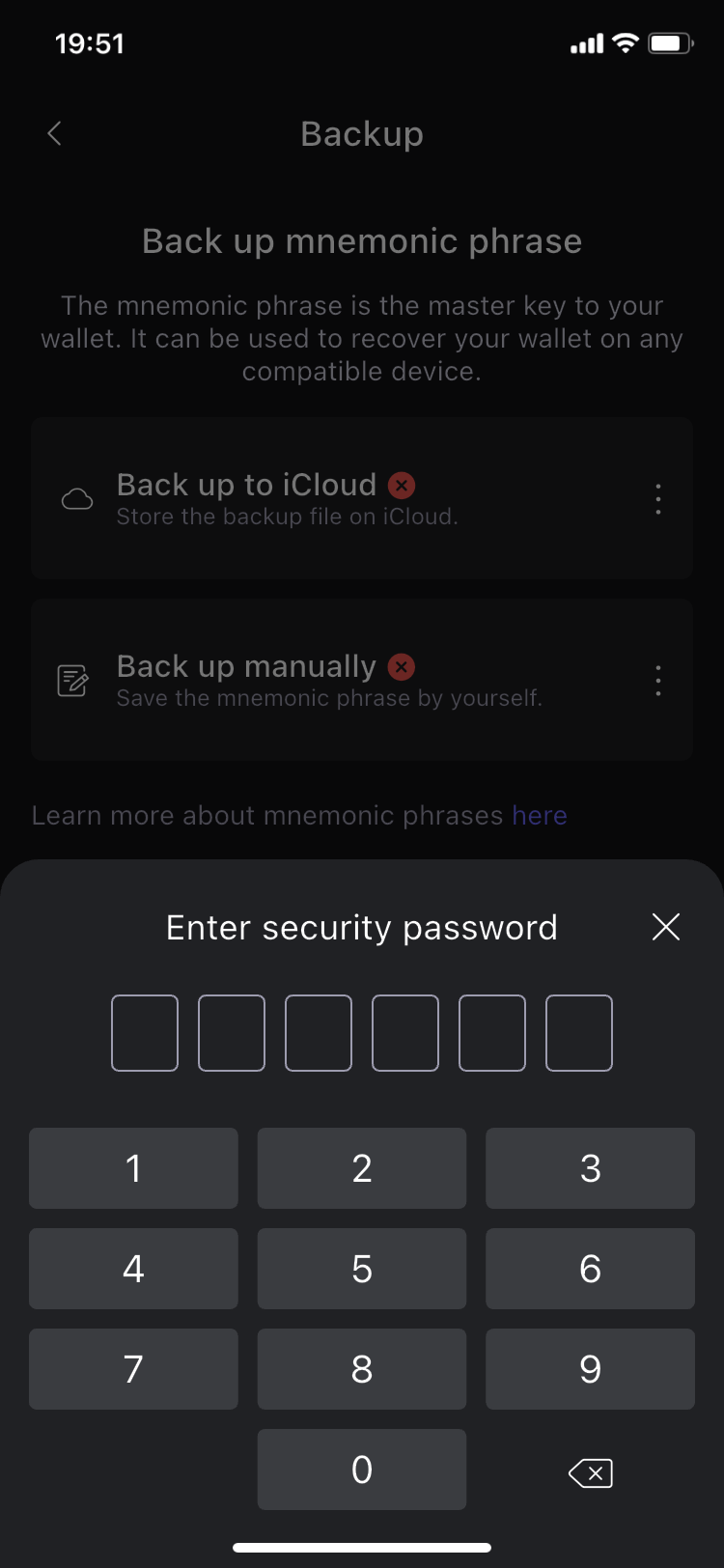
6. Enter your security code to reveal your mnemonic phrase (or also often called 'seed phrase').
{% hint style="info" %}
Make note that due to safety concerns, trying to copy your seed phrase or to make a screenshot of it on your device would be blocked by the app. So you'll have to write it down and then to confirm its back up manually.
{% endhint %}
Step 4
Step 5
Step 6
{% hint style="success" %}
Now after you've backed up and successfully confirmed knowing your mnemonic phrase, your wallet is ready for use. Go through Welcome guide, Security Quiz, top up your TON balance and explore the app.
{% endhint %}
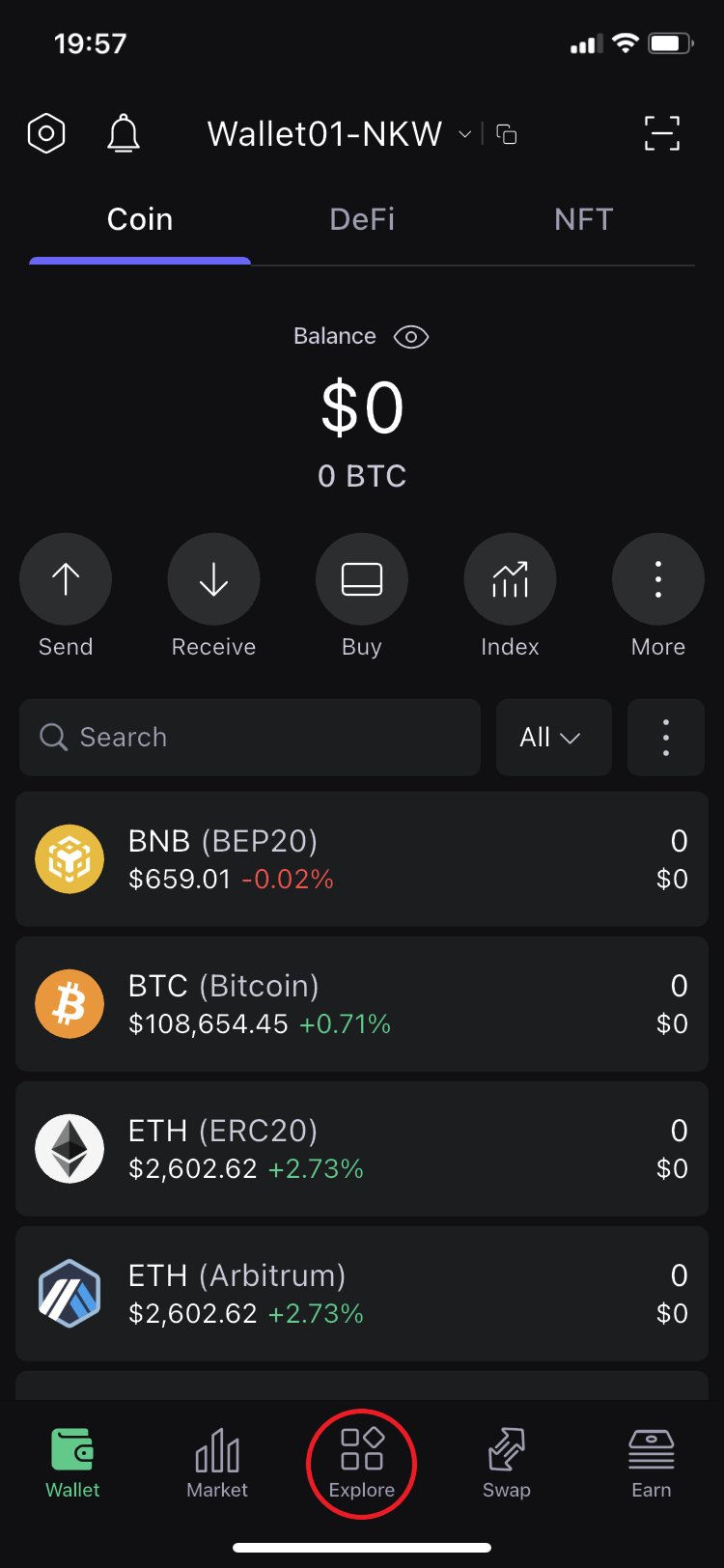
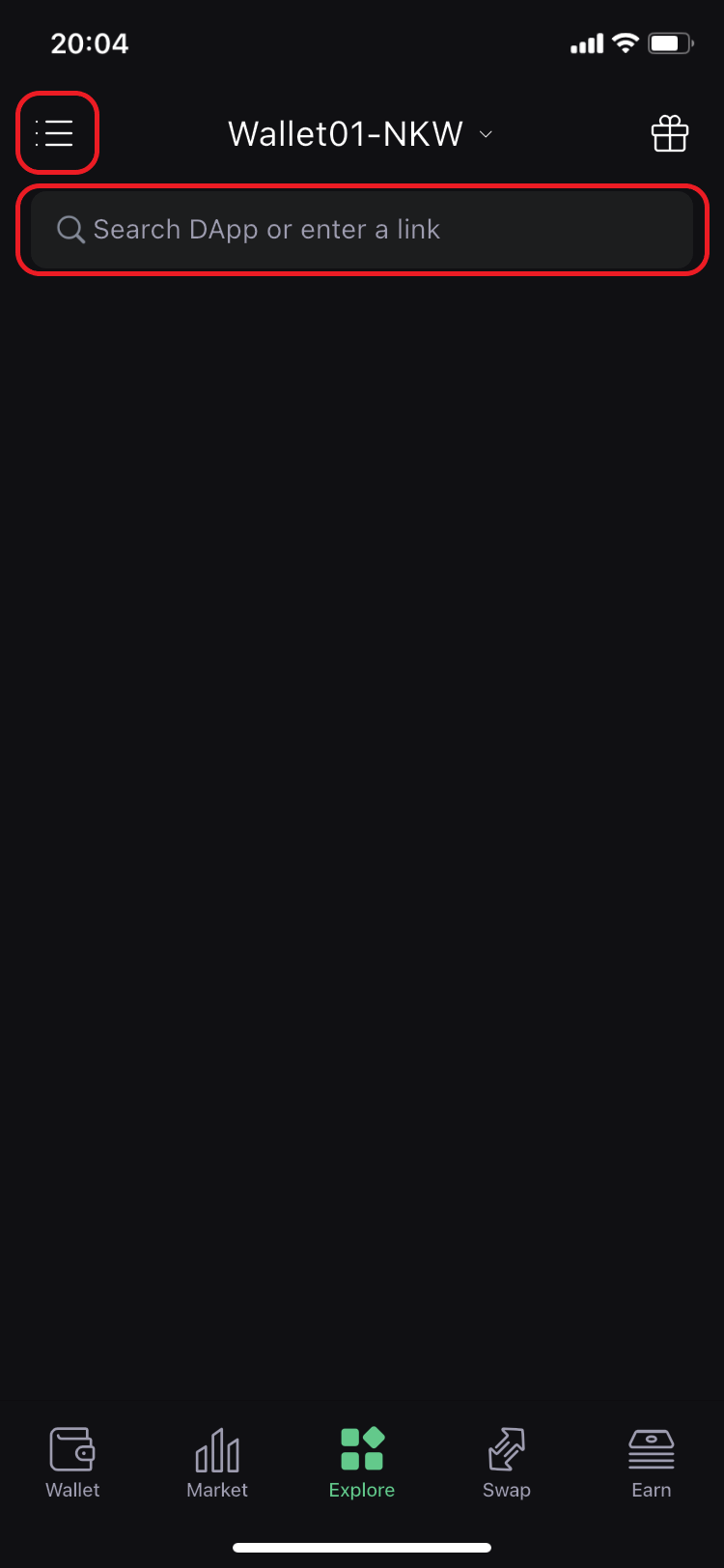
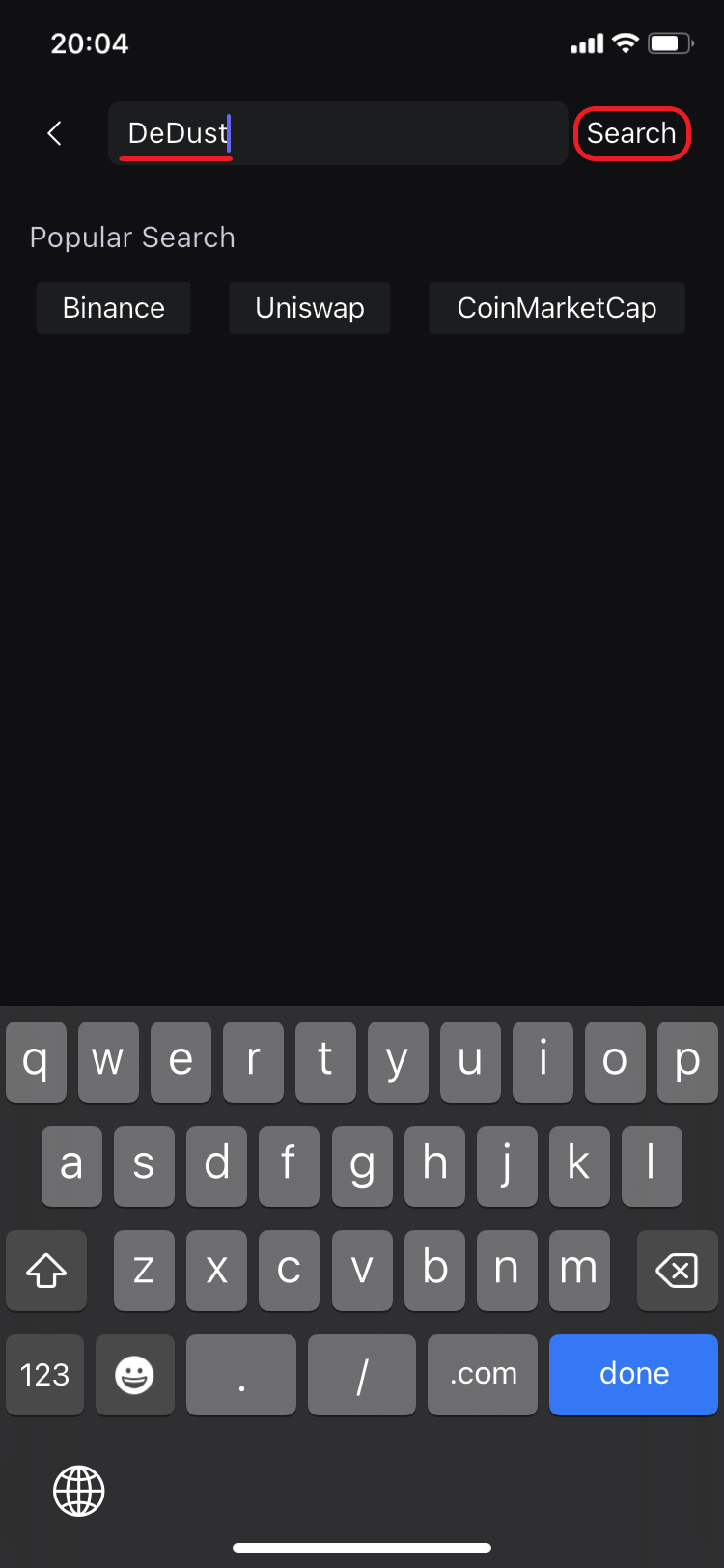
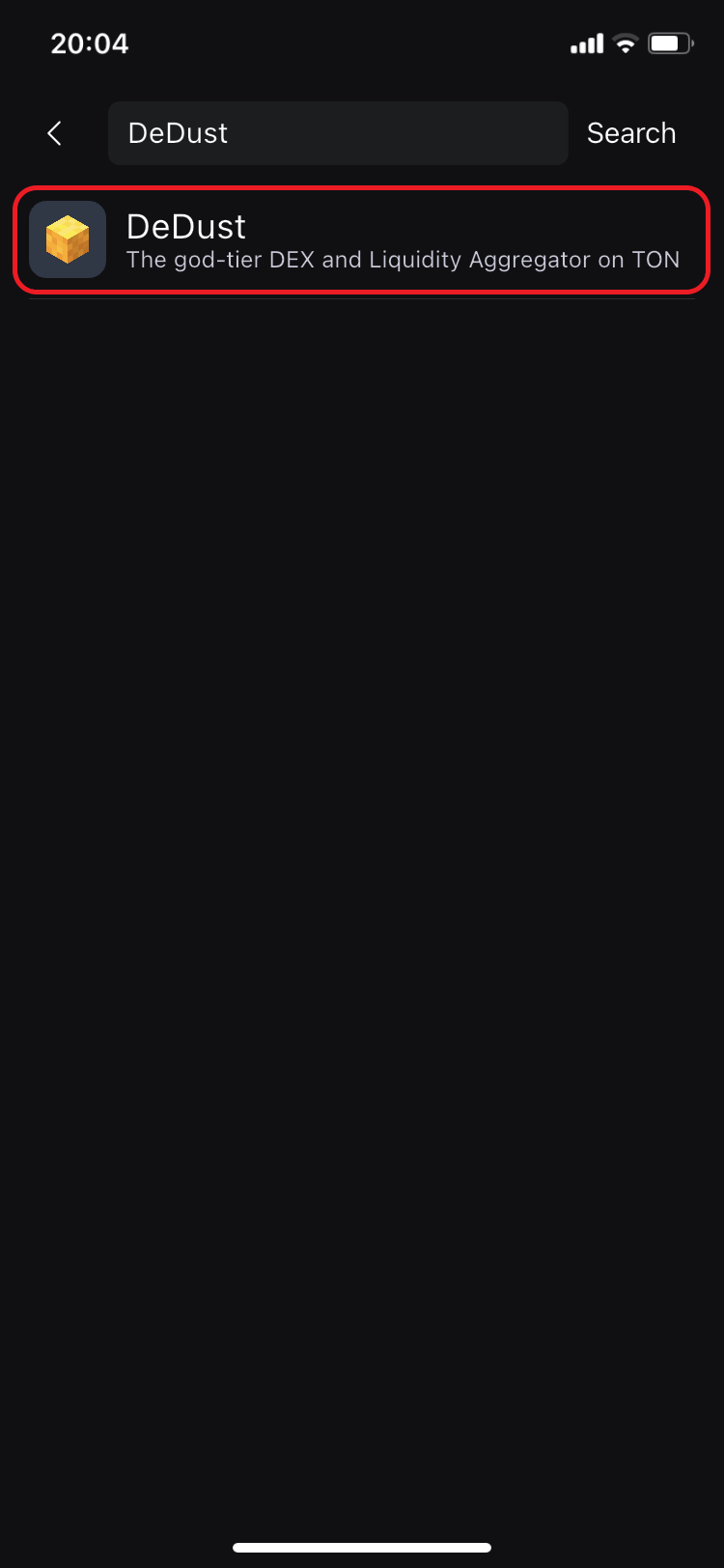
7. To start interacting with DeDust using your SafePal wallet app, move to **Explore** tab, and:
* use Search, or
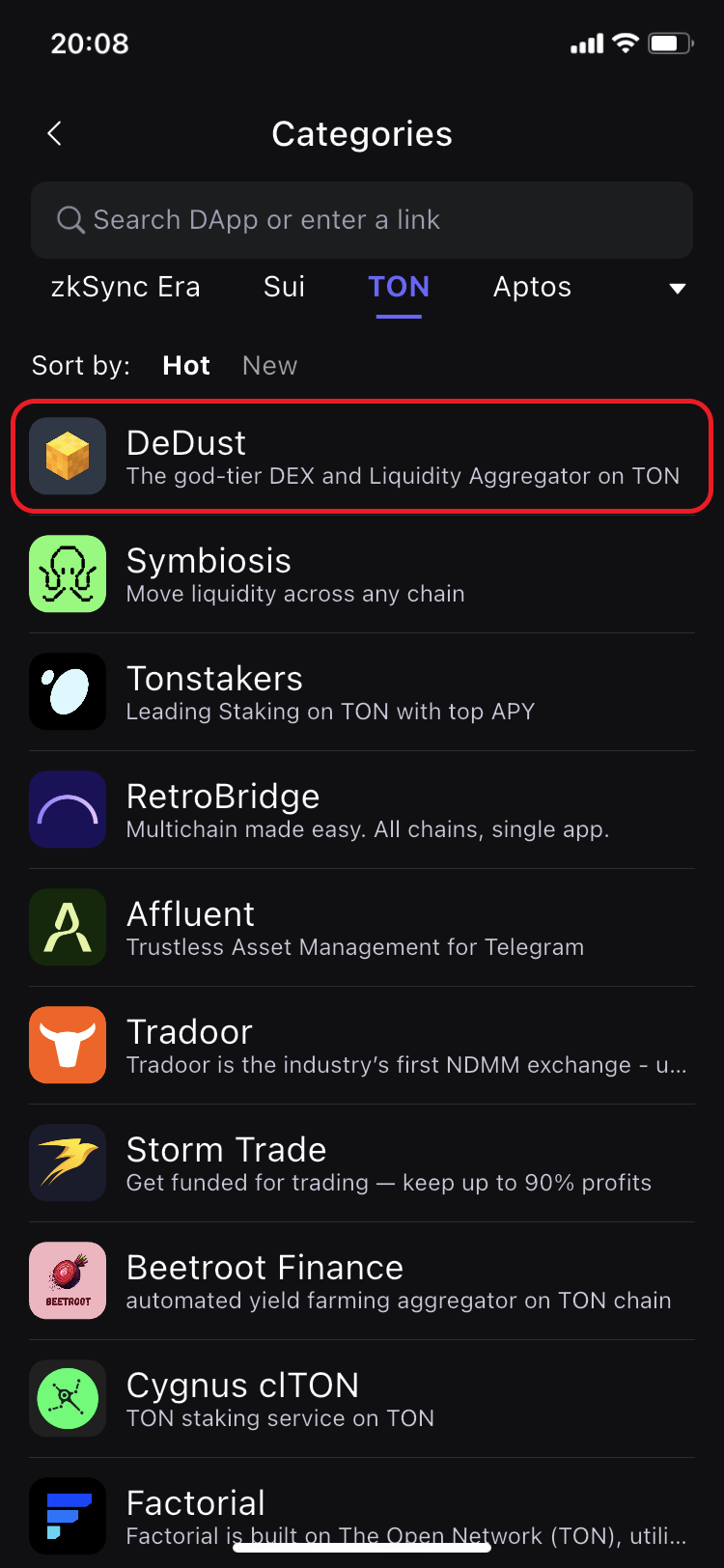
* open Categories menu to find DeDust under TON category.
Step 7. Wallet
Step 7. Explore
Step 7. Search
Step 7. Search results
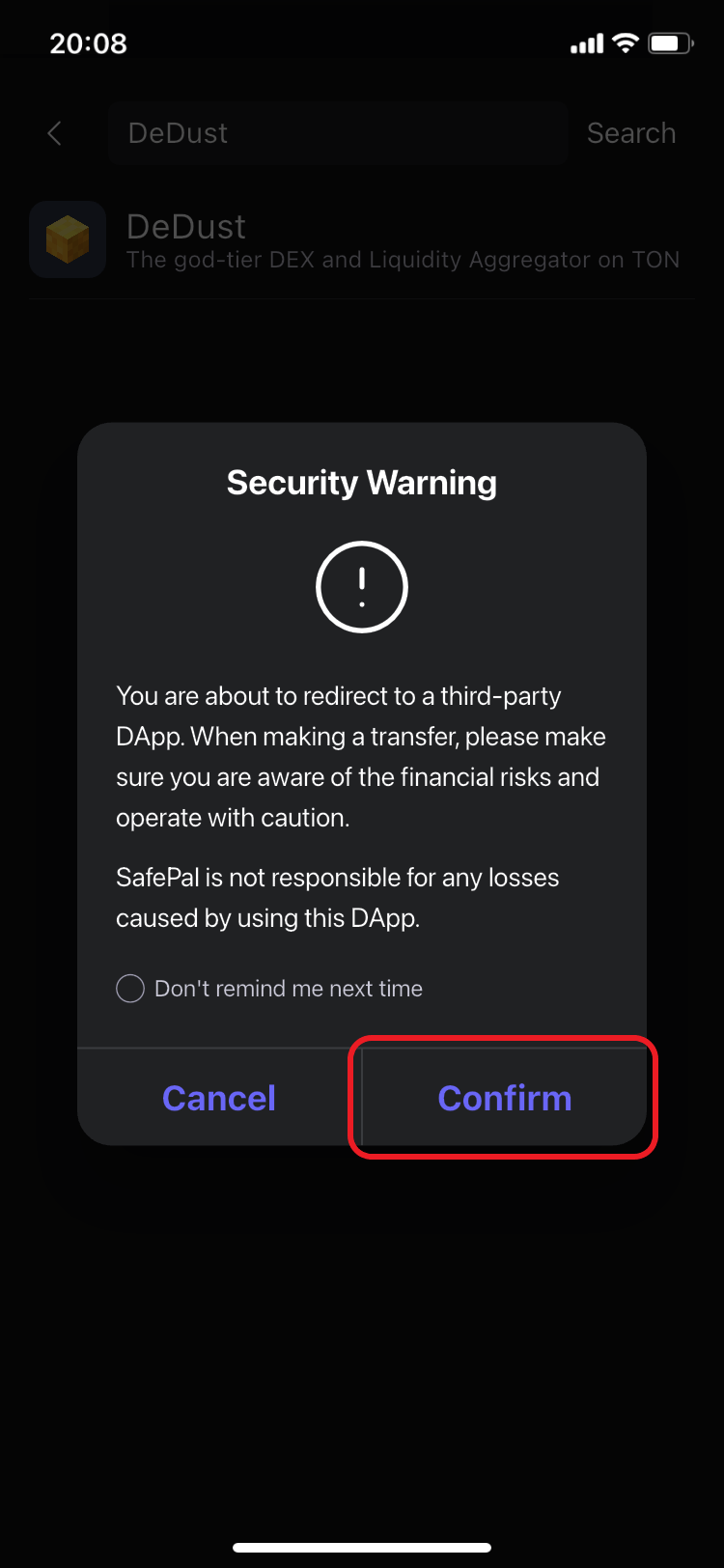
8. After chosing DeDust, read a Security Warning and press 'Confirm' to connect your wallet to DeDust.\
Enjoy! Swap, stake and provide liquidity.
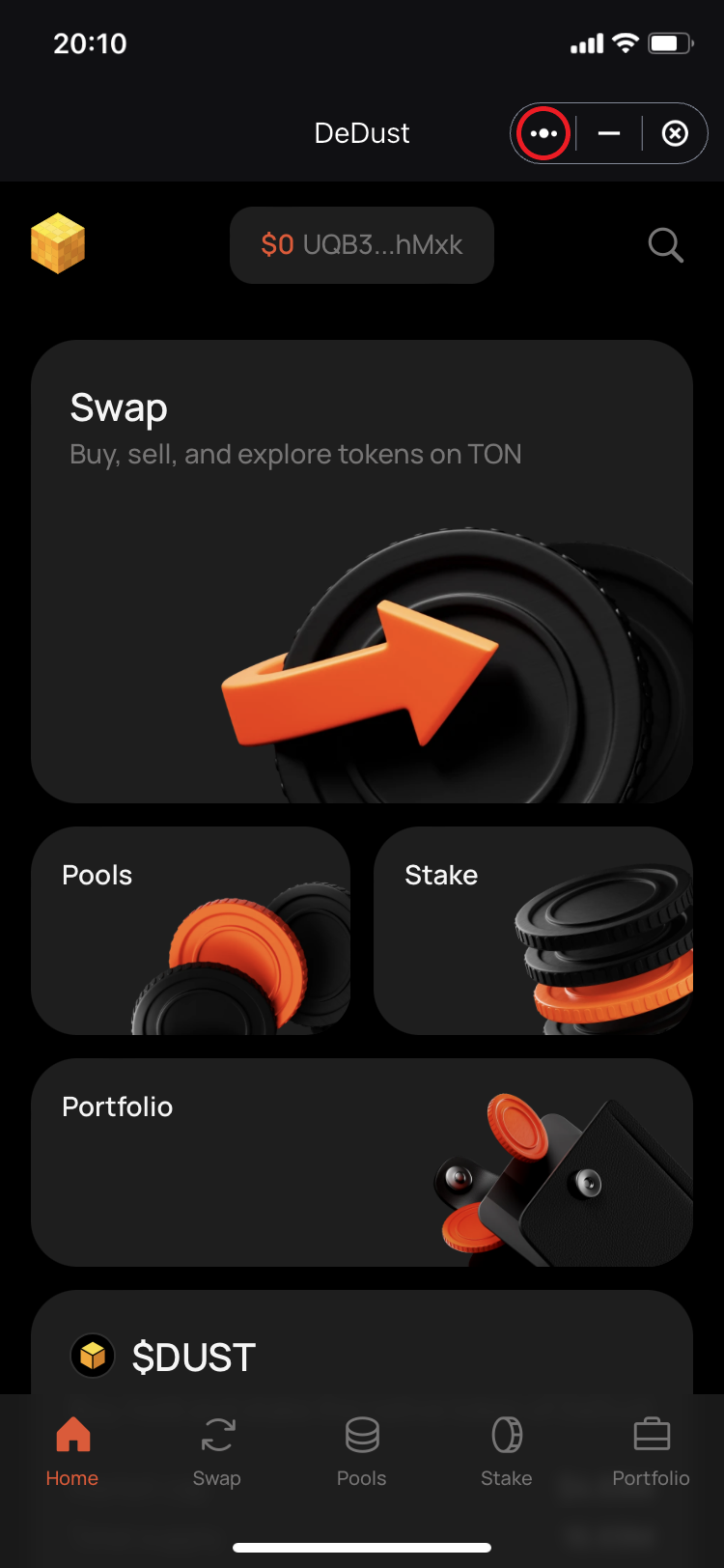
9. Press 'three dots' button in the top right corner to find more options for DeDust.
Step 7. Categories -> TON
Step 8
Step 9
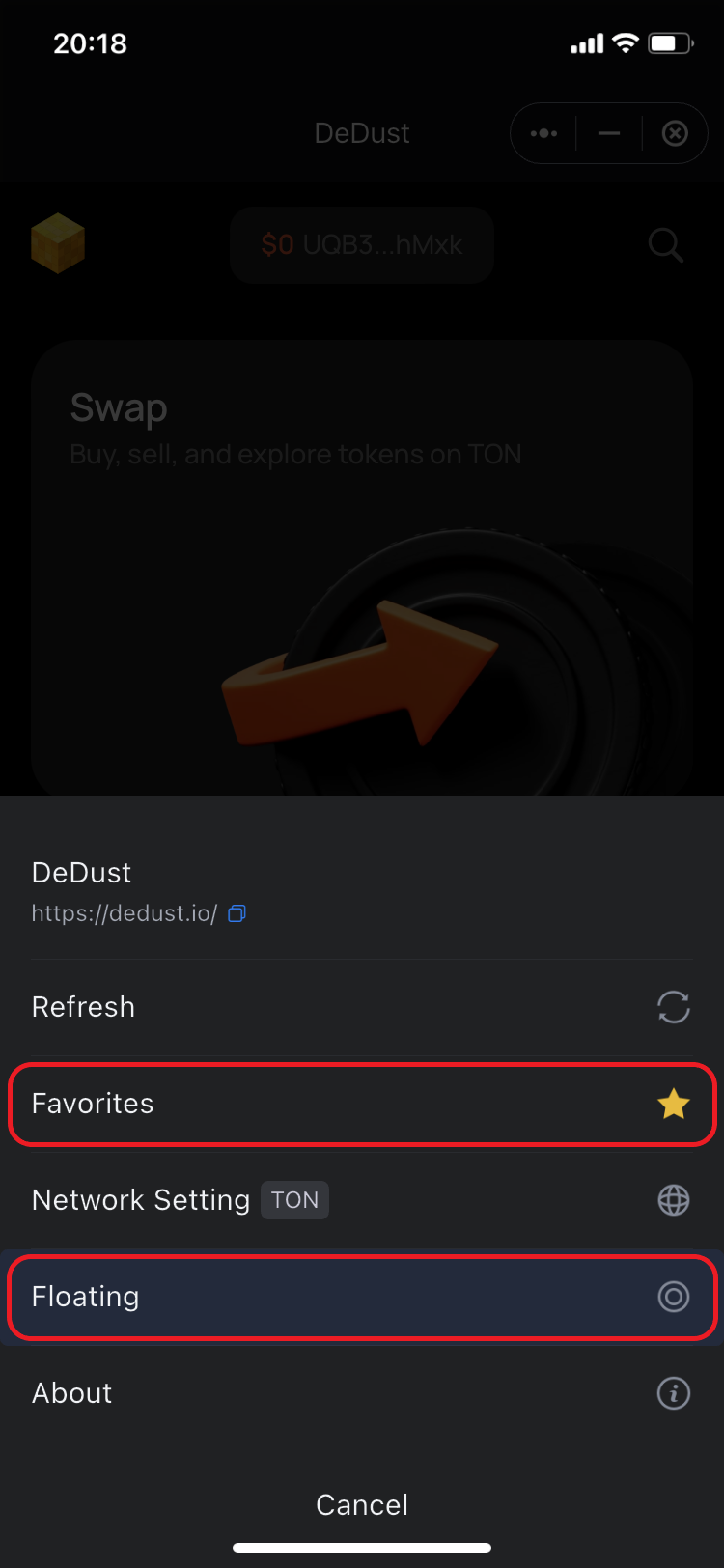
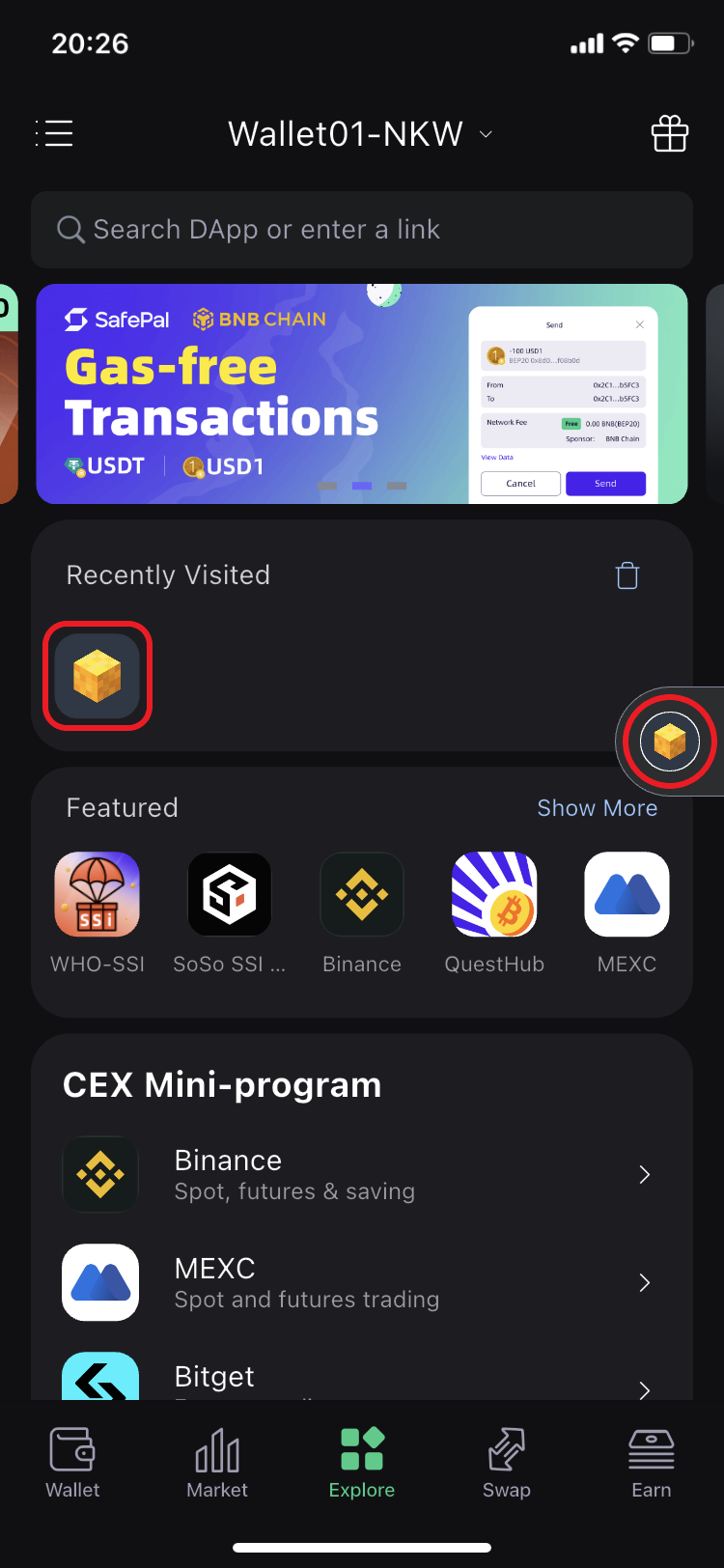
10. Add DeDust to Favorites category and pin it Floating to have it always at your fingertips in SafaPal.\
DeDust icon will also appear in 'Recently Visited' apps list once you go back to **Explore** tab.
About SafePal:
Founded in 2018, [SafePal](http://www.safepal.com/) is a next generation non-custodial crypto wallet suite backed by Animoca Brands, Binance and Superscrypt. The suite empowers access to decentralized and centralized finance on 200+ blockchains across its hardware, software, and browser extension wallet solutions.\
\
Encompassing a diverse mix of crypto asset management solutions like cross-chain swapping, trading and yielding tools, centralized exchange (CEX) mini programs, a [banking gateway and Mastercard](https://www.safepal.com/en/bank) for users — SafePal serves over 20 million users globally across 200+ regions and countries in 16 languages.\
\
[SFP](https://www.coingecko.com/en/coins/safepal) is a decentralized BEP-20 and ERC-20 token fuelling the SafePal ecosystem with various utilities such as discounts on SafePal products, staking boost and airdrop rewards, seamless conversion to gas tokens, and more.\
\
Stay informed about SafePal [here](https://www.safepal.com/sitemap)\
\
**Media Kit:**