> For the complete documentation index, see [llms.txt](https://help.dedust.io/en/llms.txt). Markdown versions of documentation pages are available by appending `.md` to page URLs; this page is available as [Markdown](https://help.dedust.io/en/ru/start/wallet/mytonwallet.md).
# MyTonWallet
Let's create a wallet in [MyTonWallet](https://mytonwallet.io/) using the mobile version of the application in this guide. You can download MyTonWallet for [iOS](https://apps.apple.com/ru/app/mytonwallet-anyway-ton-wallet/id6464677844) or [Android](https://mytonwallet.app/get/android).
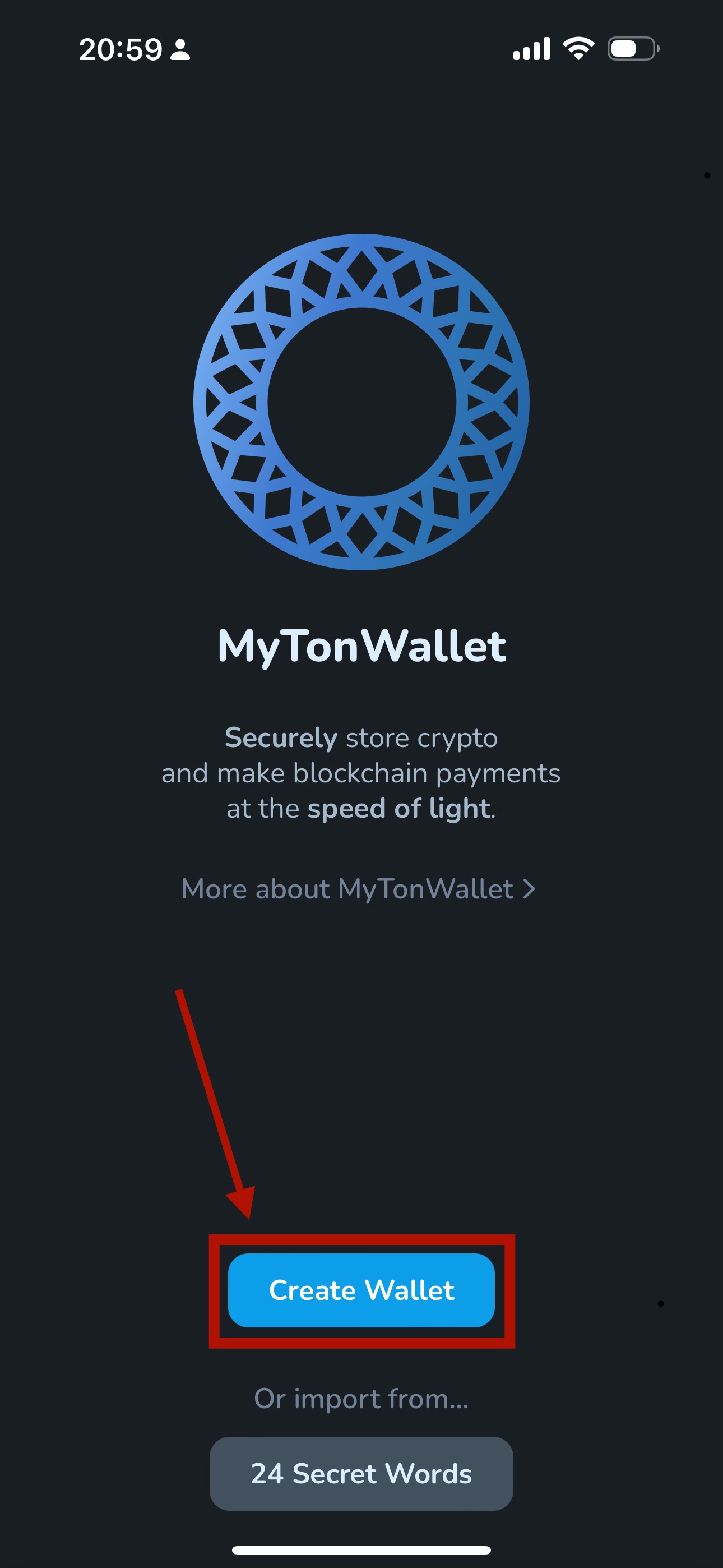
1. Open the MyTonWallet app and select ‘Create Wallet’.
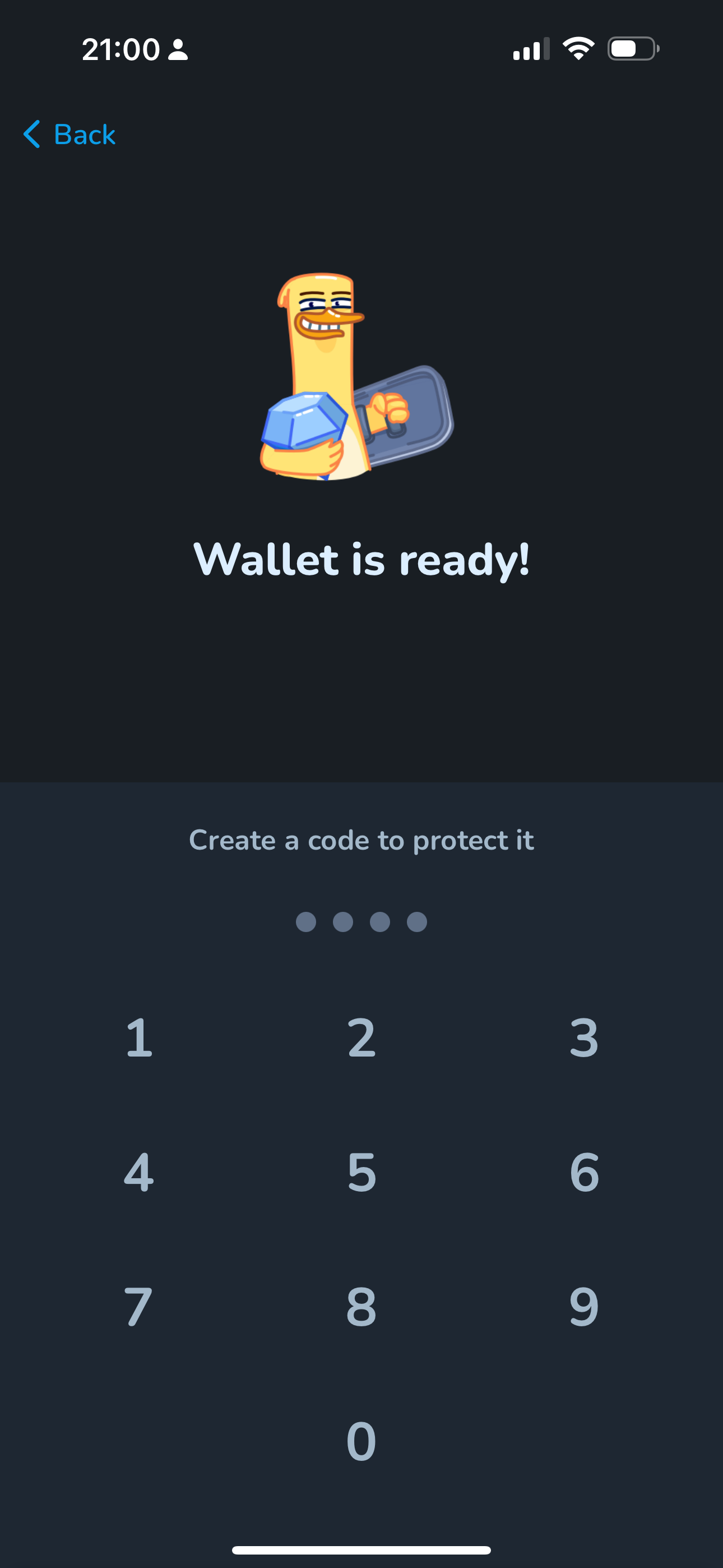
2. Create and confirm a PIN code to protect the wallet and authorize transactions.
Step 1
Step 2
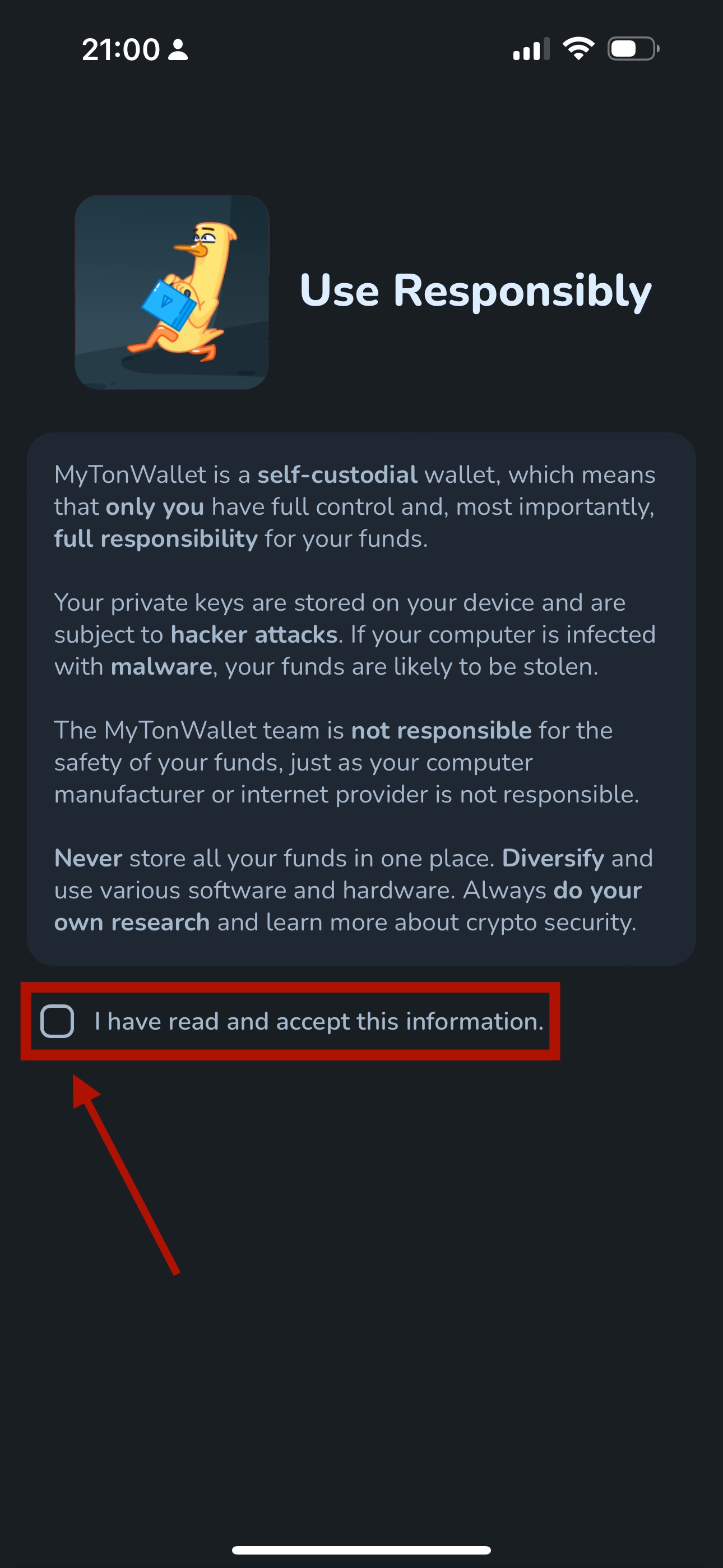
3. Read responsibly and accept the information.
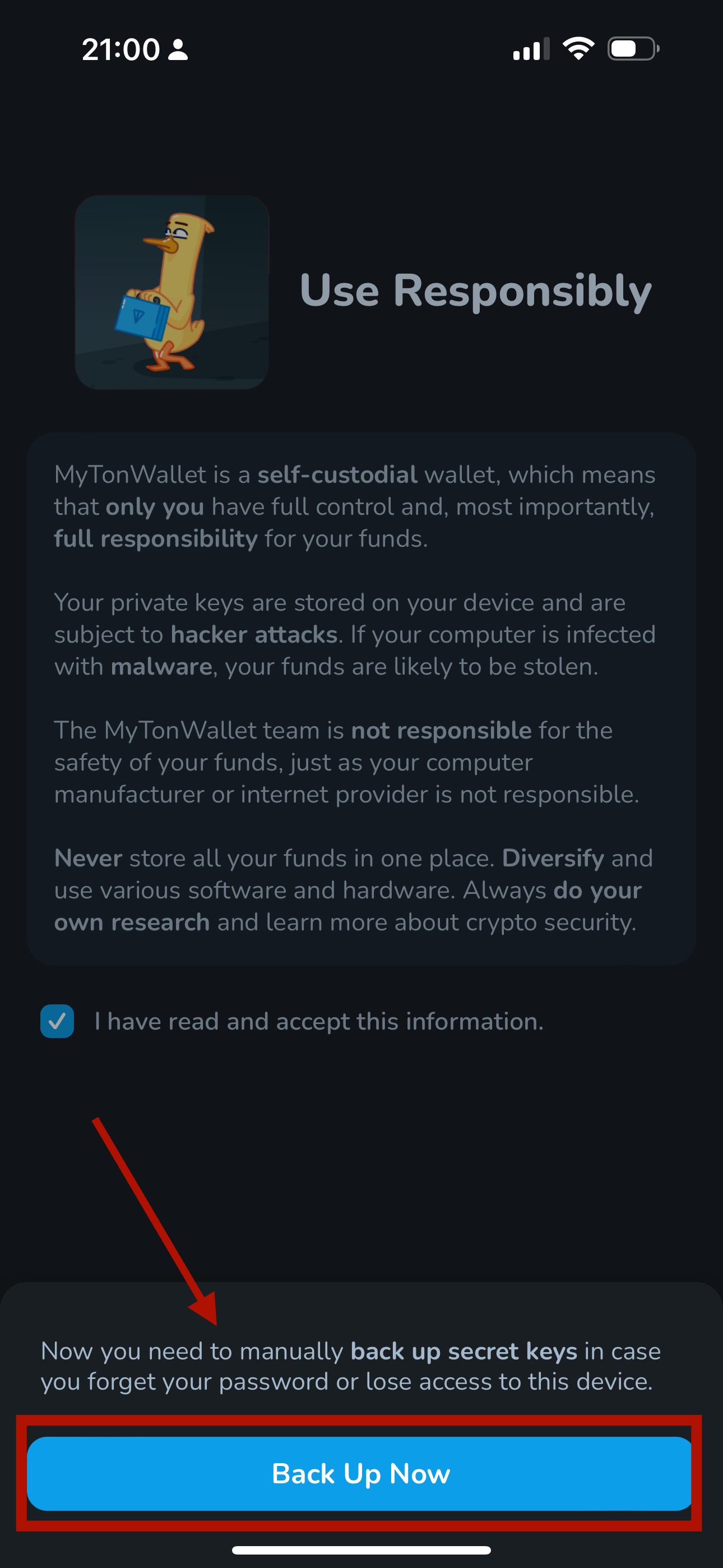
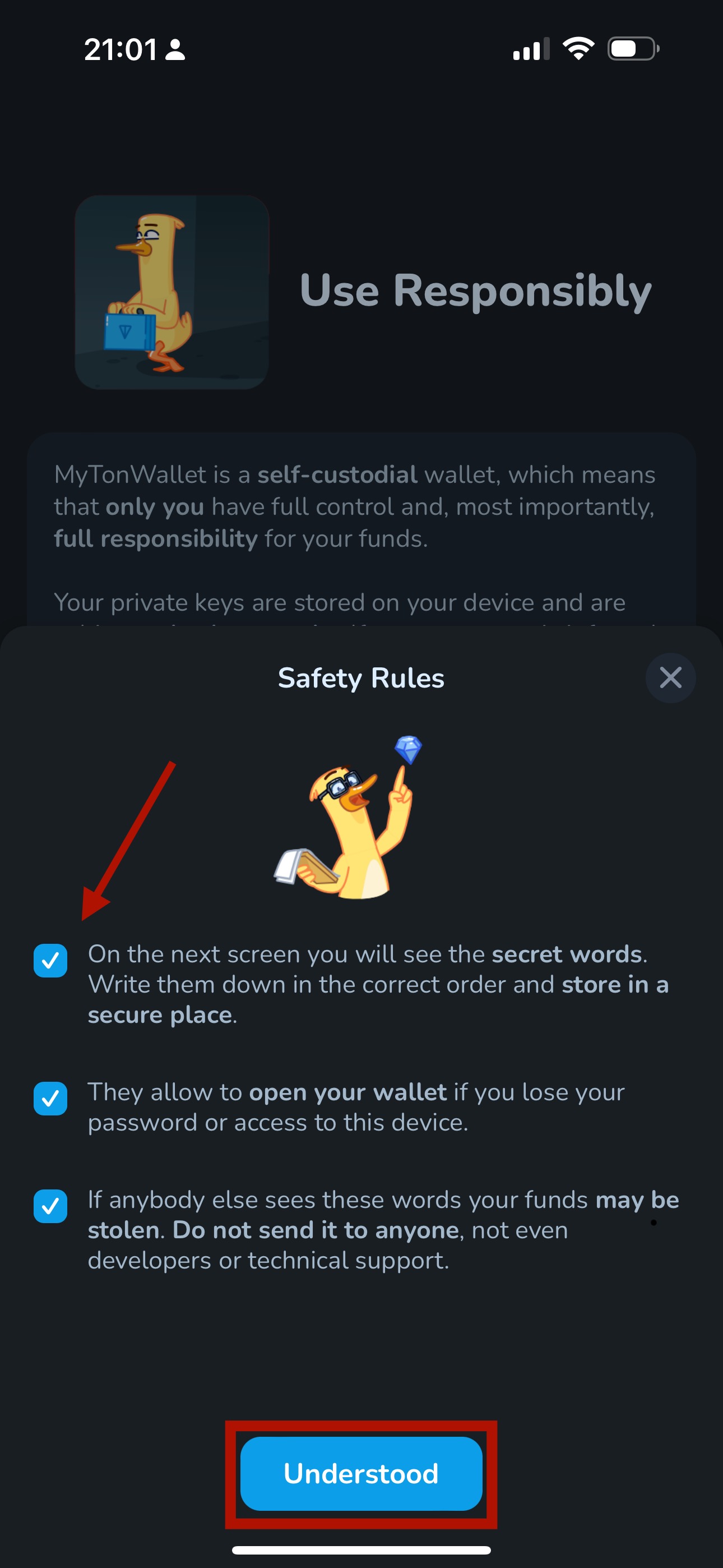
4. Tap on ‘Back Up Now’ and check all safety rules.
5. Select ‘Understood’ to write down and save the 24-word seed phrase provided by the wallet.
❗The **seed phrase** is crucial for wallet access — never share it with other users. Losing the seed phrase means losing all wallet funds.
Step 3
Step 4
Step 5
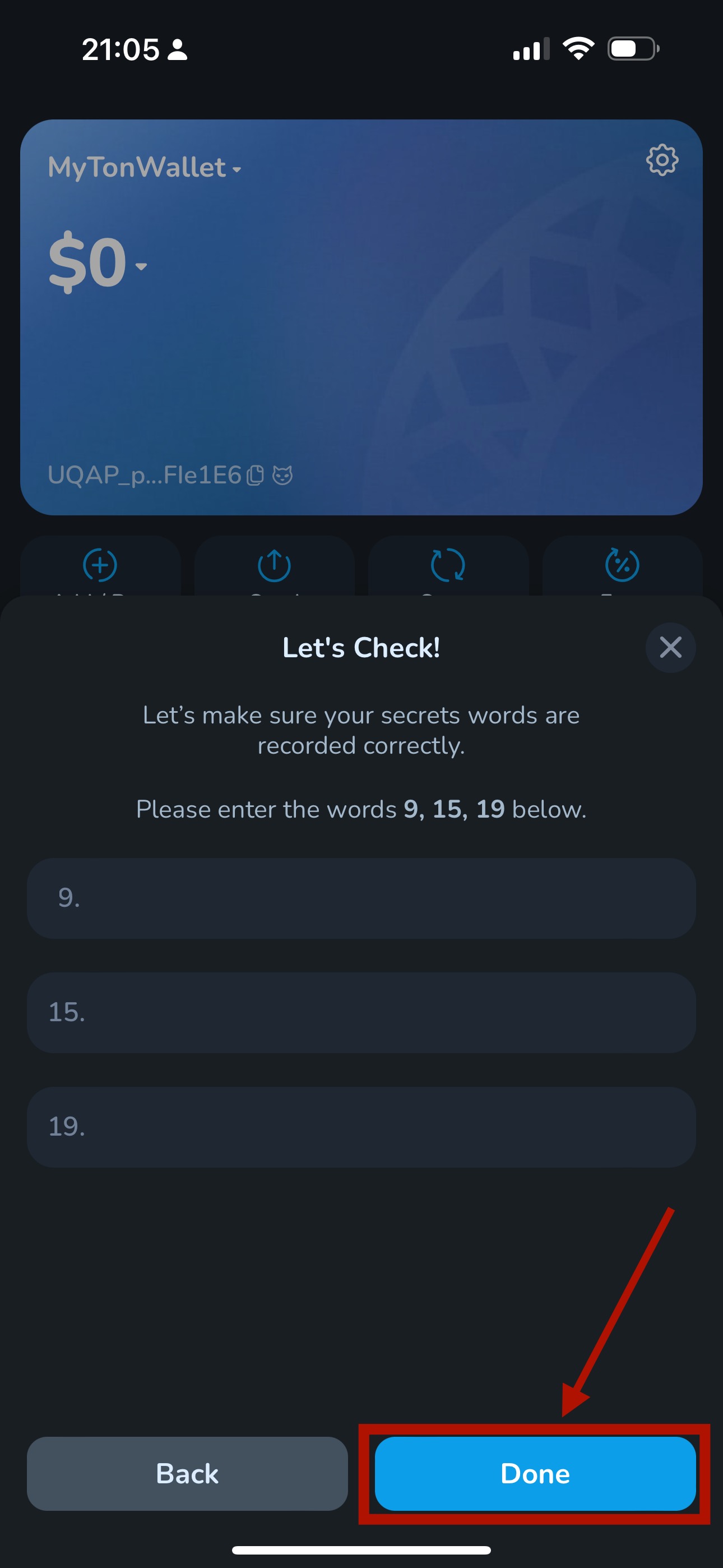
6. Make sure your safety words are recorded correctly and select ‘Done’.
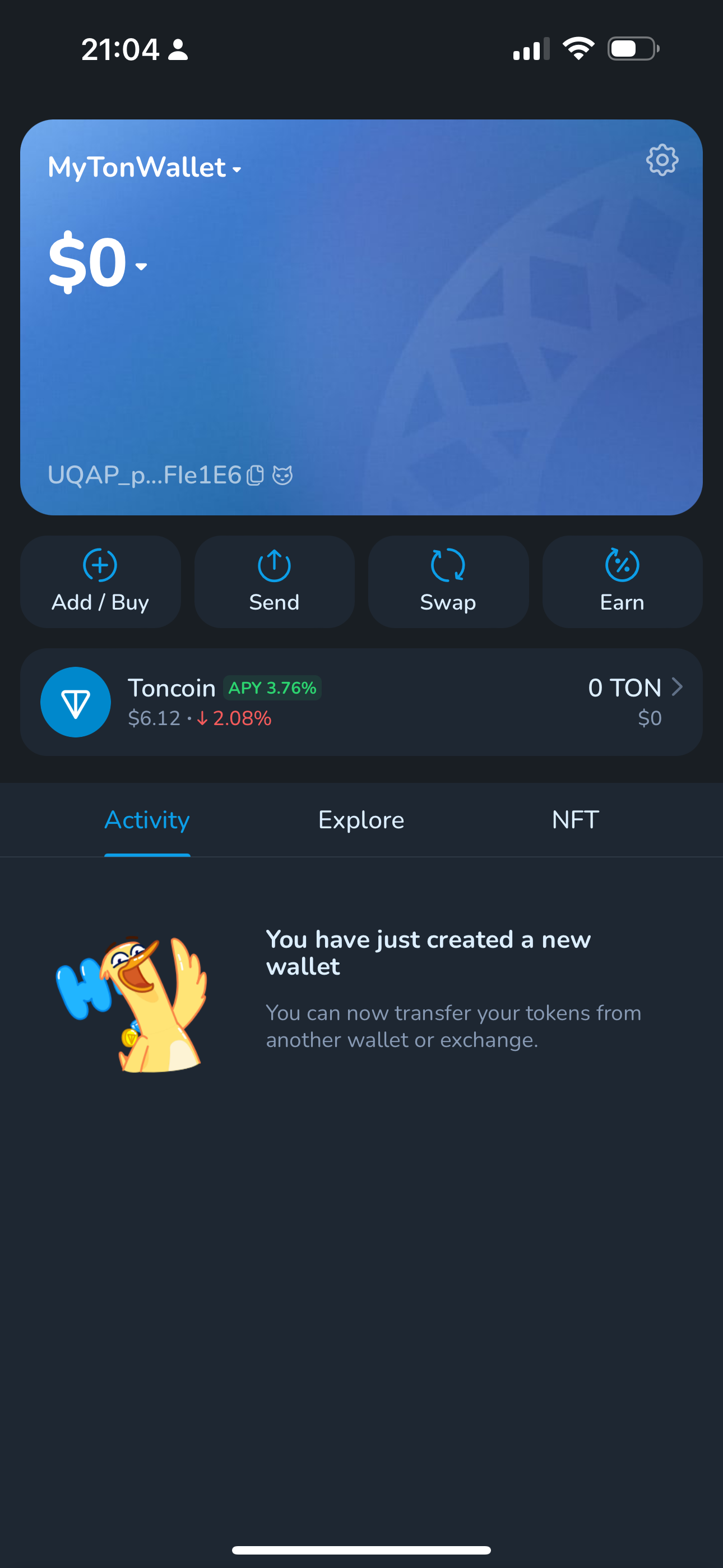
7. MyTonWallet is ready to use.
Consider enabling biometric authentication — fingerprint or face ID. If you forget the code, use the seed phrase to recover access.