> For the complete documentation index, see [llms.txt](https://help.dedust.io/en/llms.txt). Markdown versions of documentation pages are available by appending `.md` to page URLs; this page is available as [Markdown](https://help.dedust.io/en/ru/start/connect.md).
# Connect to DeDust
TON Connect is a communication protocol between wallets and apps in TON. Use TON Connect to connect any non-custodial wallet.
## Mobile version
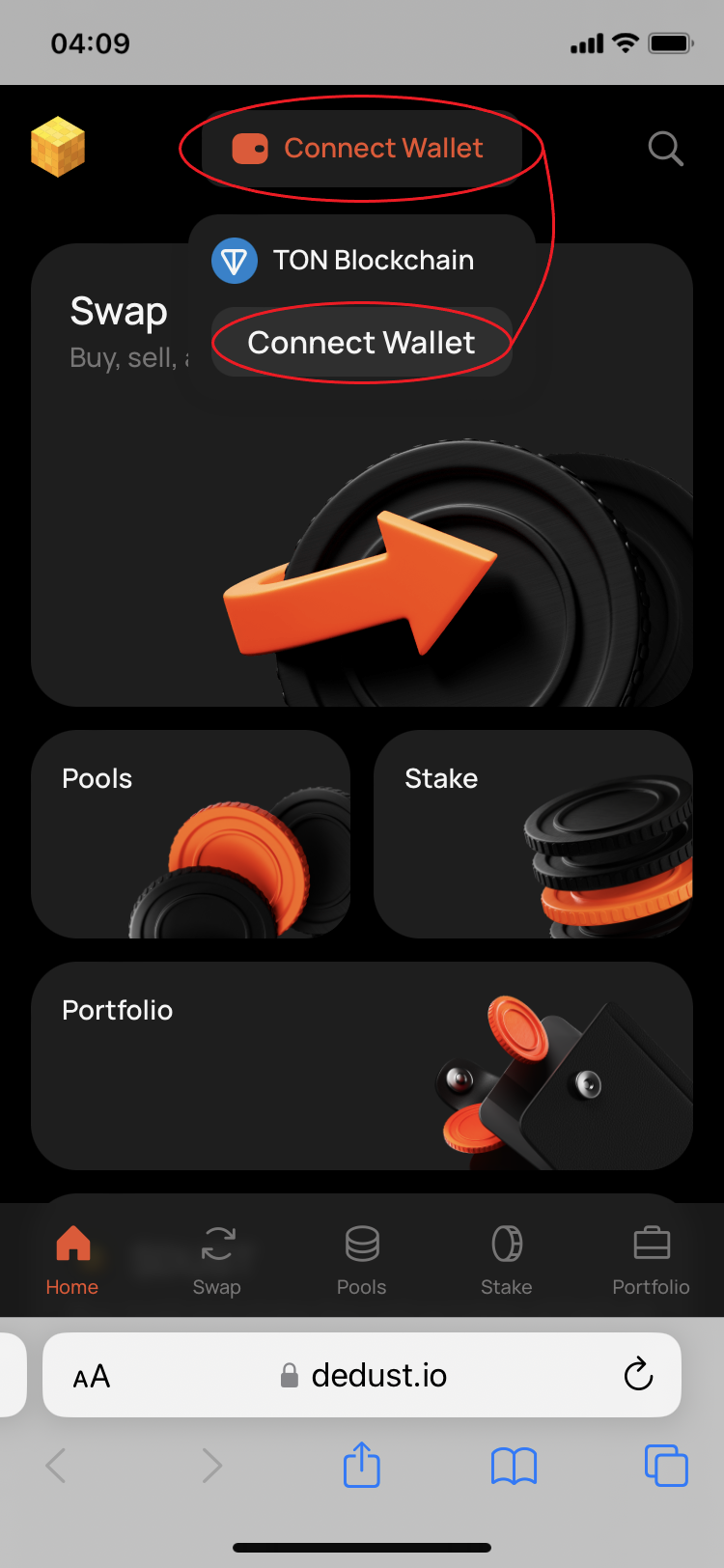
1. Open [DeDust.io](https://dedust.io) in your browser and tap on 'Connect wallet'.
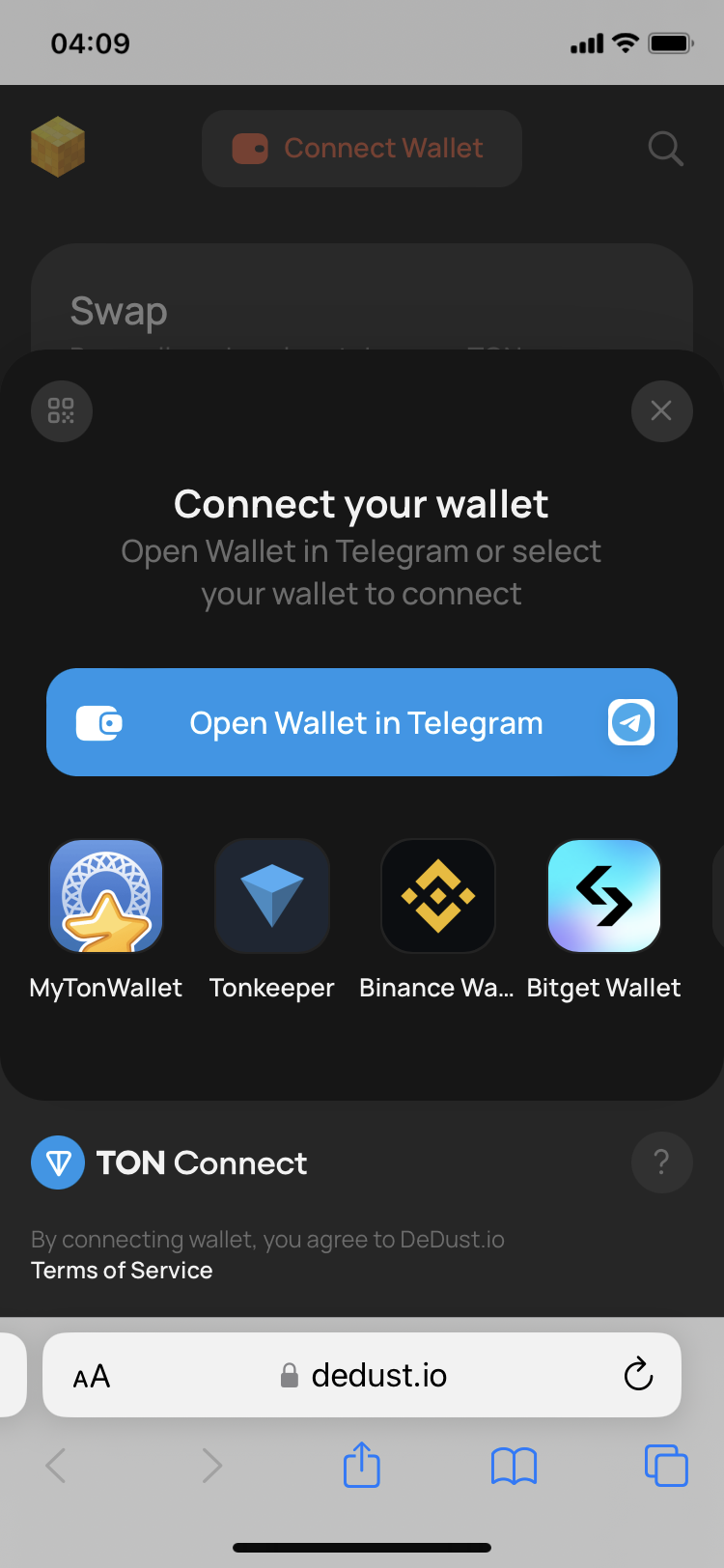
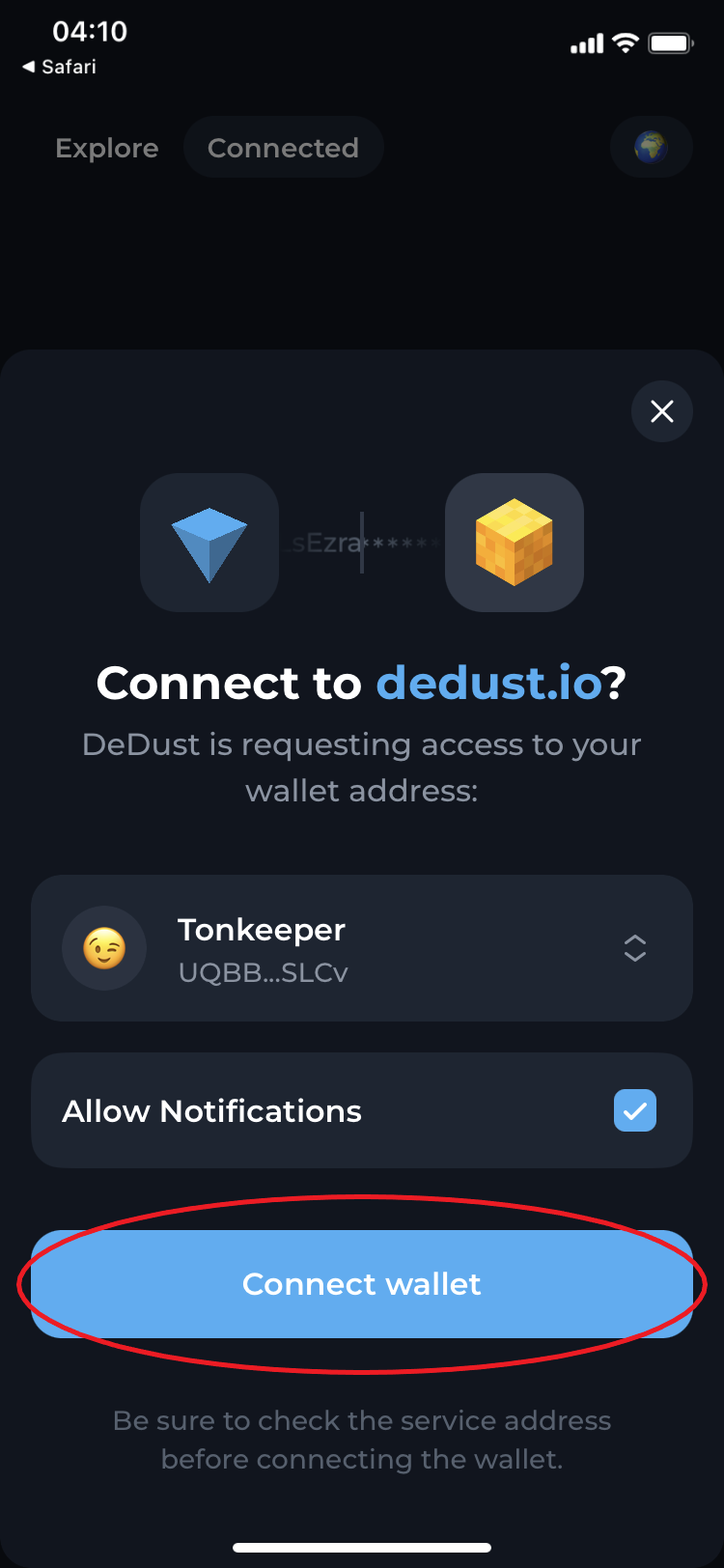
2. Select your wallet and confirm the connection with a mobile application of your wallet — we use Tonkeeper as an example.
Step 1
Step 2
Step 3
## Desktop version
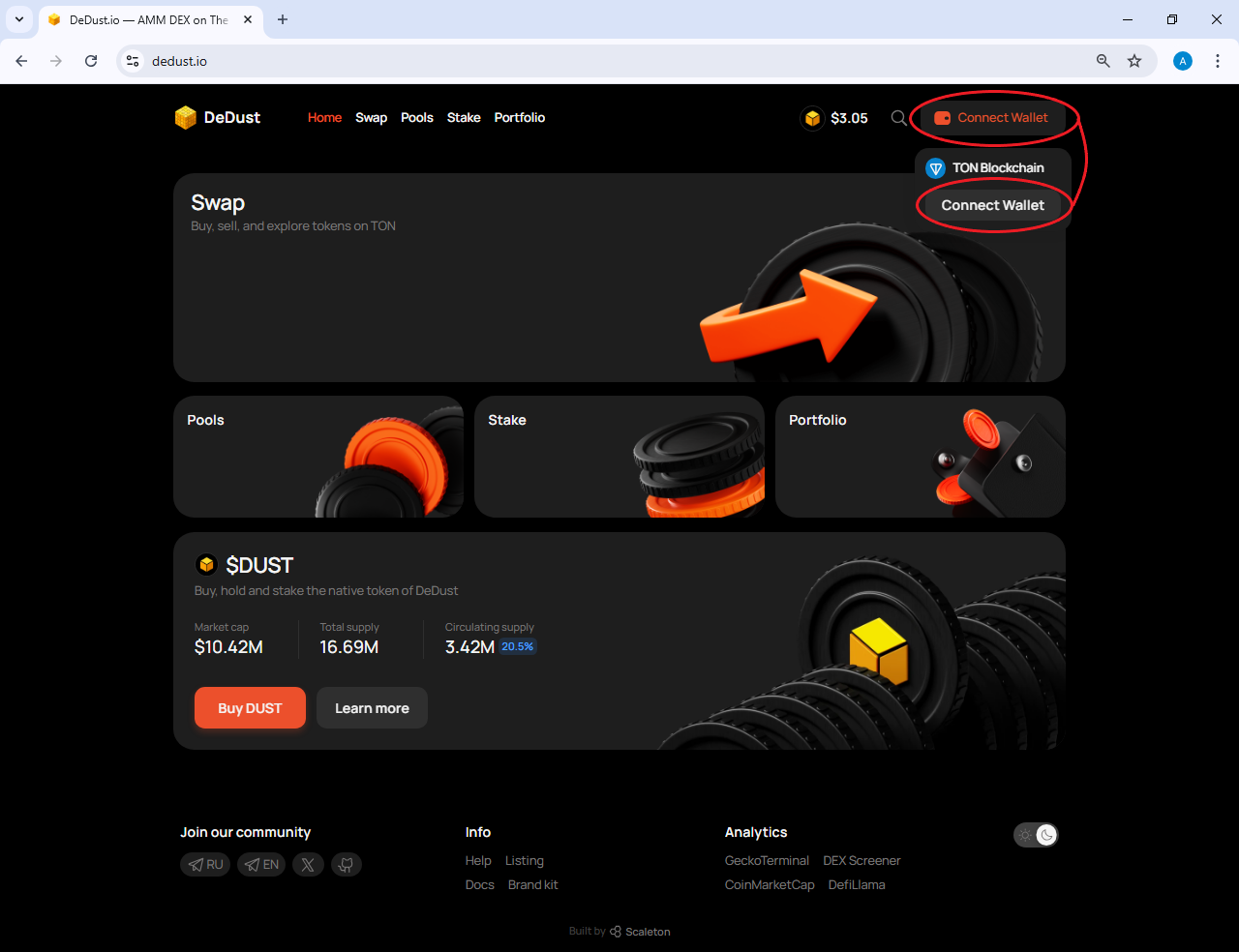
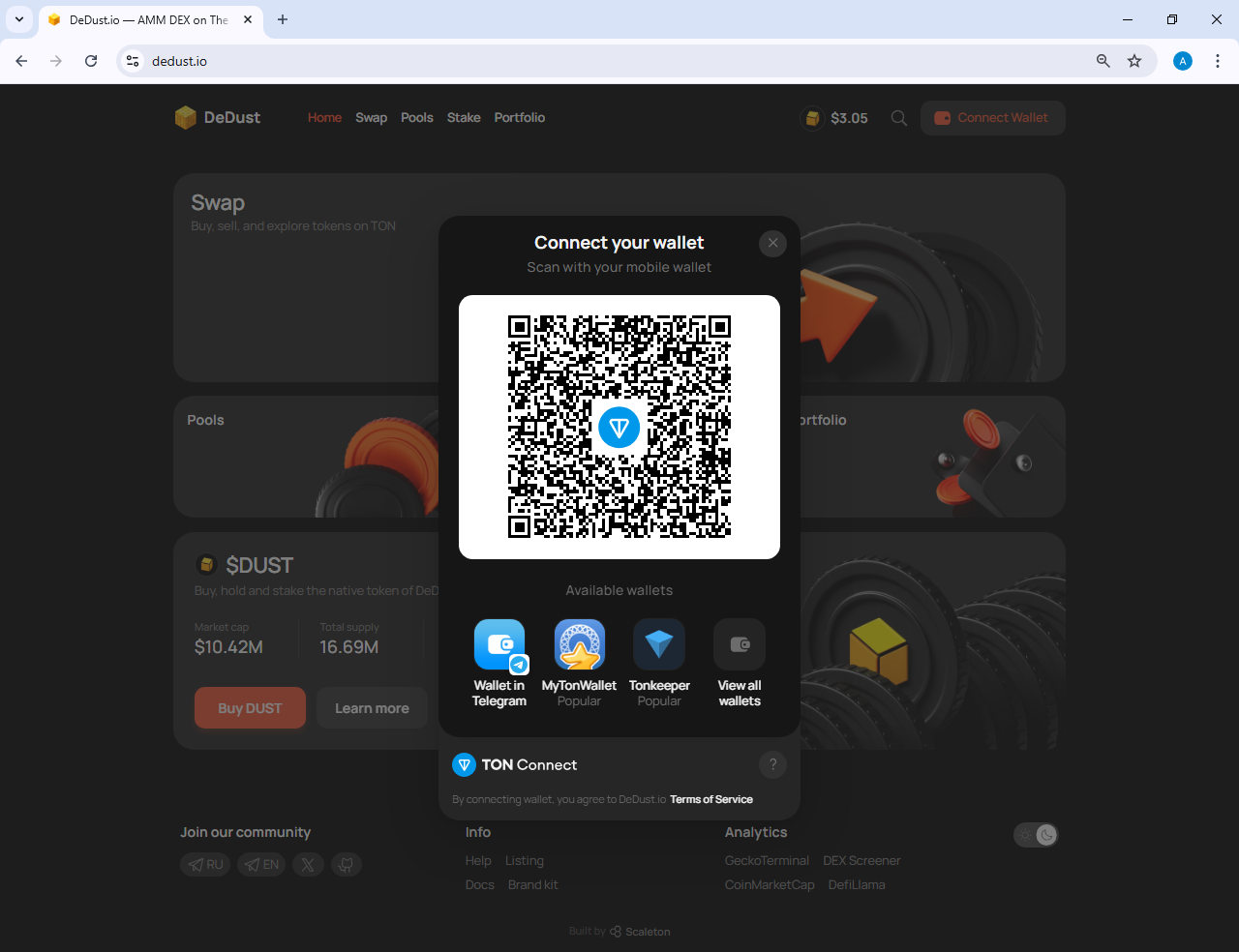
1. Open [DeDust.io](https://dedust.io) in your browser and click on the 'Connect wallet' button.
2. Select a wallet that you use or scan QR code with a mobile application of your wallet and confirm the connection.