> For the complete documentation index, see [llms.txt](https://help.dedust.io/en/llms.txt). Markdown versions of documentation pages are available by appending `.md` to page URLs; this page is available as [Markdown](https://help.dedust.io/en/ru/liquidity/deposit.md).
# How to deposit liquidity
Learn how to earn with your assets using DeDust
{% hint style="success" %}
Here you'll learn how to add liquidity to **existing pool**. See [**pool creation**](/en/ru/liquidity/deposit/create.md#create-pool) and [new pool deposit](/en/ru/liquidity/deposit/create.md#deposit-liquidity) to learn more.
{% endhint %}
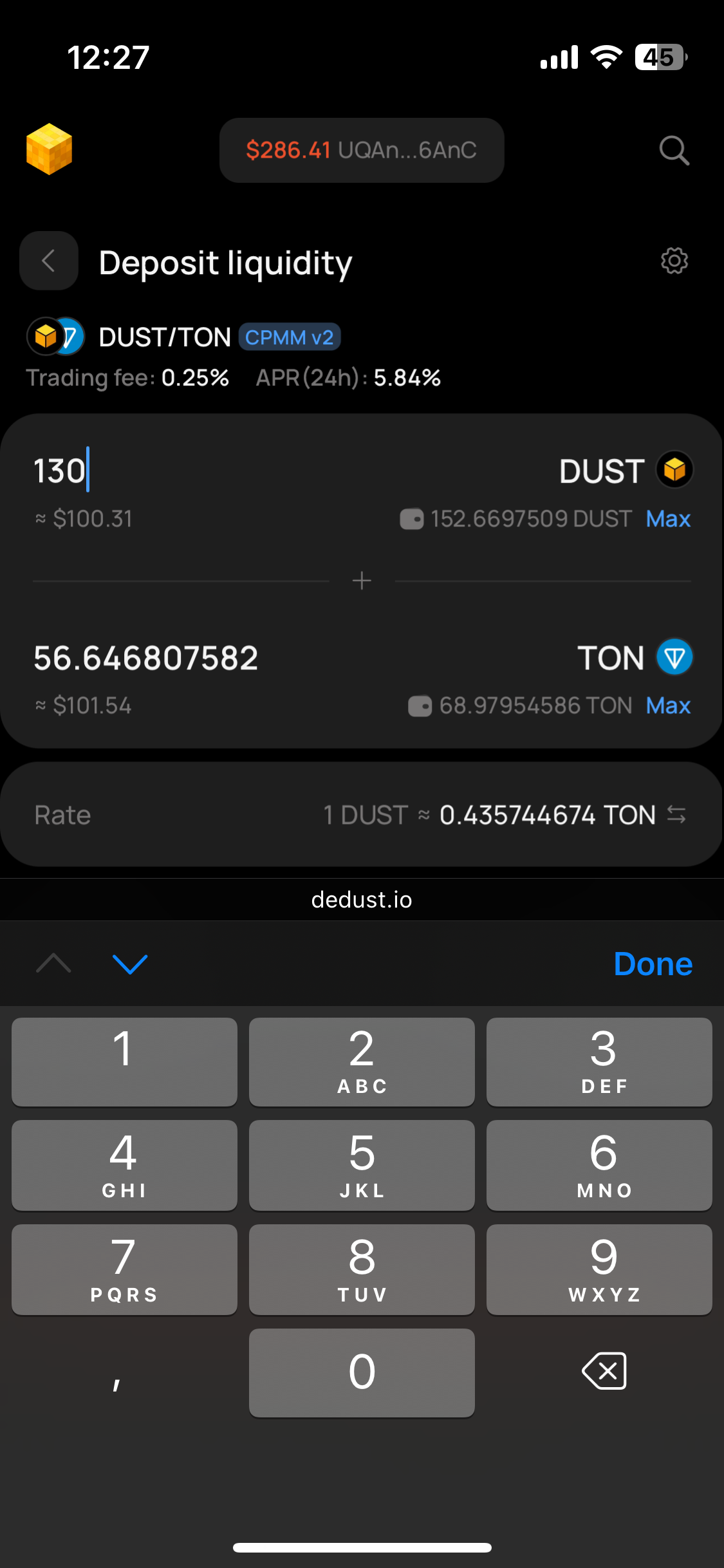
In liquidity provision, two tokens are usually added in equal proportions based on their current rate on DeDust. E.g. if you are adding 100 DUST, the exchange interface will automatically determine the necessary amount of TON or USDT to deposit into liquidity pool.
{% hint style="info" %}
[Blockchain fees](/en/ru/protocol/fees.md#blockchain-fees-or-network-fees) are applied when you add or withdraw tokens to / from liquidity pool. Therefore, it is advisable to always retain balance of at least 1.5 TON in your wallet. Still, these fees are relatively small.
{% endhint %}
## W**hat you need to add tokens to liquidity pool**
* A [non-custodial wallet](/en/ru/start/wallet.md), where you have logged in using a 12/24-word secret phrase (seed phrase).
* [Connect your wallet](/en/ru/start/connect.md) to DeDust.
* Tokens you plan to add to liquidity pool.
## How to add liquidity
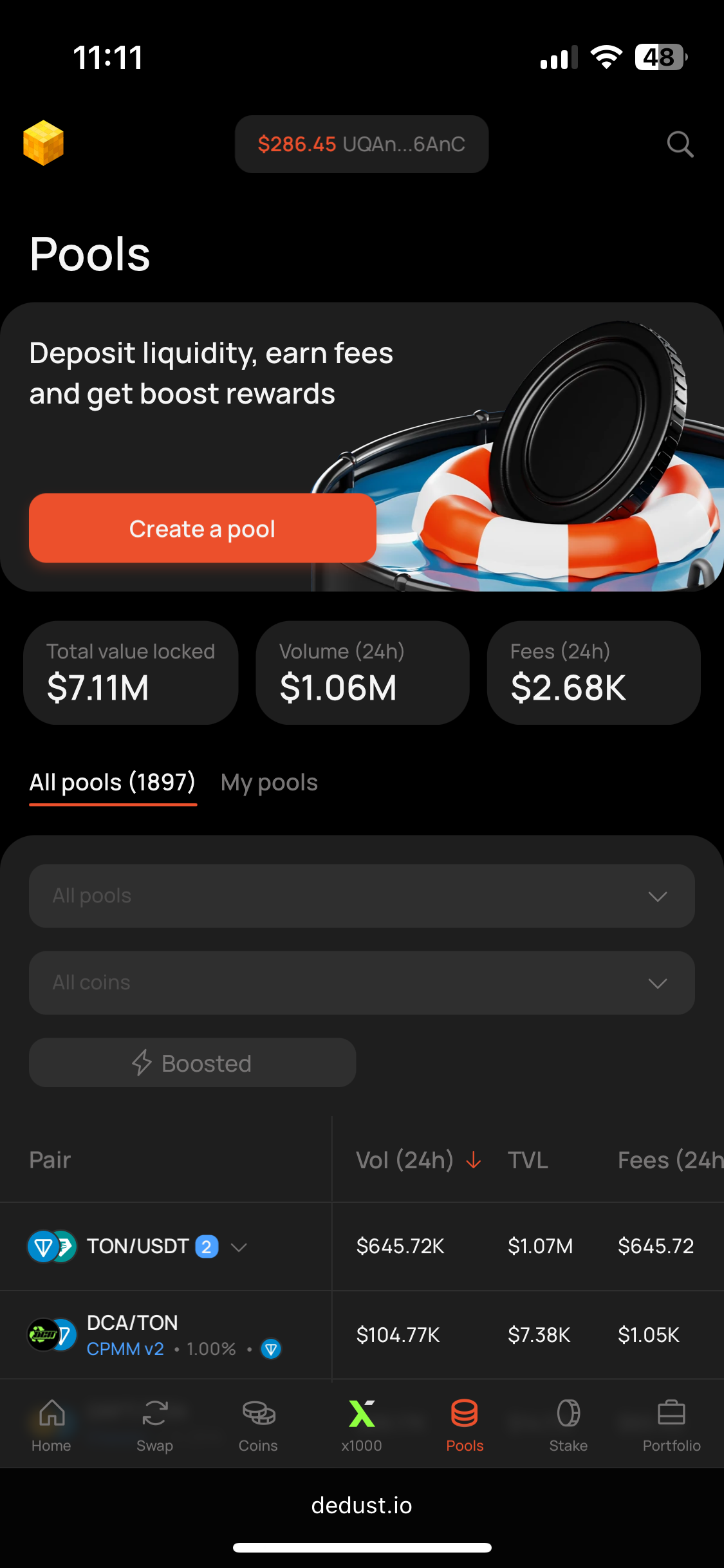
1. Open the [Pools](https://dedust.io/pools) section.
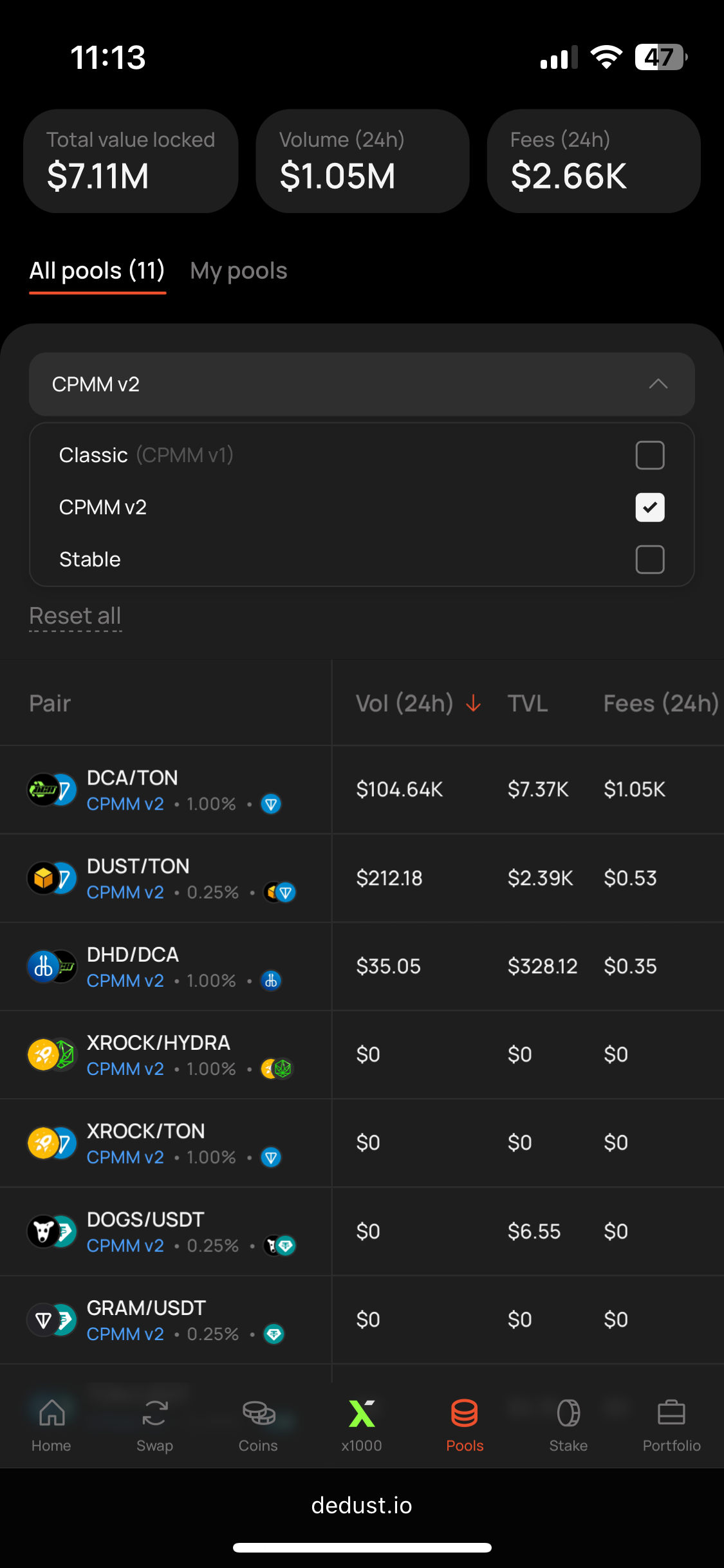
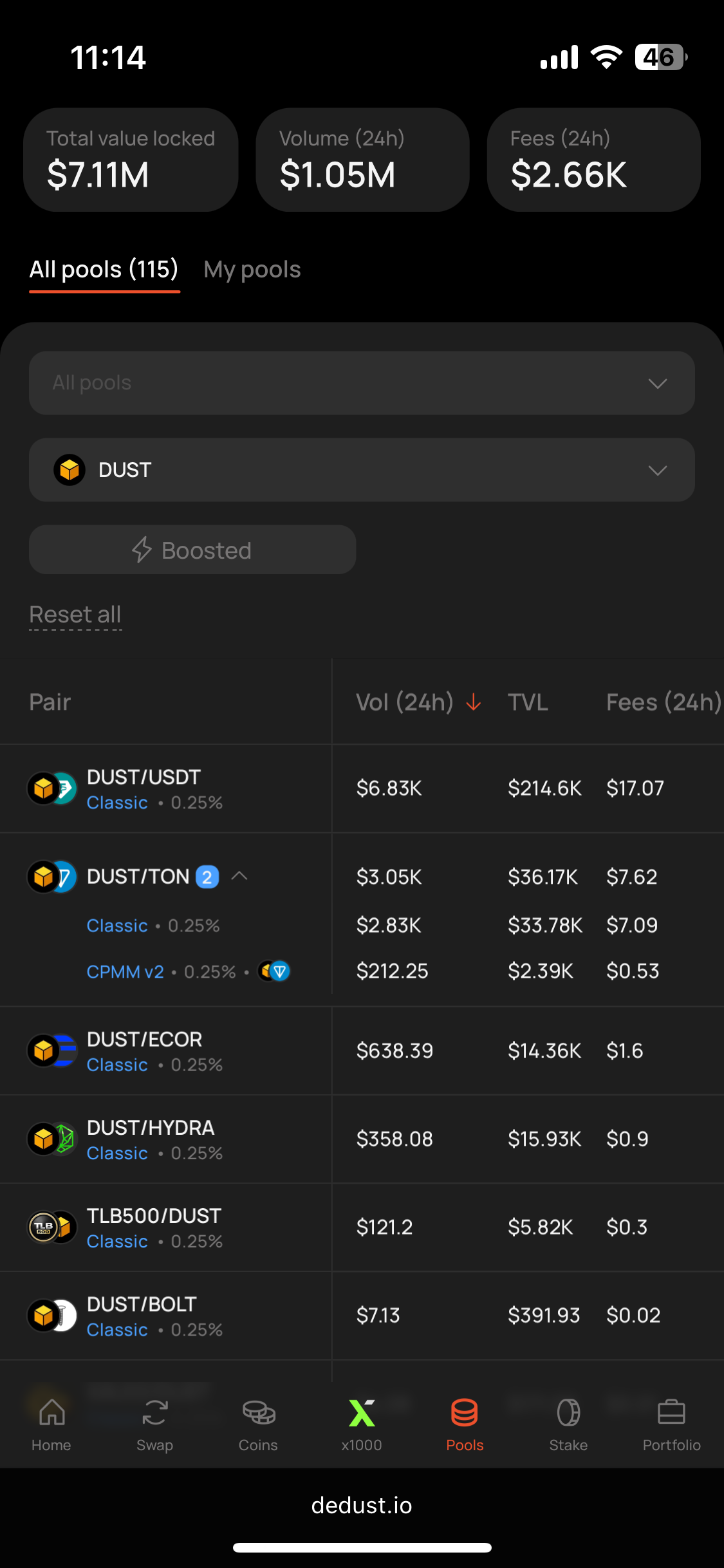
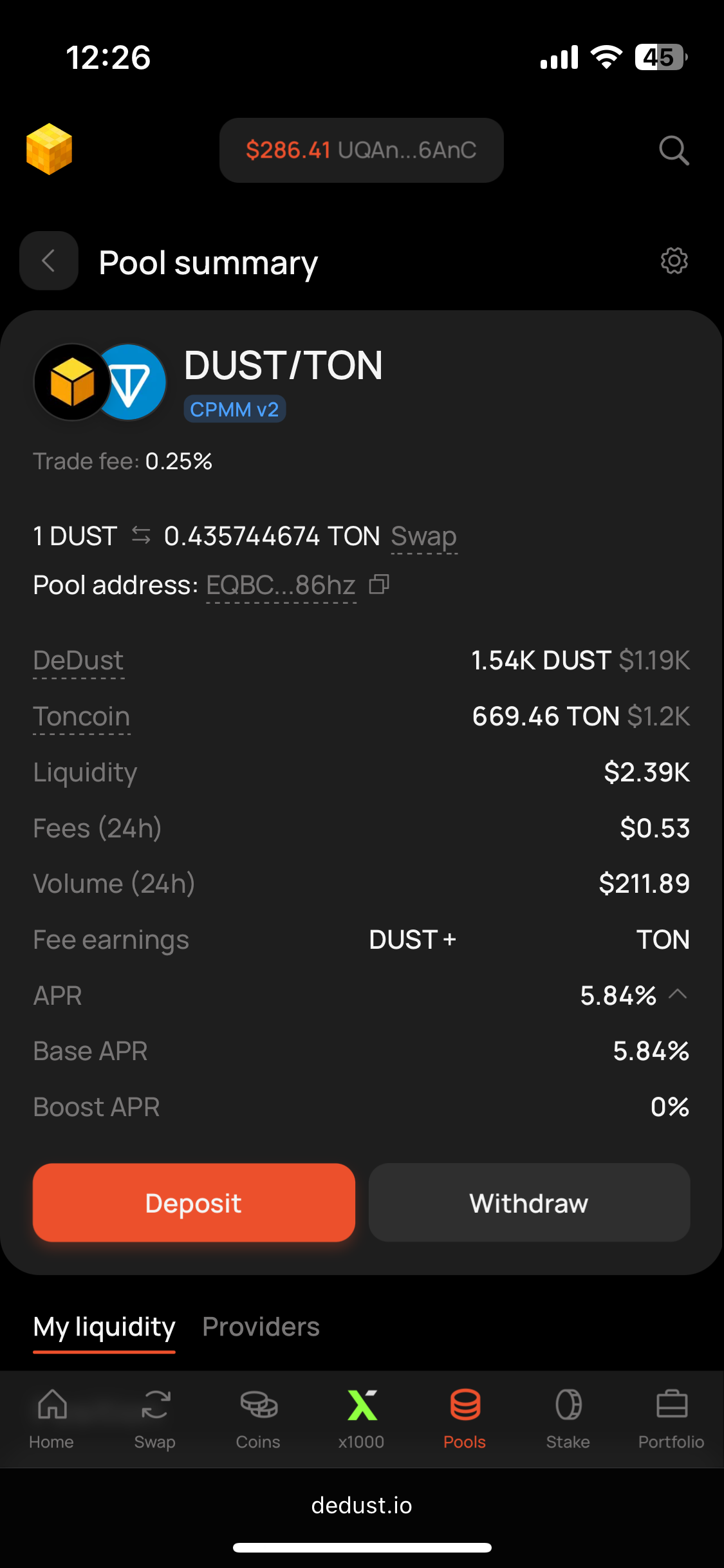
2. Use filters to search for liquidity pair you want or just pick one from the list. Let's use DUST/TON pool as an example. Select the pool to see its summary.
{% hint style="info" %}
You can also press '**Create pool**' button and select the desired assets (and other parameters — for [new pools](#user-content-fn-1)[^1]).
{% endhint %}
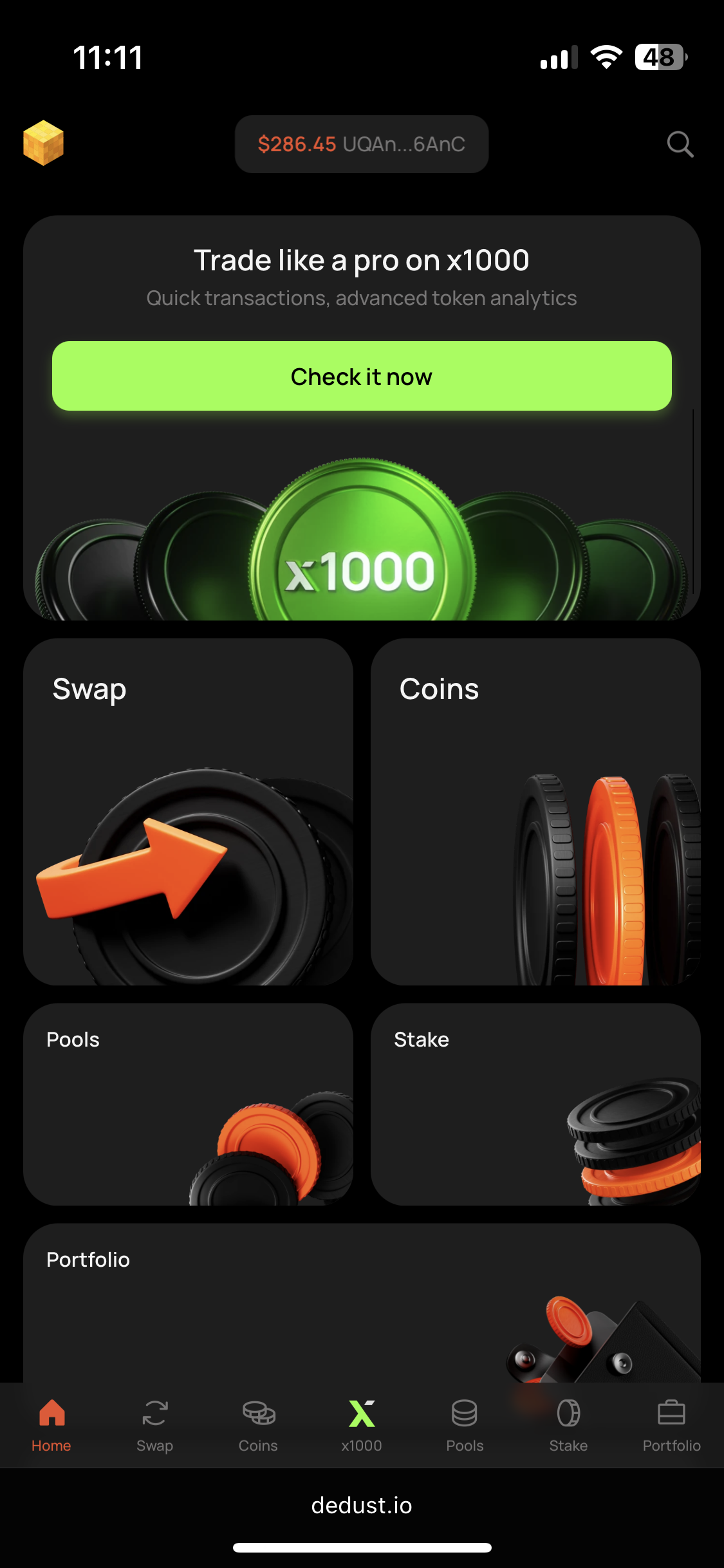
Homepage
Step 1
Step 2. Pool types filter
Step 2. Coins filter
3. On Pool summary page press **'Deposit'** button.
{% hint style="warning" %}
Depositing liquidity to a pool, pay attention to its [type](/en/ru/liquidity/pools/types.md) and conditions, defined at the moment of pool creation.
{% endhint %}
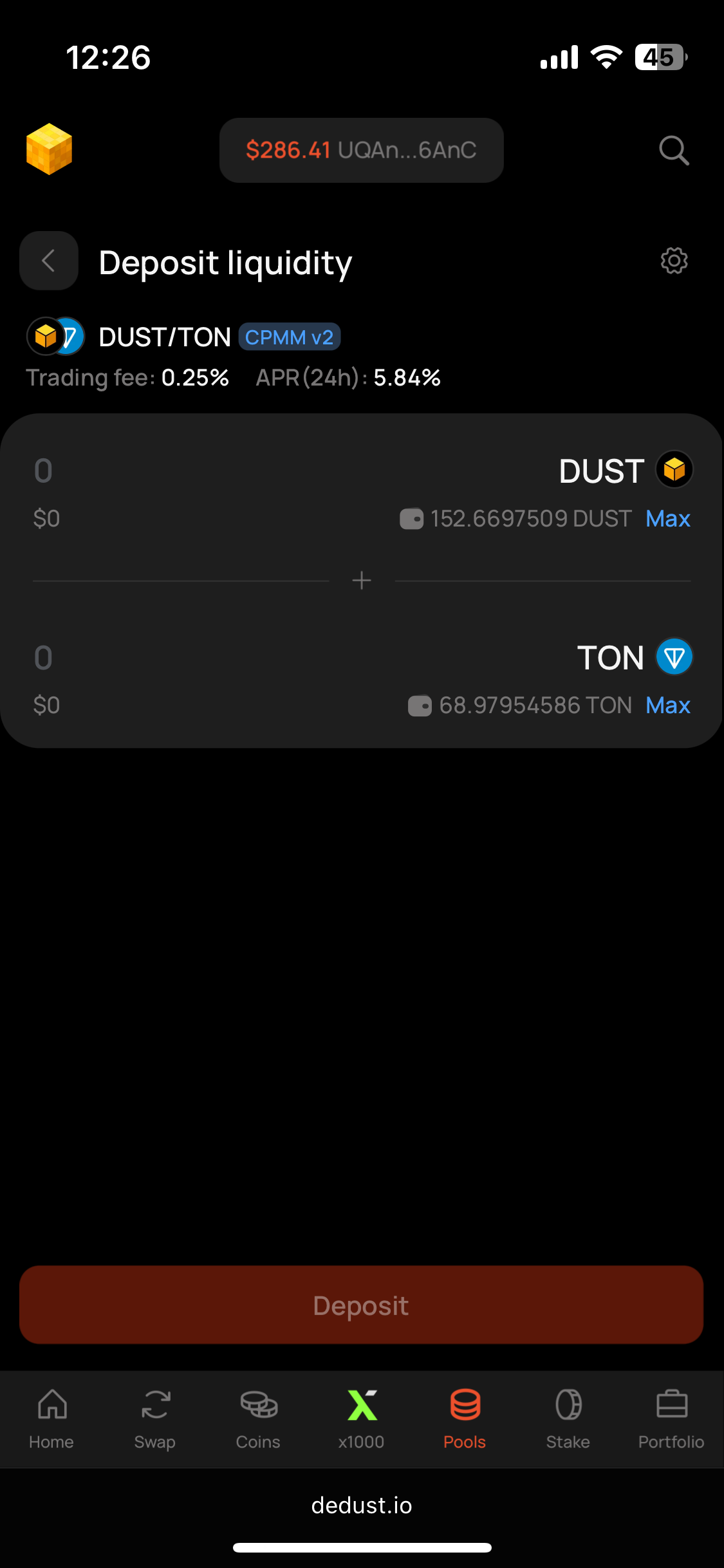
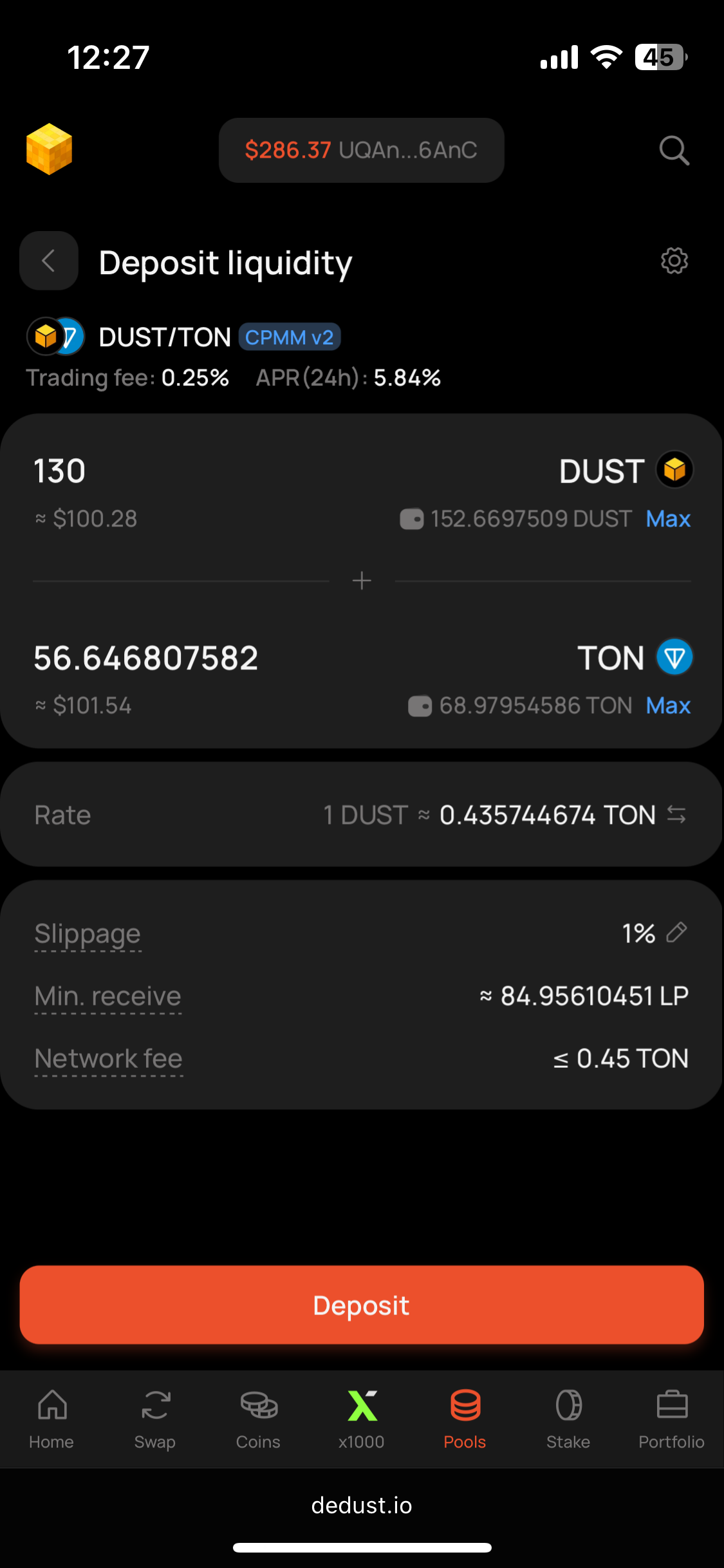
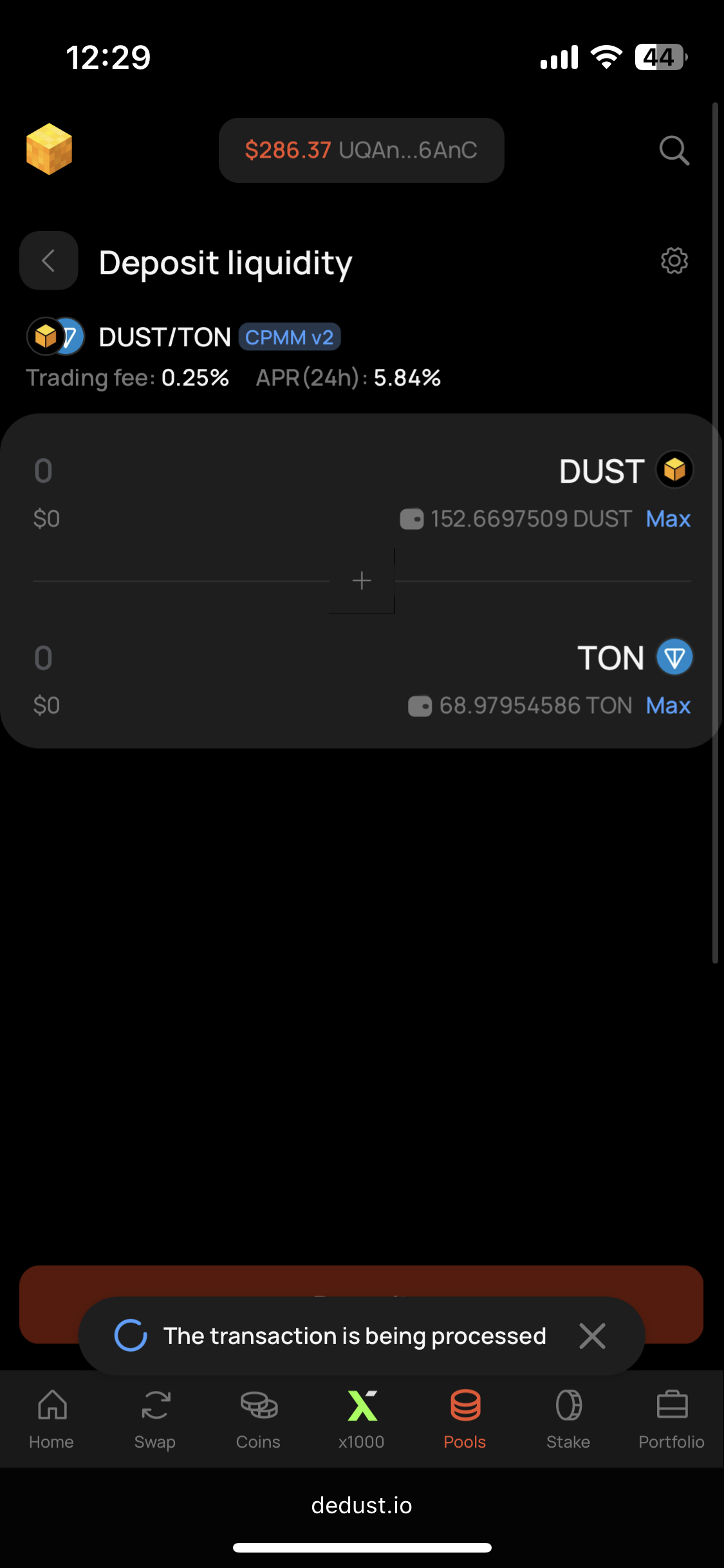
4. Enter TON amount you want to add or the amount of DUST tokens. The system will calculate the other token's amount for you. E.g. if you add 100 DUST, it will calculate the amount of TON you need.
5. Press **'Deposit'** button to continue.
Step 3
Step 4 (empty)
Step 4 (filled)
Step 5
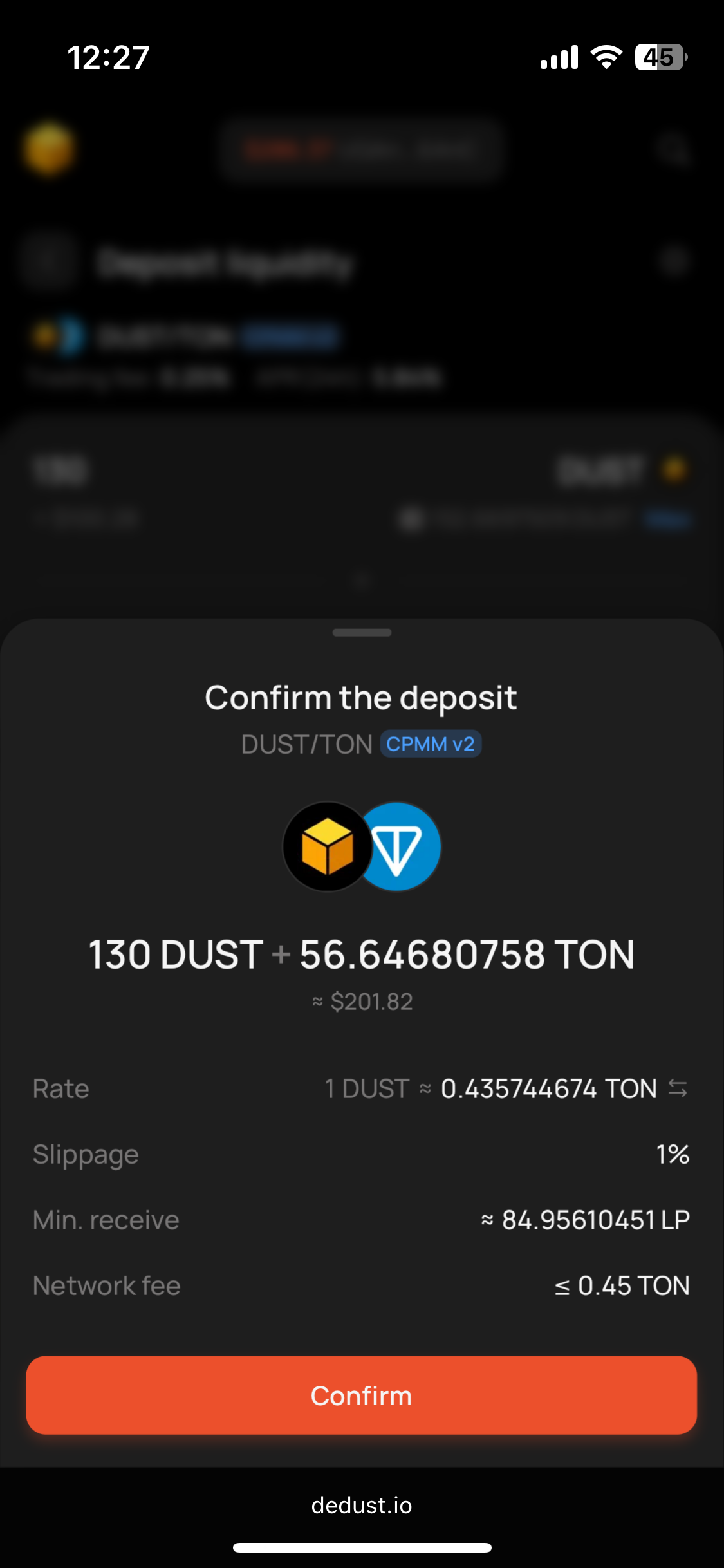
6. DeDust will ask you to confirm the entry. If everything's correct, press **'Confirm'**.
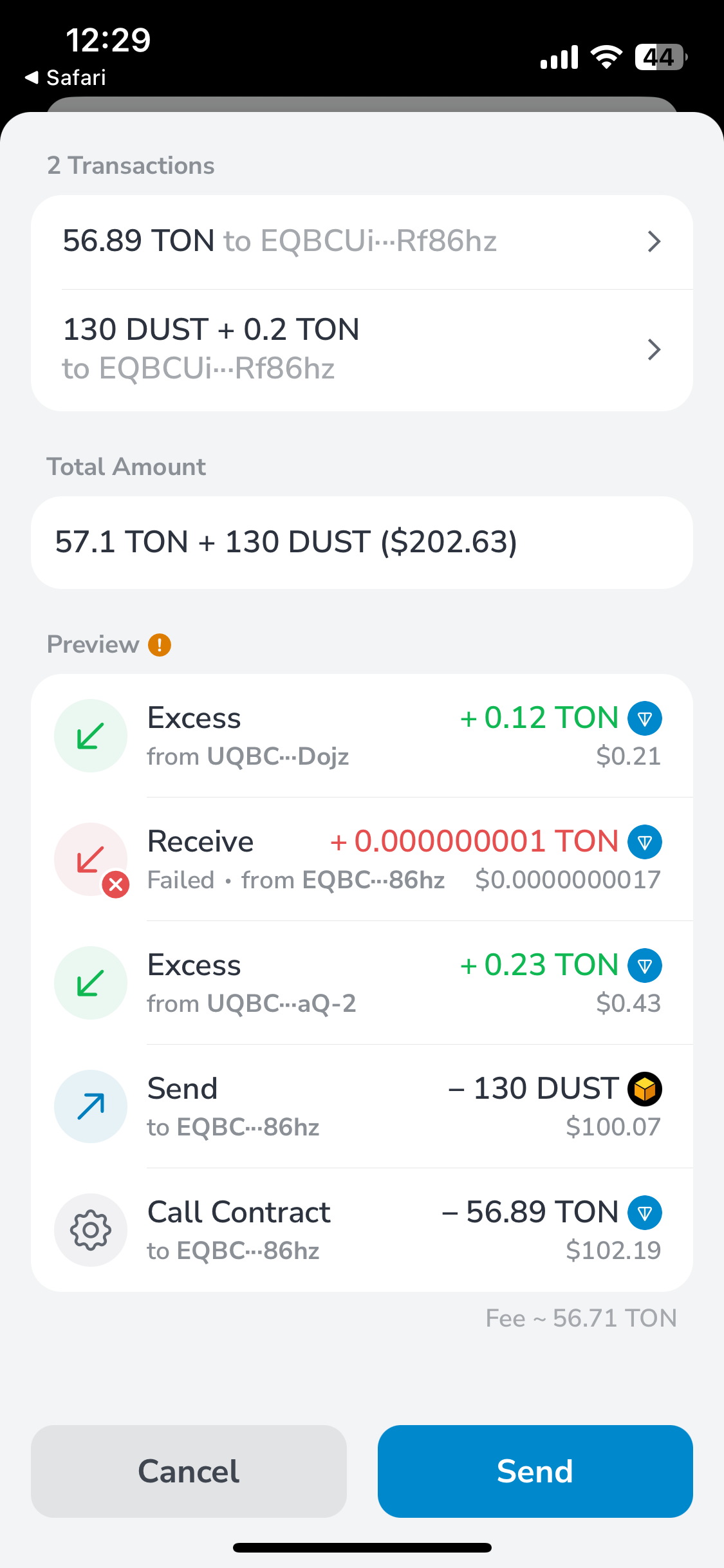
7. Your wallet will ask to confirm the transaction. Confirm it in your wallet app and go back to DeDust.
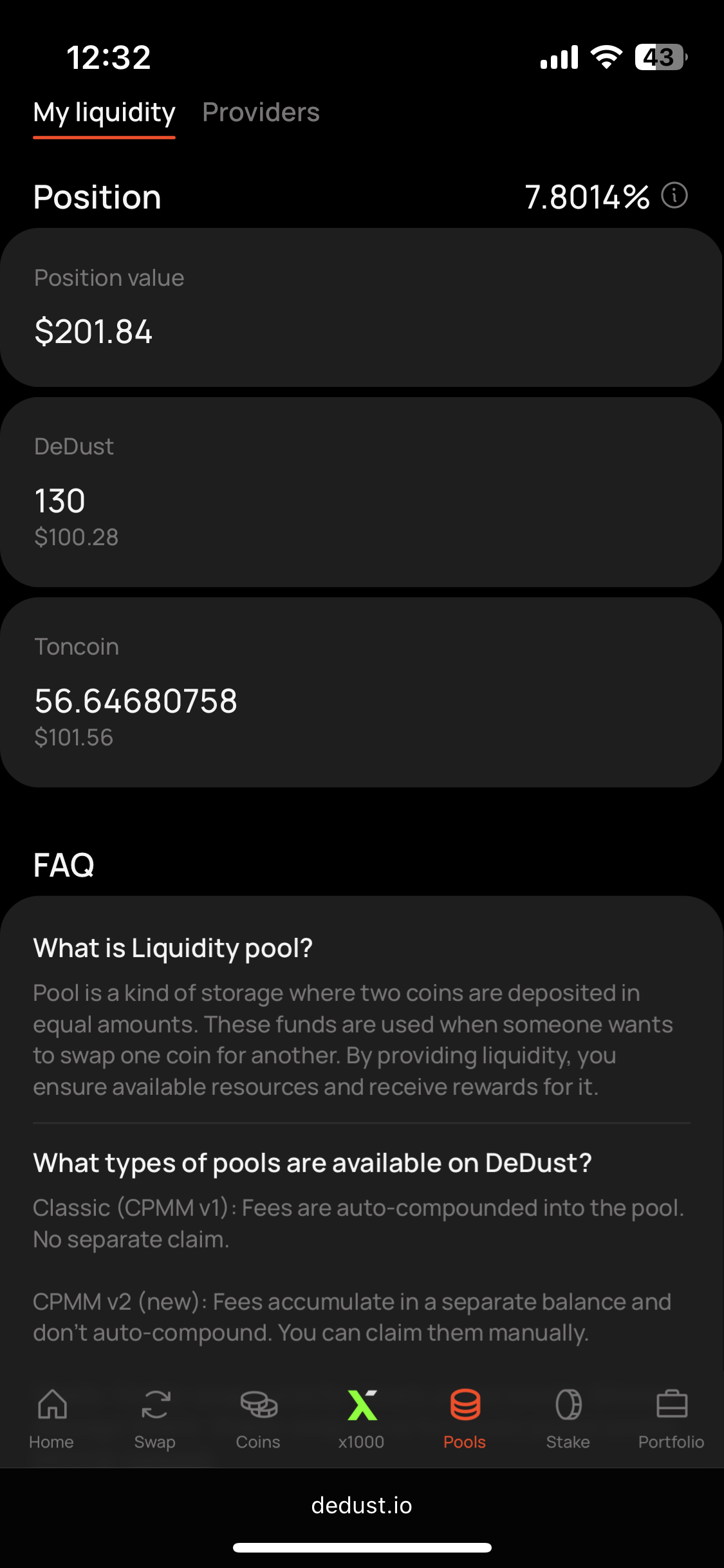
8. Return to Pool summary to see tokens are added to your pool's share in ***My position*** section.
{% hint style="info" %}
Open [Portfolio](https://dedust.io/portfolio) -> ***Liquidity*** section or ***My pools*** tab on [Pools](https://dedust.io/pools) page, to also see your positions there.
{% endhint %}
Step 6
Step 7. Wallet
Step 7. DeDust
Step 8
{% hint style="info" %}
When you add liquidity (let's say, DUST and TON) to [**Classic pools**](/en/ru/liquidity/pools/types.md#classic-pool-cpmm-v1) or to [**Stable-swap pools**](/en/ru/liquidity/pools/types.md#stable-swap-pools), tokens are removed from your wallet, but you receive special LP[^2] tokens in return. These LP tokens prove that you own a part of DUST/TON pool and allow you to withdraw DUST and TON later on. Make sure to keep them safe.
When you add liquidity to [**CPMM v2 pools**](/en/ru/liquidity/pools/types.md#claimable-fees-pool-cpmm-v2), you won't have to worry about storage of any new tokens. All the records are always available in the blockchain and in DeDust user interface.
{% endhint %}
{% hint style="warning" %}
Depositing liquidity to a pool, pay attention to its type and conditions, defined at the moment of pool creation.
{% endhint %}
[^1]: Interface will notify you, once you try to create one more pool with already existing configuration. It will propose you to move to liquidity deposit step.
[^2]: Liquidity Provider