> For the complete documentation index, see [llms.txt](https://help.dedust.io/en/llms.txt). Markdown versions of documentation pages are available by appending `.md` to page URLs; this page is available as [Markdown](https://help.dedust.io/en/ru/liquidity/boosts/claim.md).
# Claim Boost rewards
There are few ways to get rewards after you've been providing liquidity on DeDust to a boosted pool.
## How to claim rewards (from Portfolio)
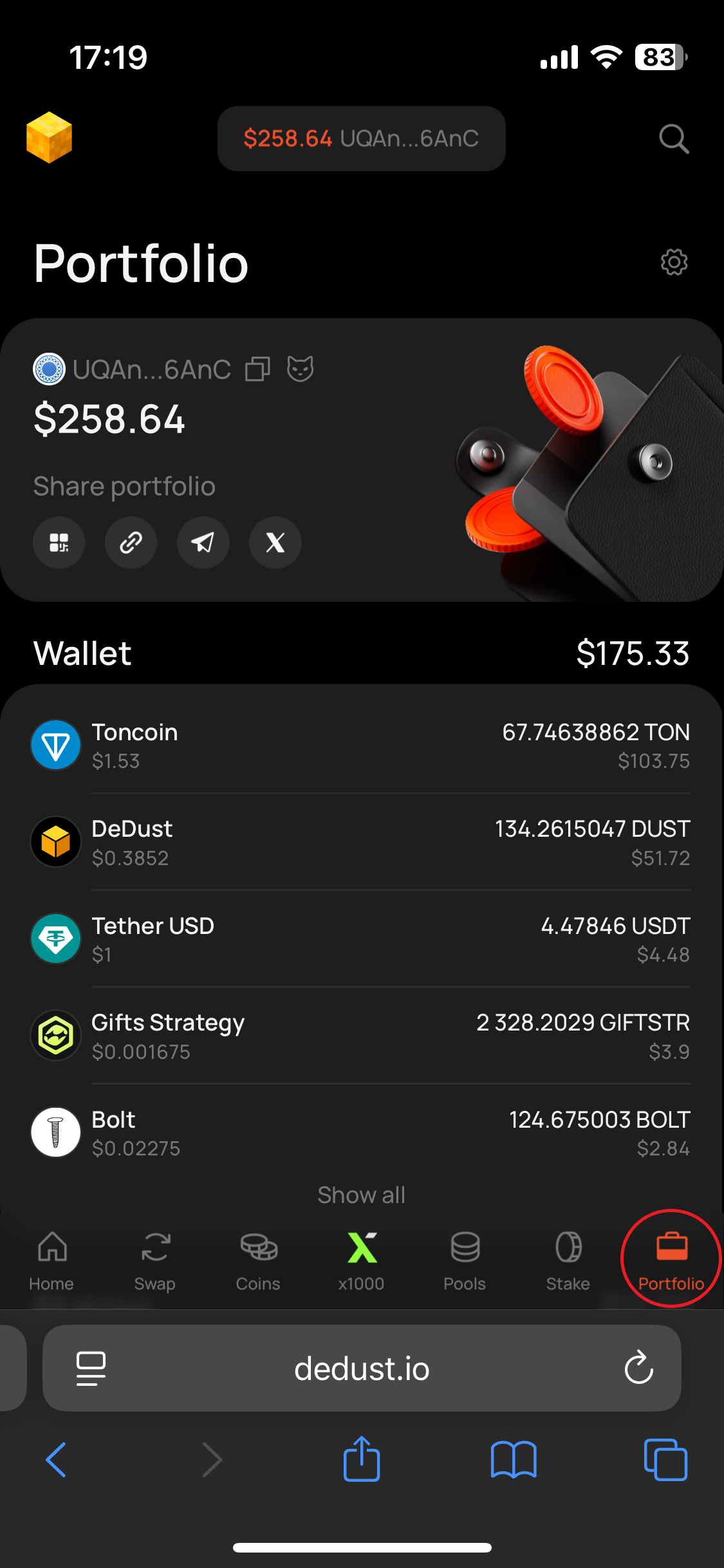
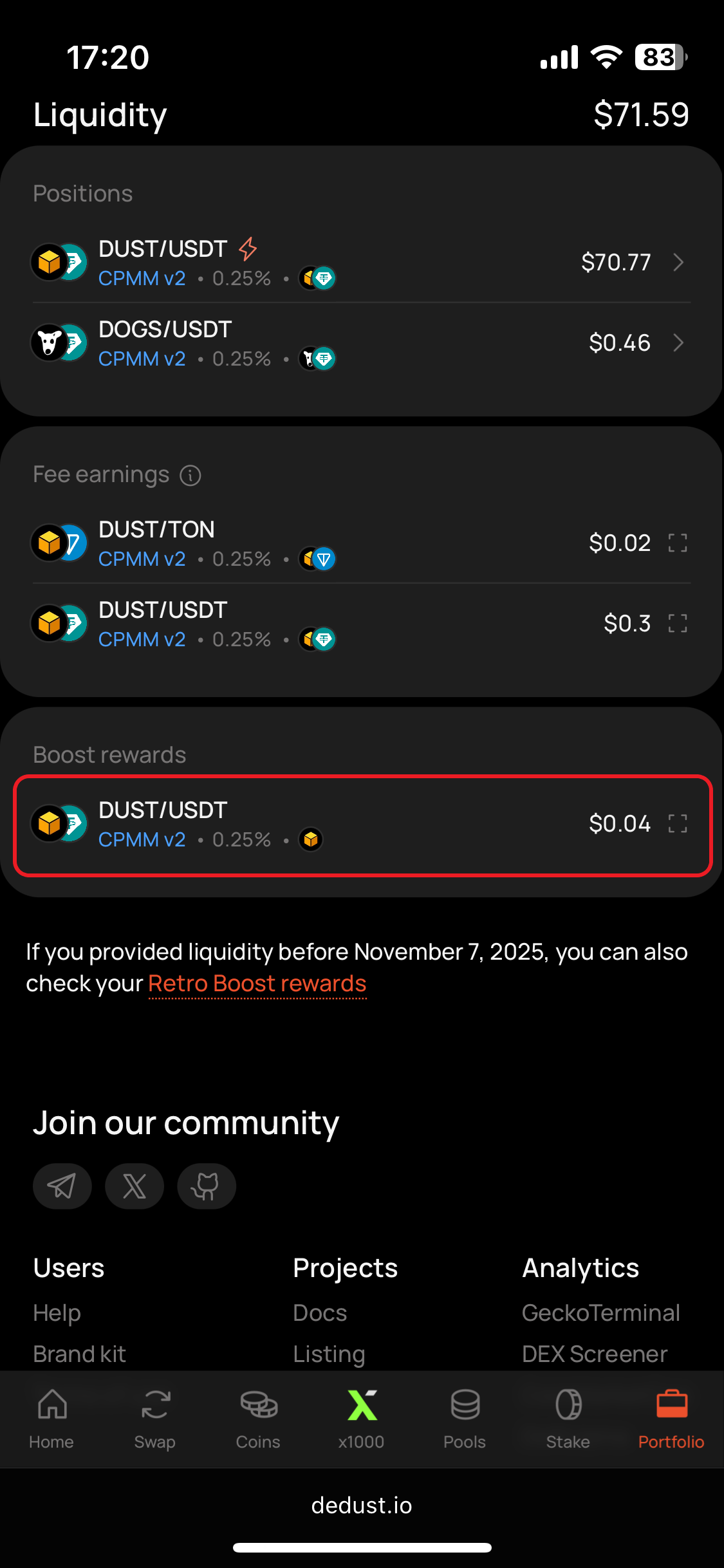
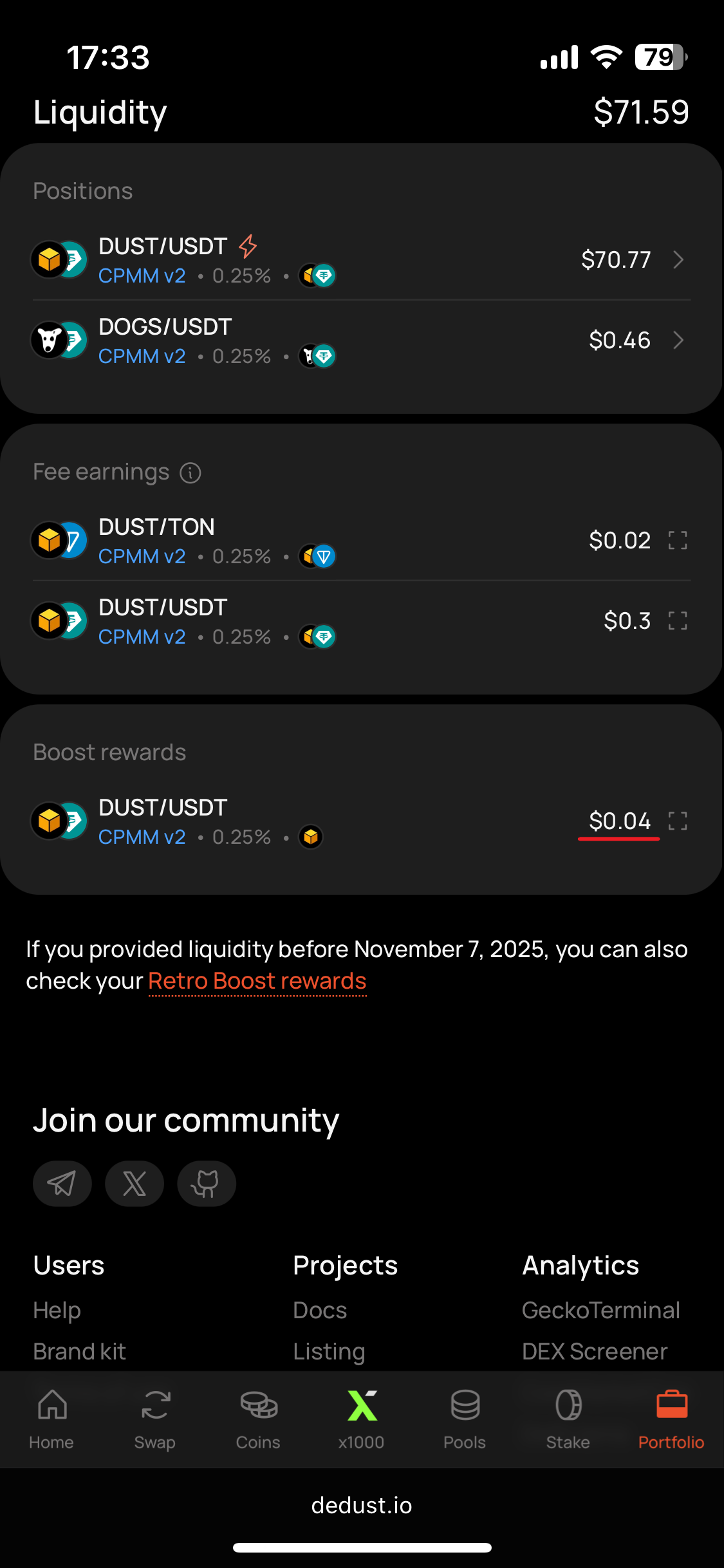
1. Open the [Portfolio](https://dedust.io/portfolio) page, scroll down and see the 'Boost rewards' in ***Liquidity*** section.
{% hint style="info" %}
Inside you’ll see the pools for which you've accumulated the rewards. Each pool record displays all the tokens received as boost rewards for providing liquidity to that pool.
{% endhint %}
2. Choose a pool you want to claim rewards from. In this example let's do it with [**DUST / USDT**](#user-content-fn-1)[^1] pool.
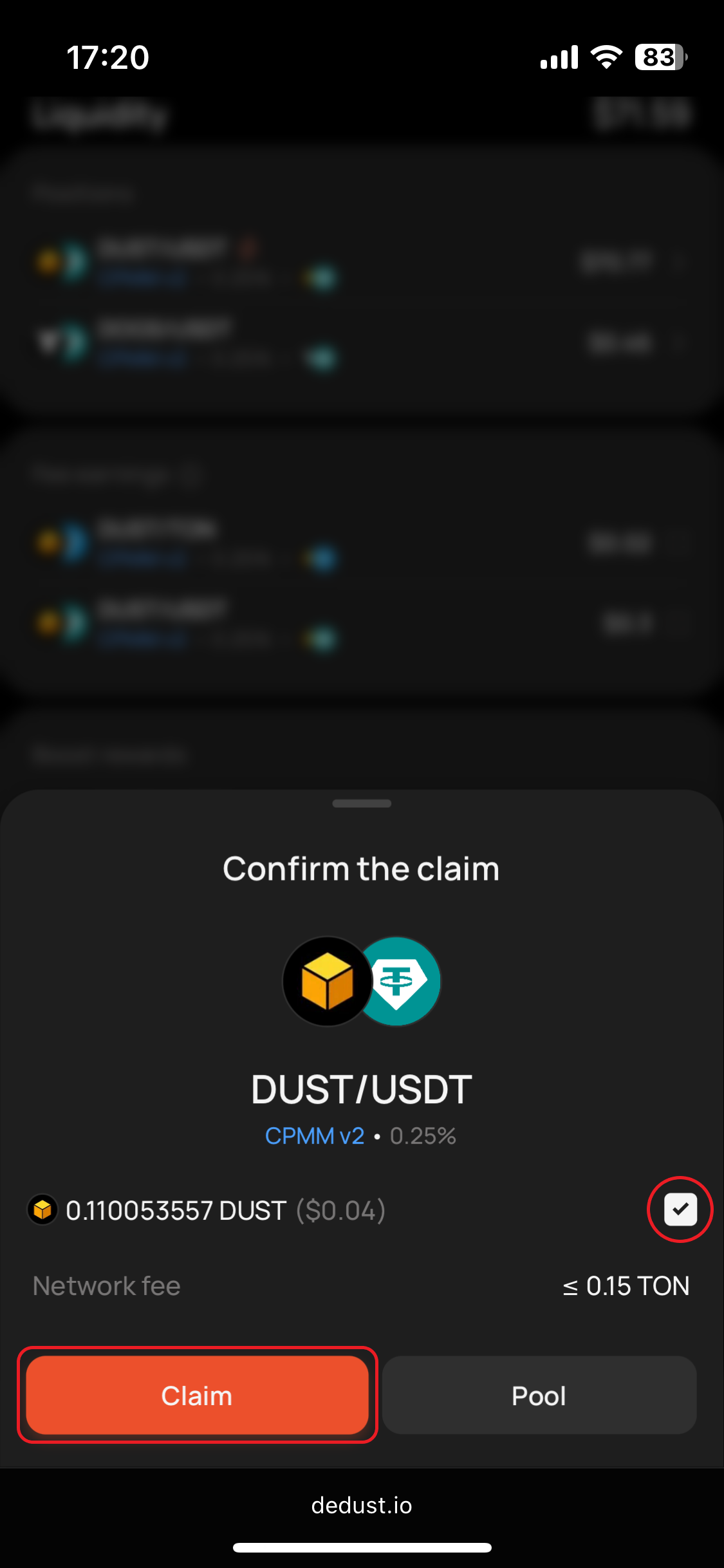
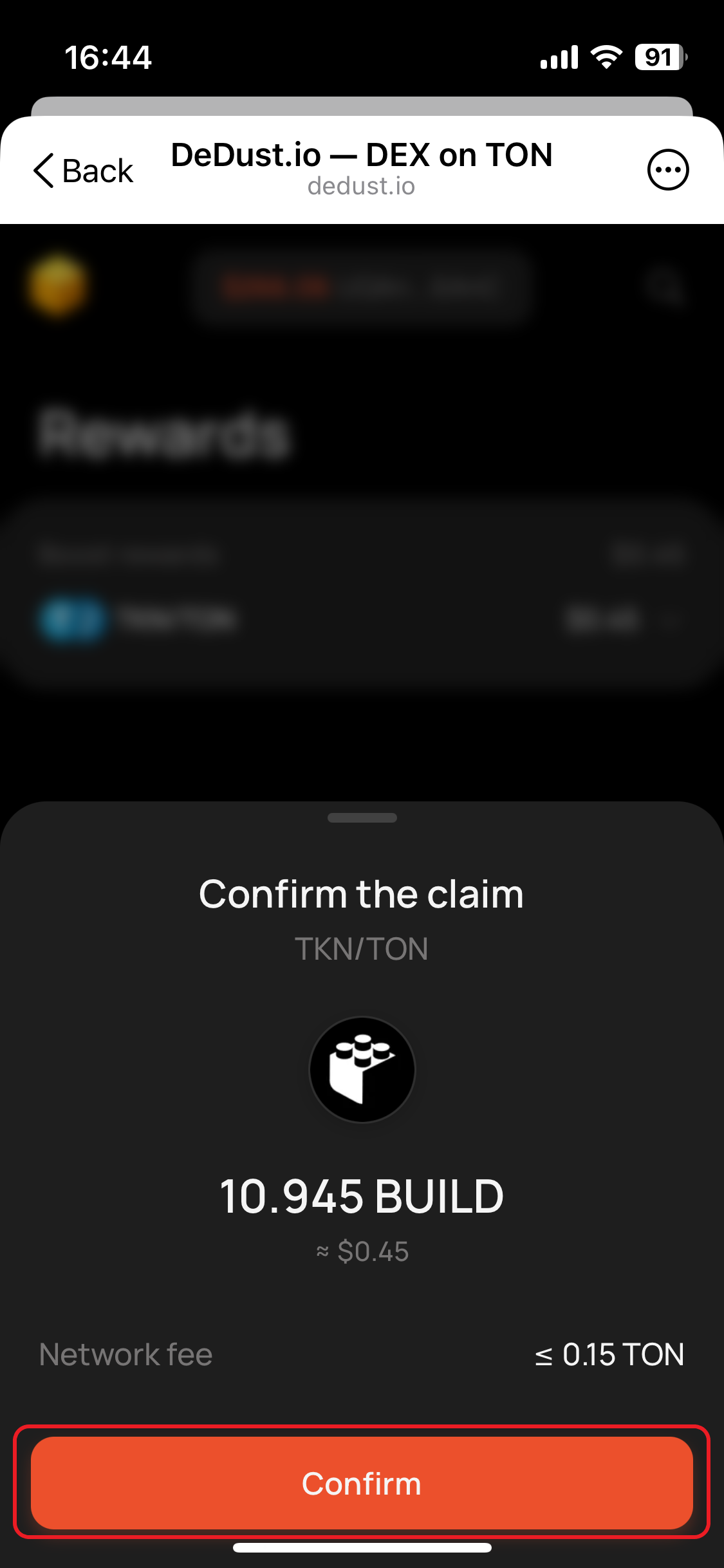
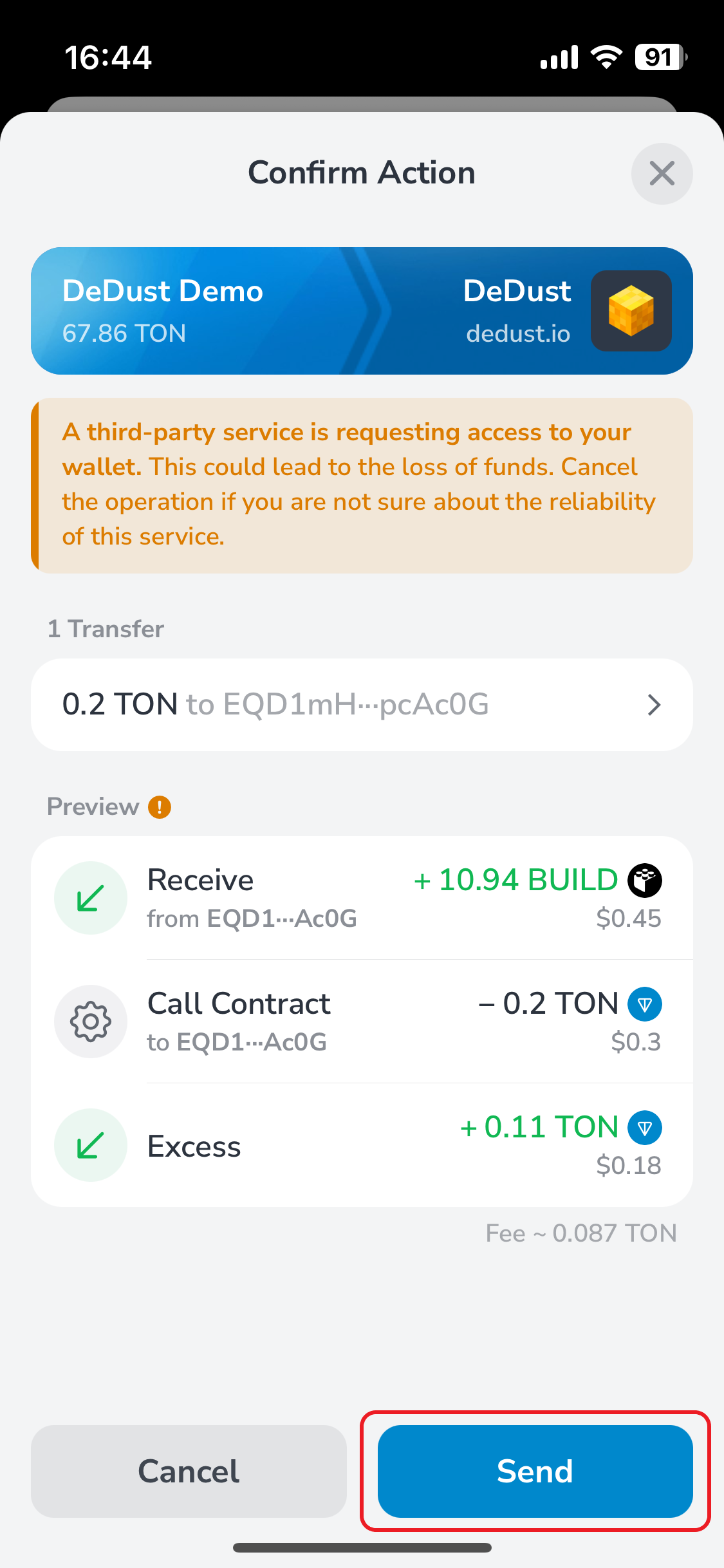
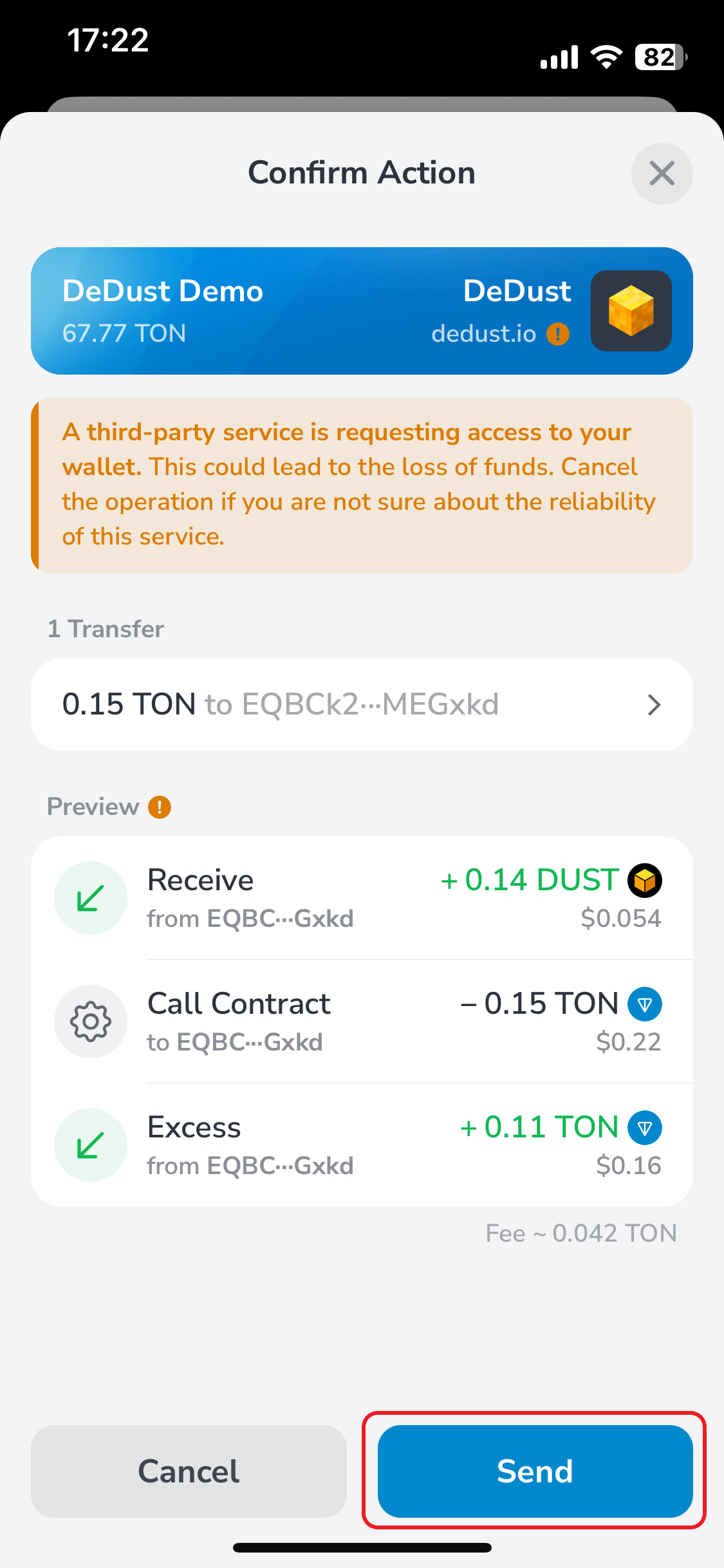
3. Select coins you'd like to receive and press "**Claim**". Confirm the transaction by signing it in your wallet app (see below starting from step 5). Consider that there's a [*Network fee*](#user-content-fn-2)[^2] which is fixed and doesn't exceed 0.15 TON.
{% hint style="info" %}
Pay attention that Network fee of up to 0.15 TON is charged for each reward.
{% endhint %}
Step 1
Step 2
Step 3
{% hint style="success" %}
Since **Jan 26, 2025,** Boosts are available only for [CPMM v2 pools](/en/ru/liquidity/pools/types.md#claimable-fees-pool-cpmm-v2).\
If you provided liquidity before November 7, 2025, check your **Retro Boost rewards**.
{% endhint %}
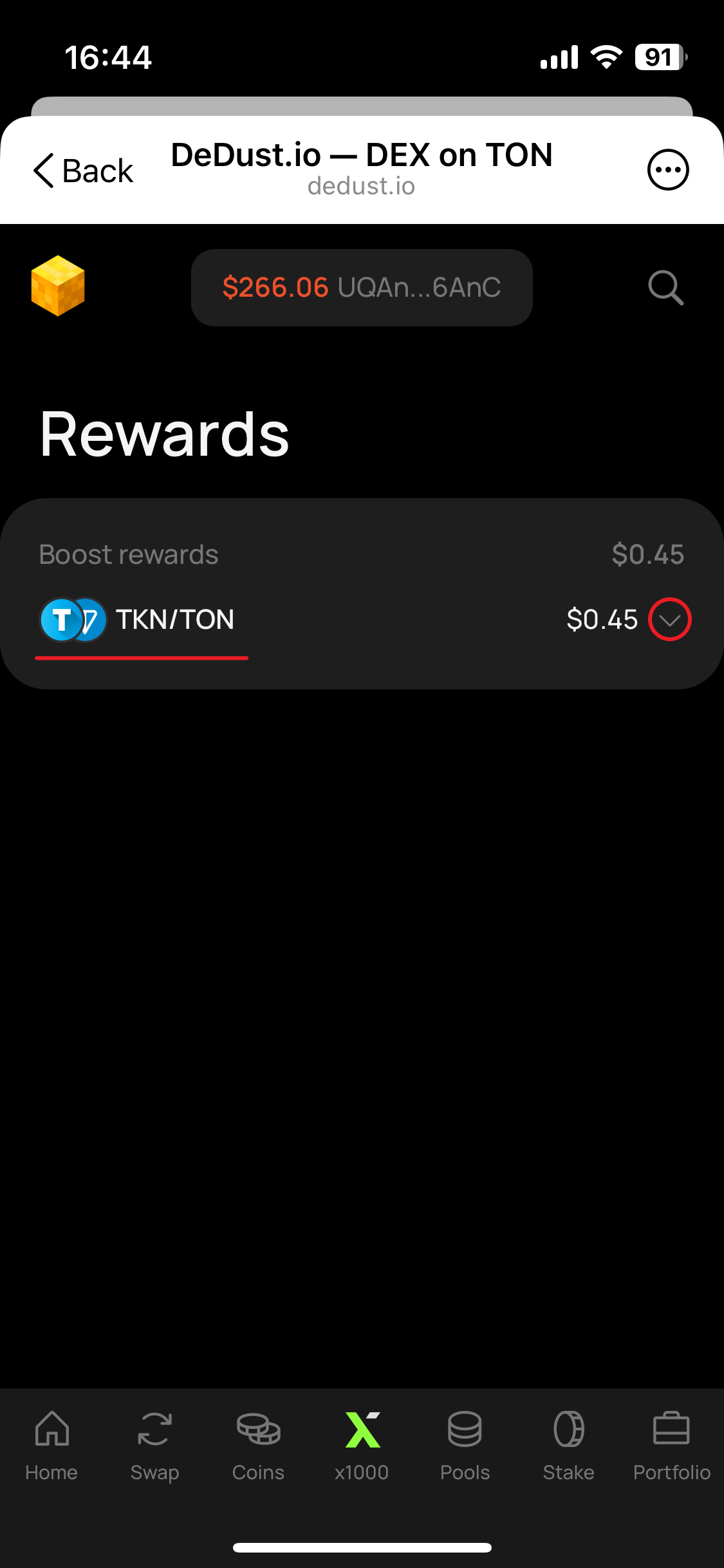
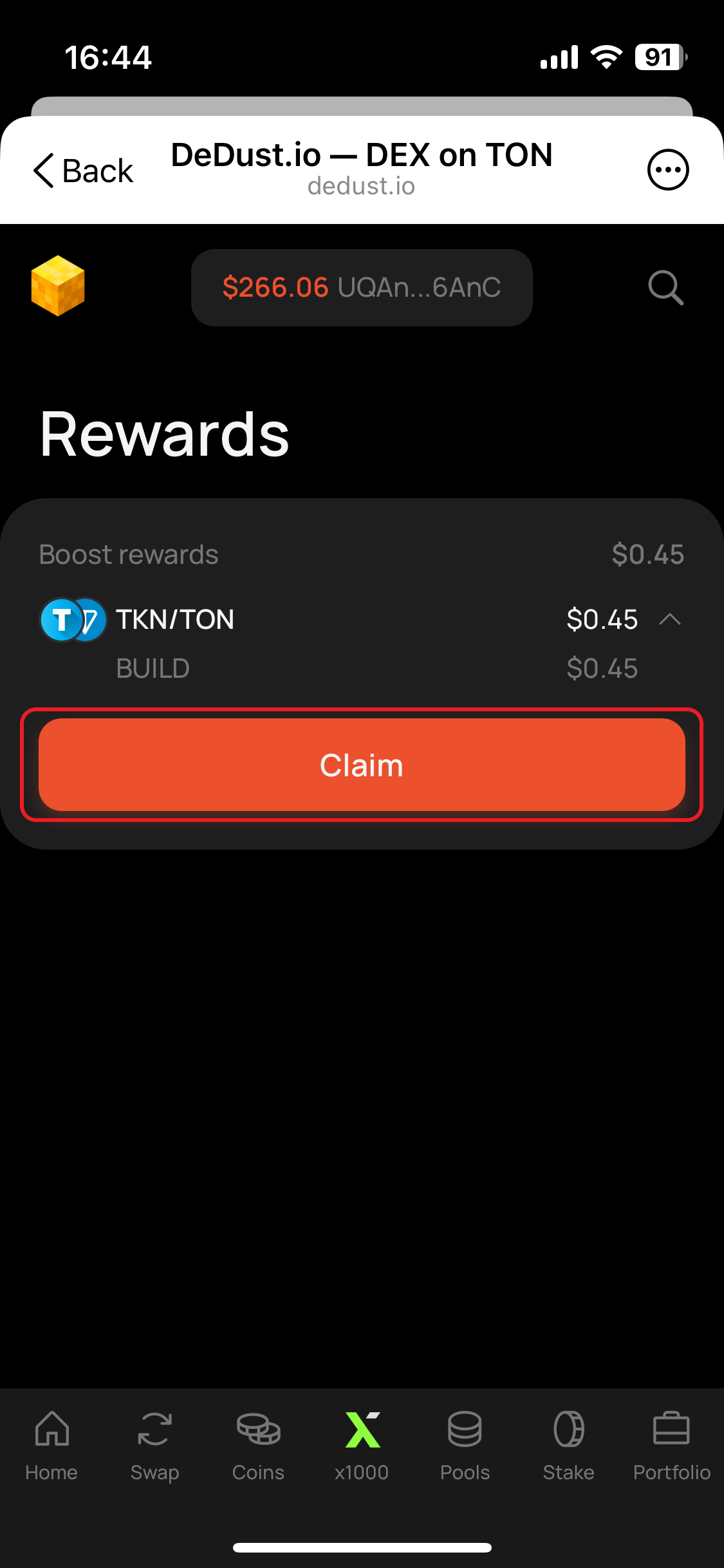
To claim Retro Boost rewards go to Rewards page from the bottom of your Portfolio.
1. Select pool wherefrom you'd like to claim rewards.
{% hint style="info" %}
If you can't see some of the pools, make sure you've [imported](/en/ru/trade/swap/imported.md) non-whitelisted tokens of that pool.
{% endhint %}
2. Press "**Claim**".
3. Press "**Confirm**".
4. Sign the transaction in your wallet app.
## How to claim rewards (from Pools page)
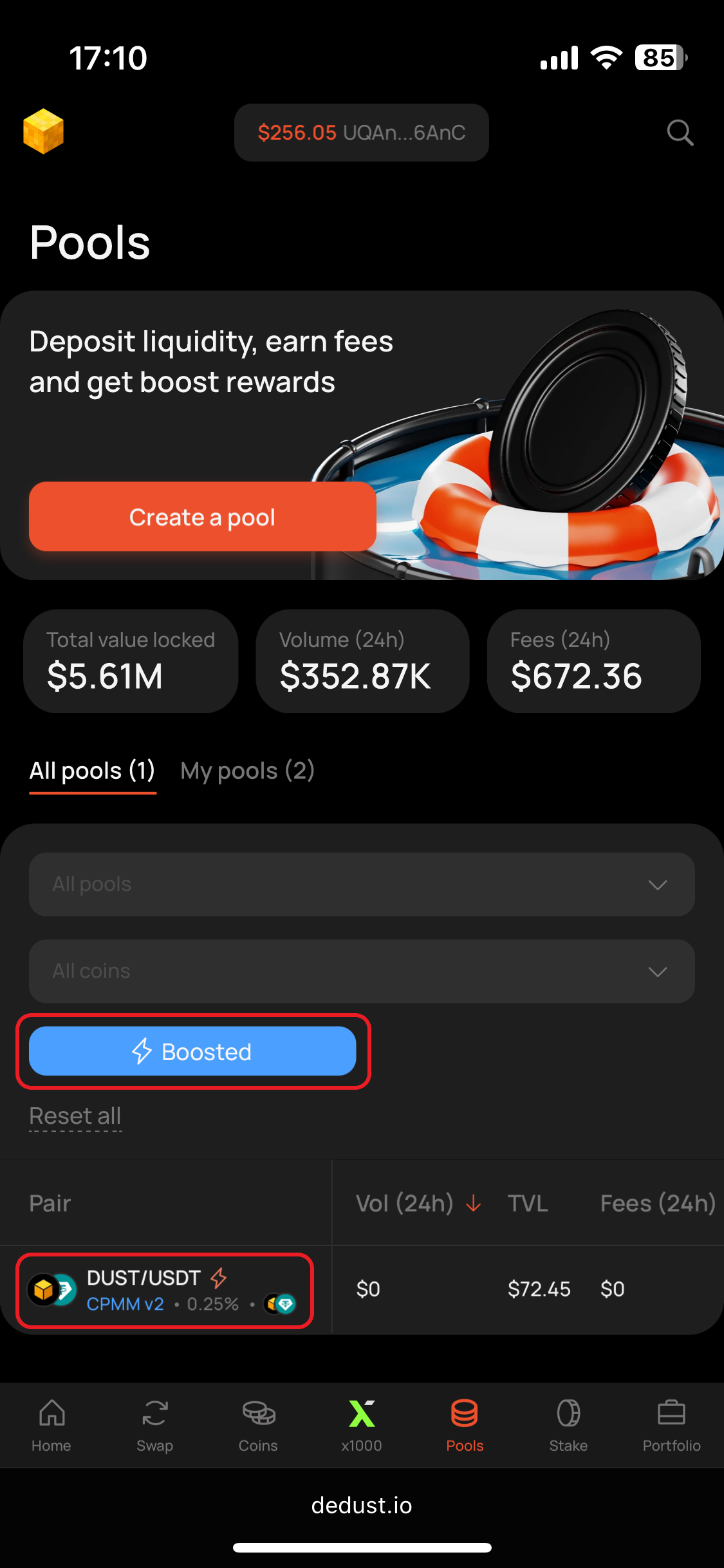
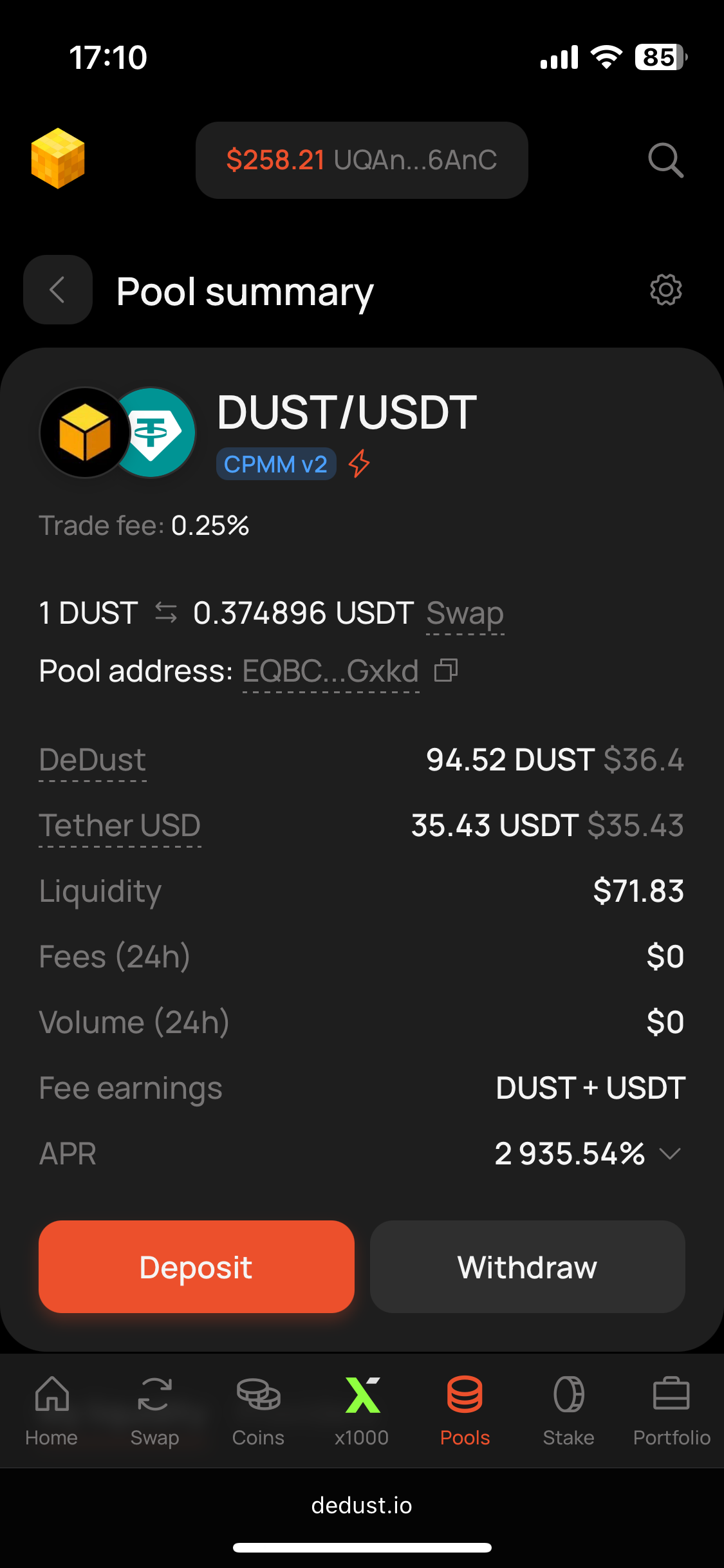
1. Open [Pools](https://dedust.io/pools) page and go down to ***All pools*** tab to find the necessary pool. Or open ***My pools*** tab, if you still provide the liquidity to the pool with boost rewards, and scroll to 'Rewards' column, to see if you have something to claim.
{% hint style="success" %}
In this example we're still providing liquidity to DUST/USDT pool, and the boost is still not over. So it's equally available from ***My pools*** and from ***All pools*** with "Boosted" filter applied.
{% endhint %}
2. Open DUST/USDT pool page.
Step 1
Step 2
{% hint style="success" %}
*Even if a boost has ended and you've withdrawn the liquidity — rewards remain available until you claim.*
{% endhint %}
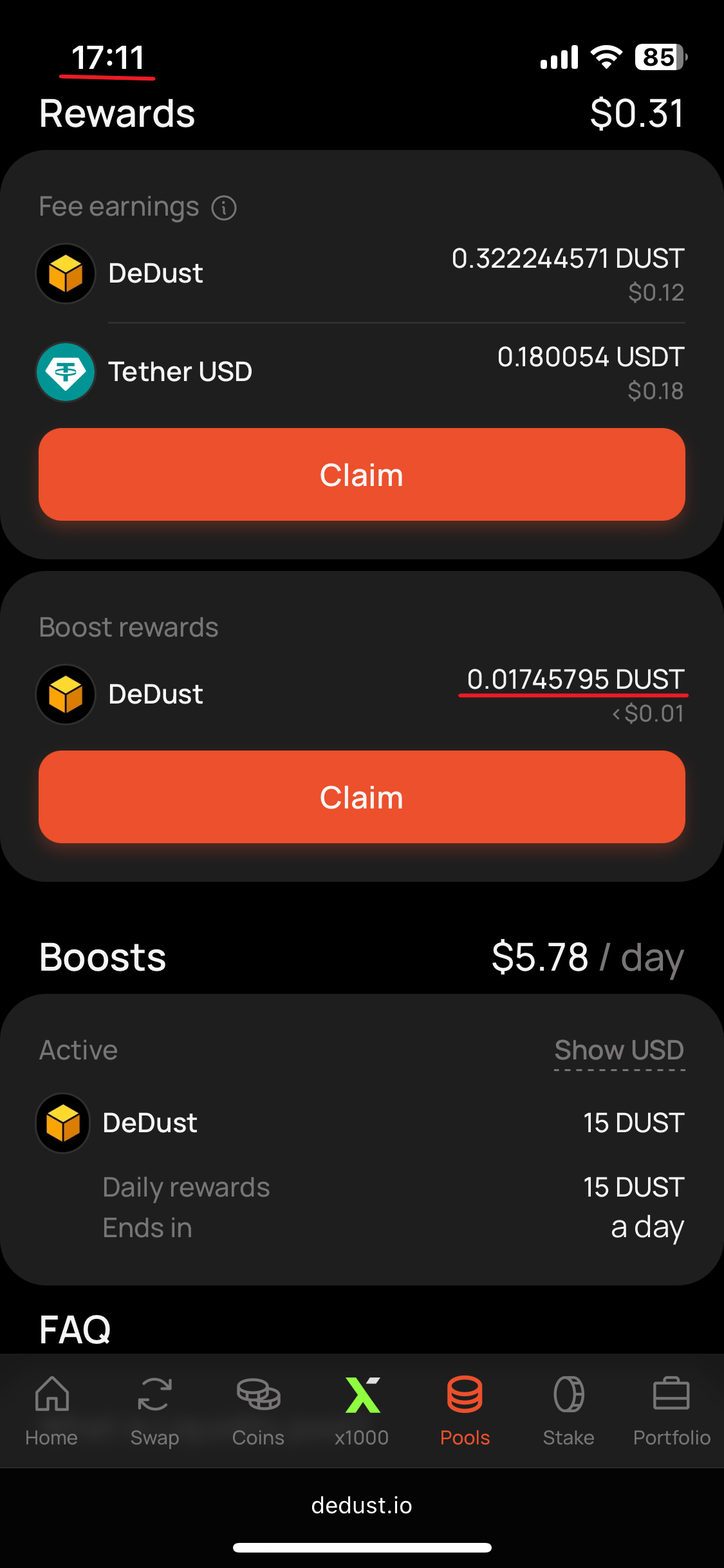
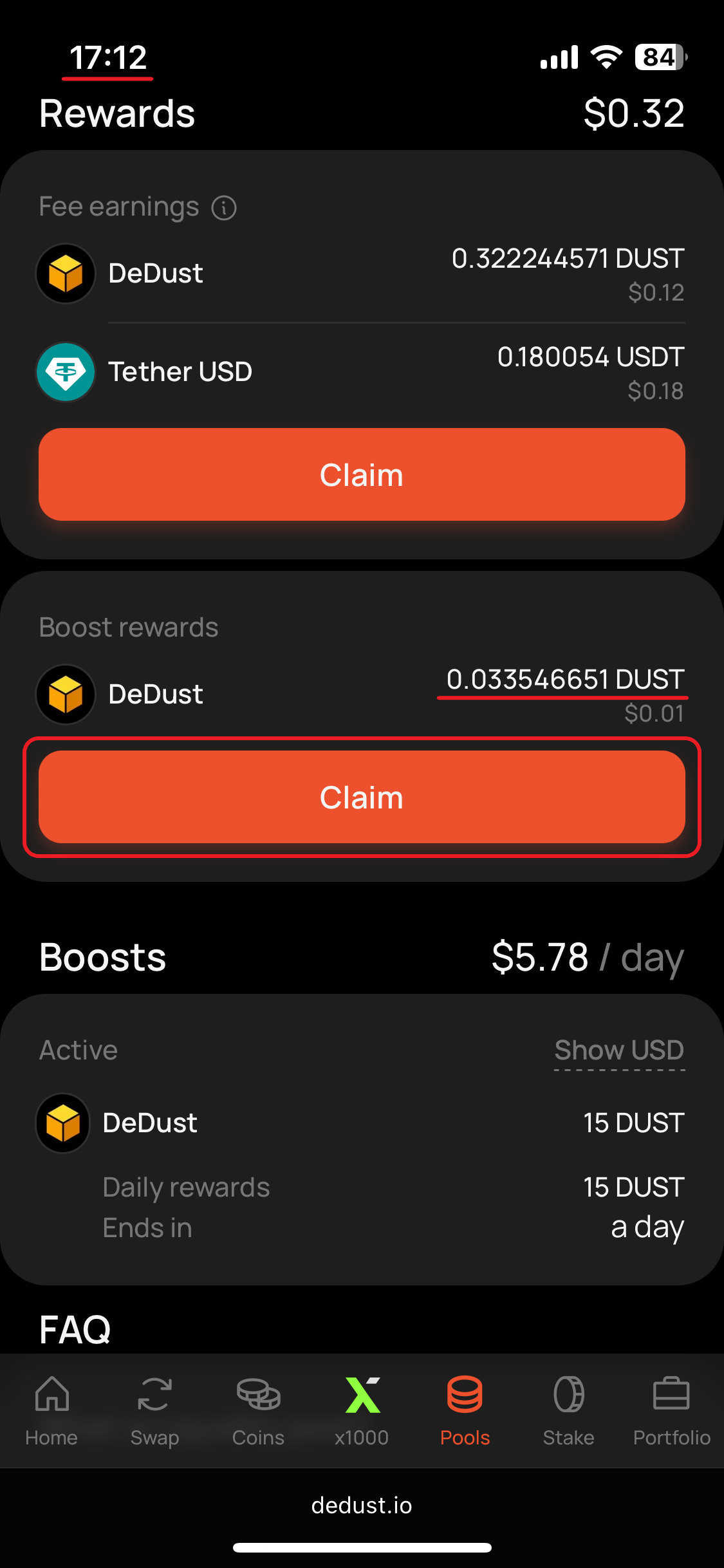
3. Scroll down to ***Rewards*** section. Press "**Claim**".
{% hint style="info" %}
If your boost is still running refresh the page after a while, to see the rewards increasing in real-time.
{% endhint %}
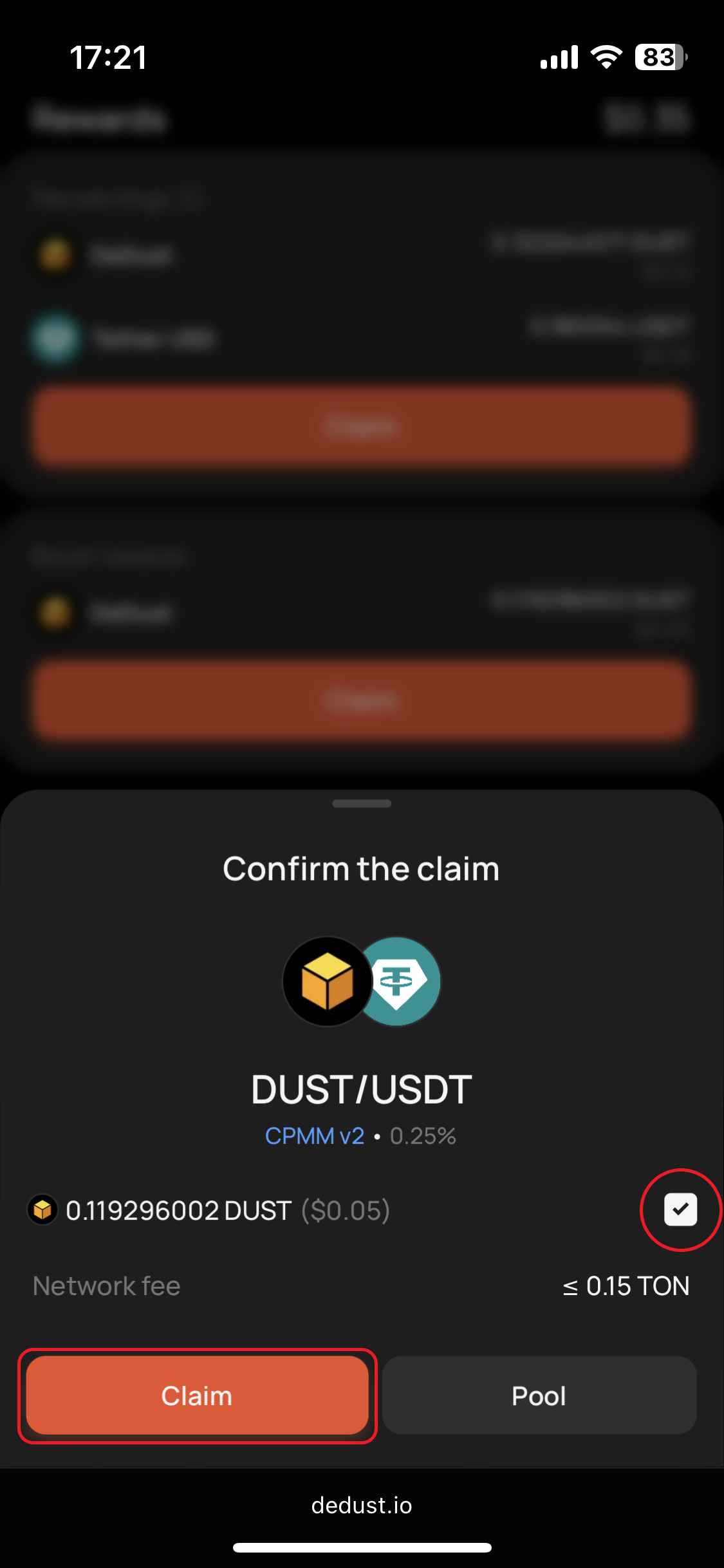
4. Confirm the action. Consider there's a [*Network fee*](#user-content-fn-3)[^3] which is fixed and doesn't exceed 0.15 TON.
Step 3 (1)
Step 3 (2)
Step 4
5. Sign the transaction in your wallet app. You can see the example of this claim transation [here](https://tonscan.org/tx/147f373e2524bcecb385e4d6a481443edac7f8ec67a31cdcb7fae5eb855c0b9f).\
After you return back to DeDust you'll see the transaction processing notification on the screen.
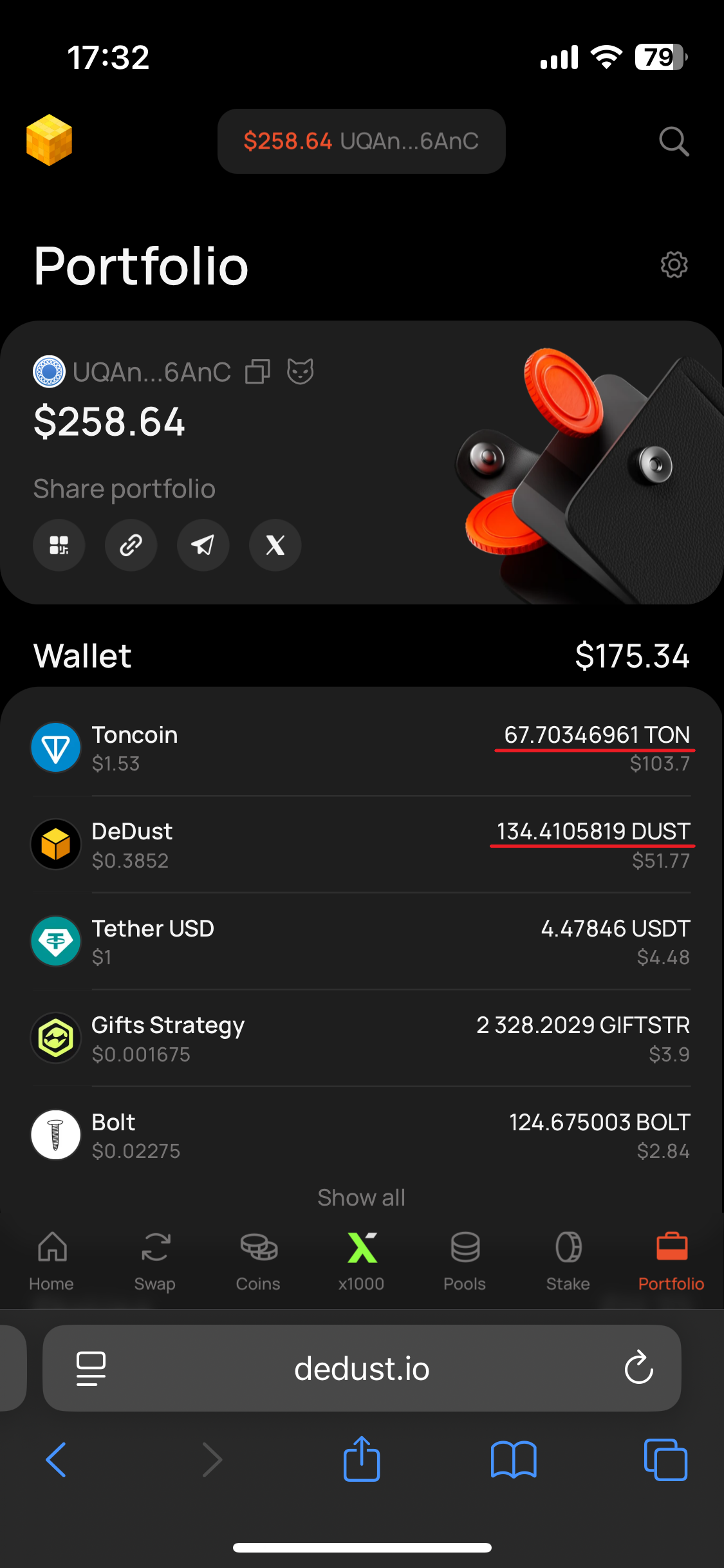
6. As only the transaction is fulfilled in the blockchain, go to [Portfolio](https://dedust.io/portfolio), update the page (if needed) and check the balances. Our DUST amount increased by ≈0.1491 DUST, as a claimed reward.
7. You'll also see that Boost rewards amount in **Portfolio** -> ***Liquidity*** is now less than it was before the claim — showing only new rewards, earned after the claim.
{% hint style="info" %}
If you also compare the in / out TON balances, you'll notice that the total amount of TON consumed as a netwrok fee is only less than 0.05 TON (out of initially taken 0.15 TON).
{% endhint %}
Step 5
Step 6
Step 7
[^1]: * Type: **CPMM v2**
* Trade fee: **0.25%**
* Fee earnings: **DUST + USDT**
[^2]: *The exact* [*Network fee*](/en/ru/protocol/fees.md#blockchain-fees-or-network-fees) *depends on involved assets, wallet app that you use, network load and performance. Usually less than a half of amount is really being used.*
[^3]: *The exact* [*Network fee*](/en/ru/protocol/fees.md#blockchain-fees-or-network-fees) *will depend on wallet app that you use, selected token, the network load and performance. Usually less than a half of this amount is really being used. The rest goes back to your wallet after the transaction is completed. The network fee is taken with some excess to prevent your transaction and assets from stuck on halfway in the blockchain due to insufficiency of TON.*