> For the complete documentation index, see [llms.txt](https://help.dedust.io/en/llms.txt). Markdown versions of documentation pages are available by appending `.md` to page URLs; this page is available as [Markdown](https://help.dedust.io/en/ru/liquidity/boosts/boosted_pool.md).
# How to see the pool is boosted
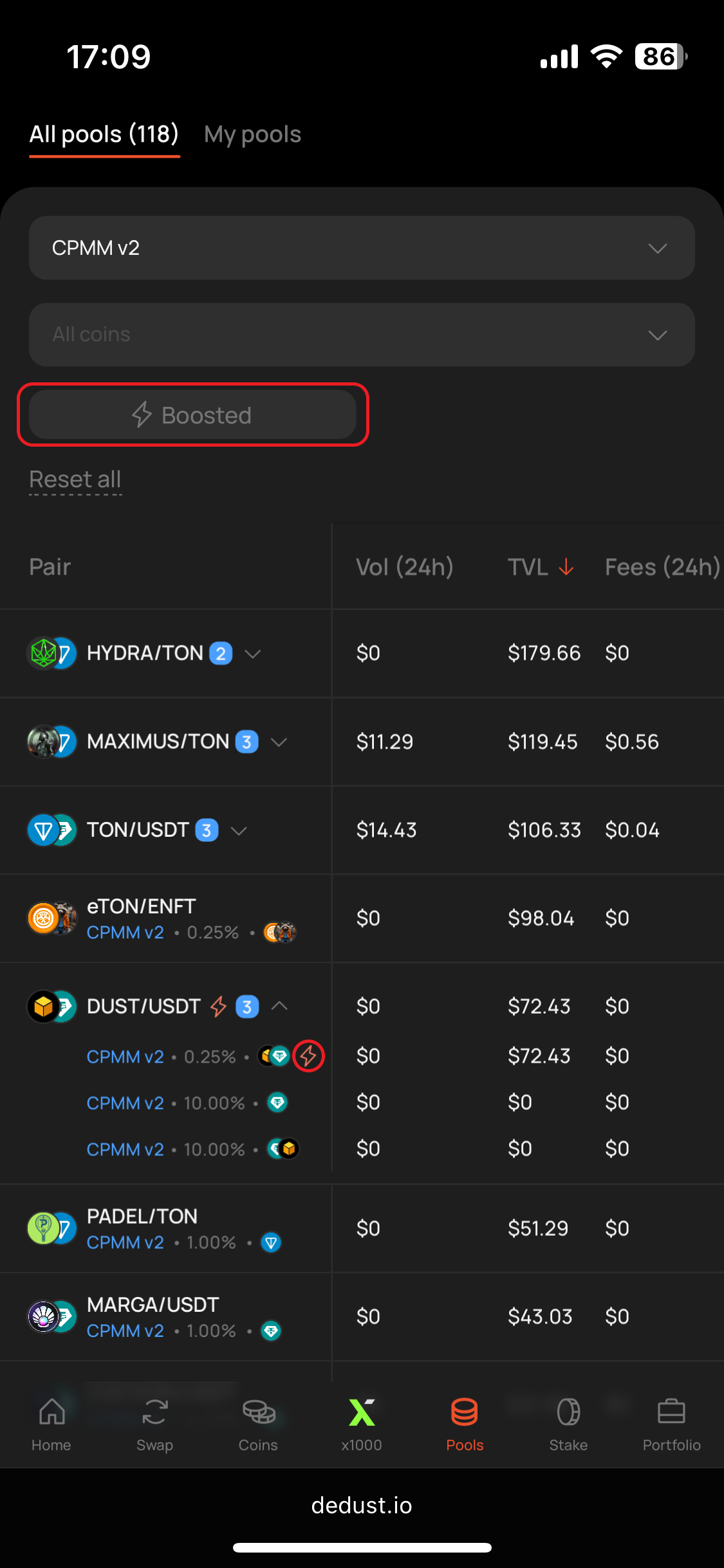
1. While regular liquidity pools from [Pools](https://dedust.io/pools) page don't have any additional marks, boosted pools are spotted with lightning icon. You can also enable a filter to browse through boosted pools only.
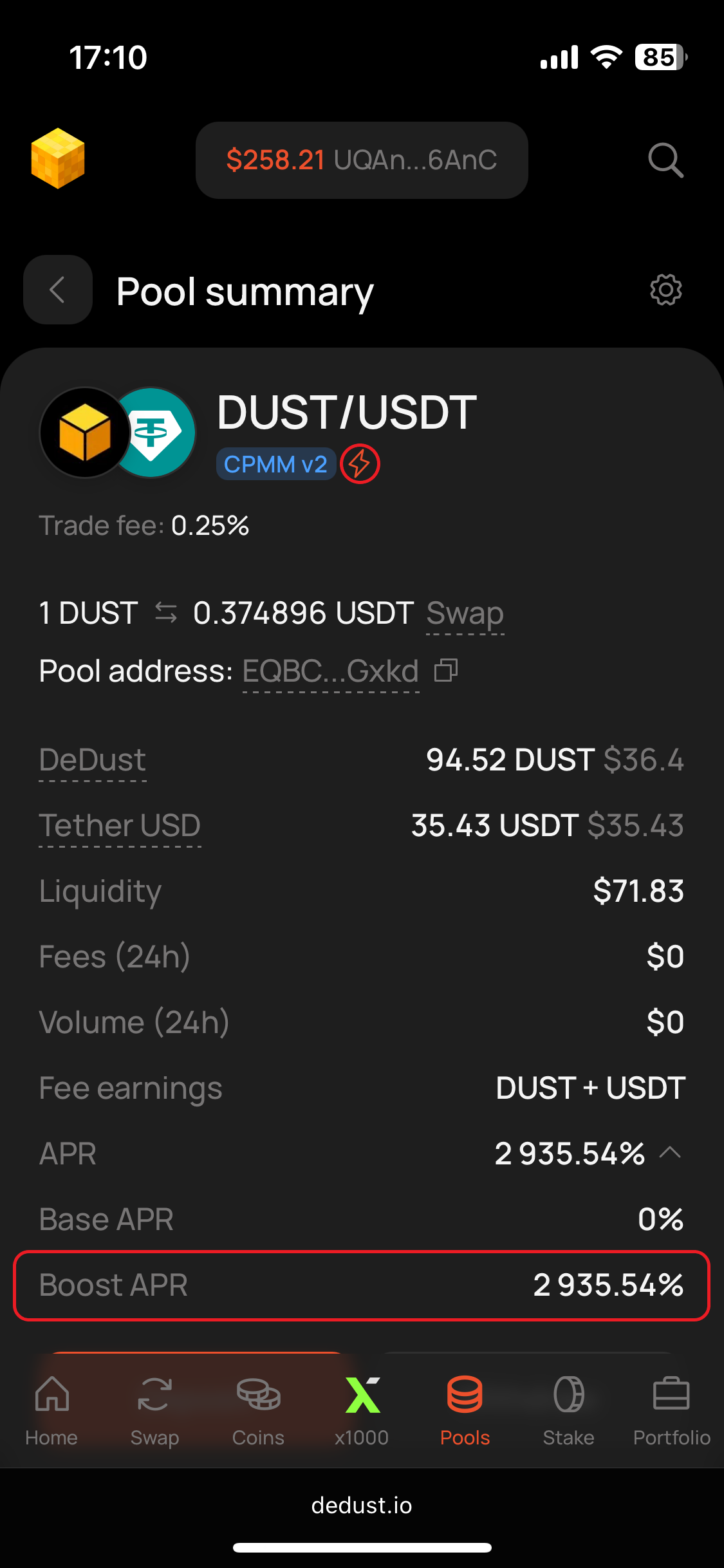
2. To find more details go to the specific pool's page.
3. Boosted pool page also has a lightning mark next to [*Pool type*](/en/ru/liquidity/pools/types.md) and a non-zero *Boost APR* value.
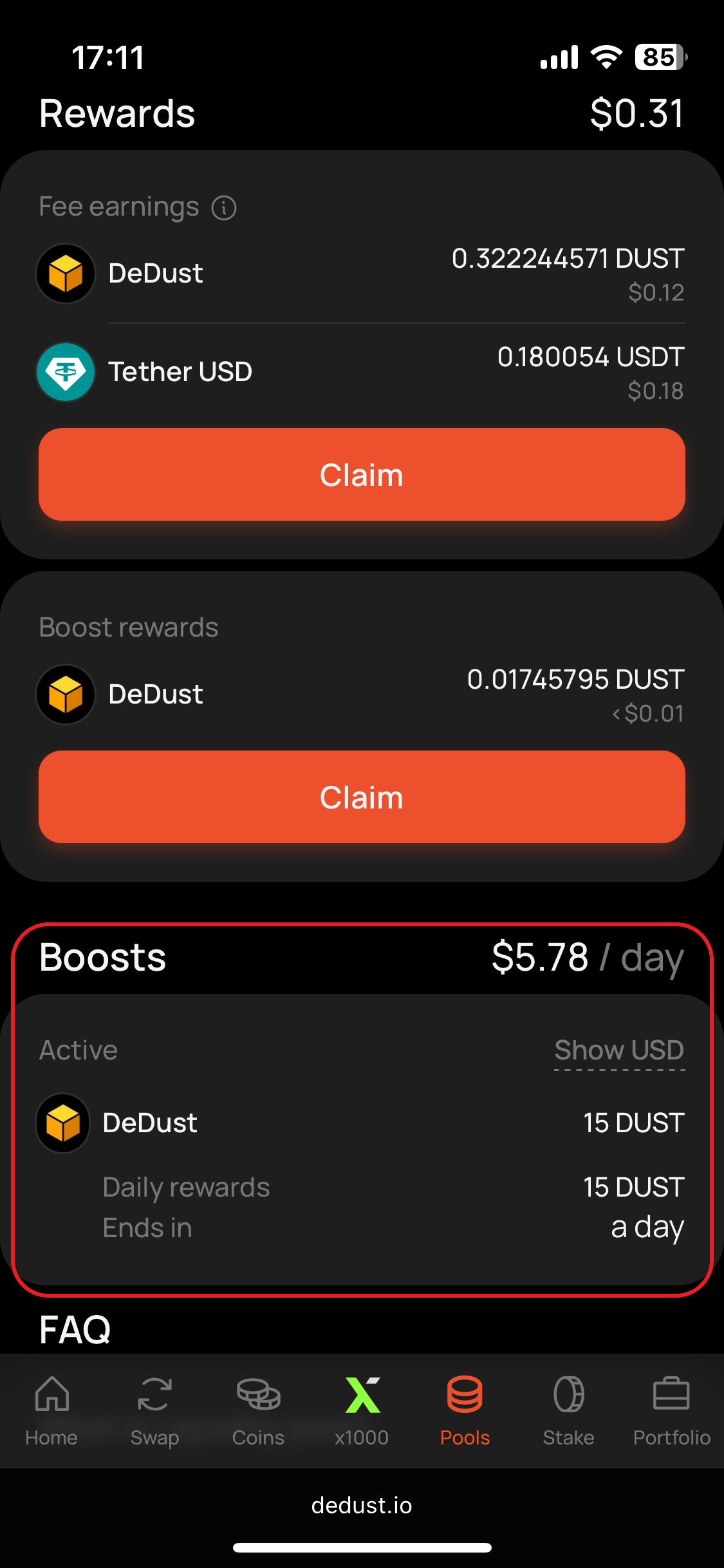
3. Scroll down to **Boosts** section to see the active boosts, their duration and rewards info.
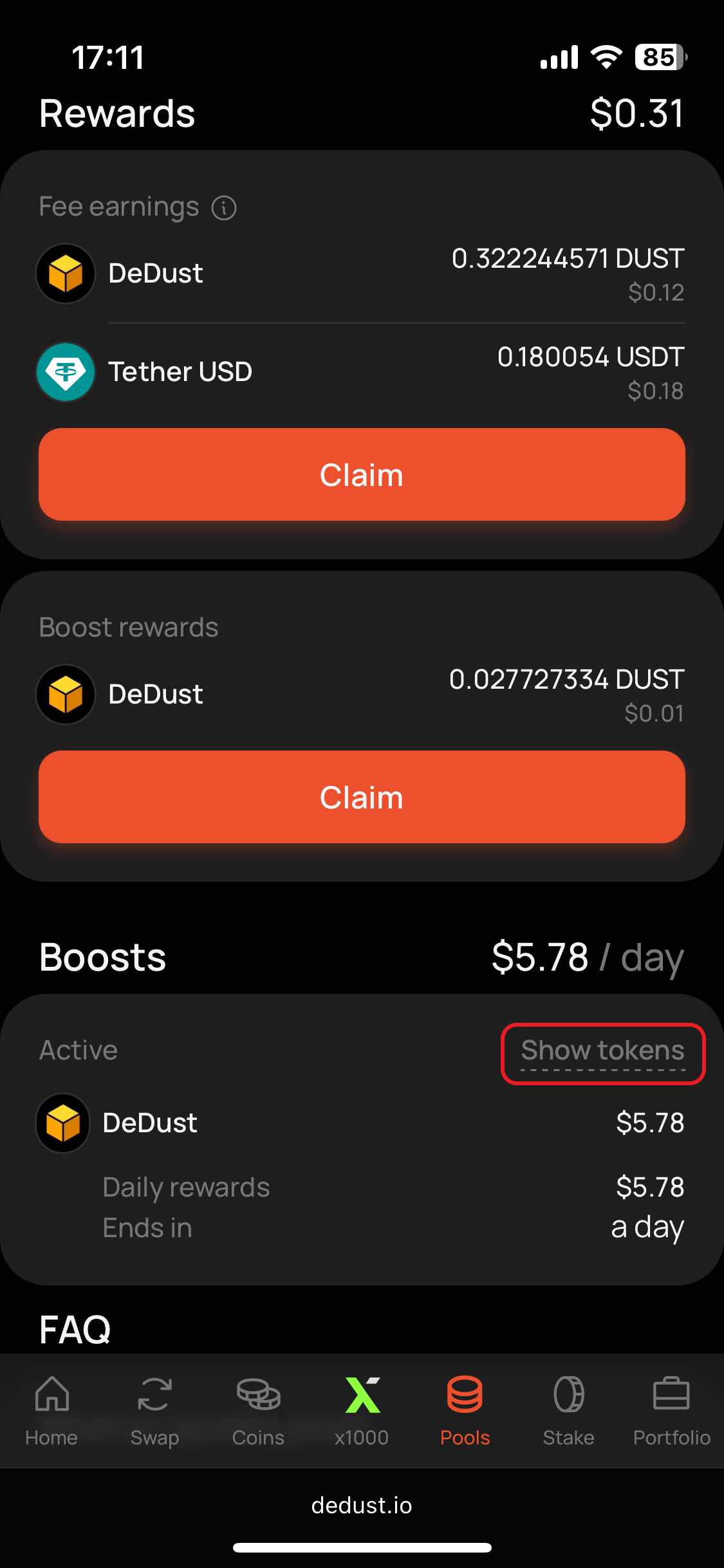
4. Switch between tokens / USD display mode of boost rewards for your convenience.
{% hint style="success" %}
Since **Jan 26, 2025,** Boosts are available only for [CPMM v2 pools](/en/ru/liquidity/pools/types.md#claimable-fees-pool-cpmm-v2).
{% endhint %}