> For the complete documentation index, see [llms.txt](https://help.dedust.io/en/llms.txt). Markdown versions of documentation pages are available by appending `.md` to page URLs; this page is available as [Markdown](https://help.dedust.io/en/ru/launch/boost_pool/extend-increase.md).
# Extend / Increase boost
## Extend boost
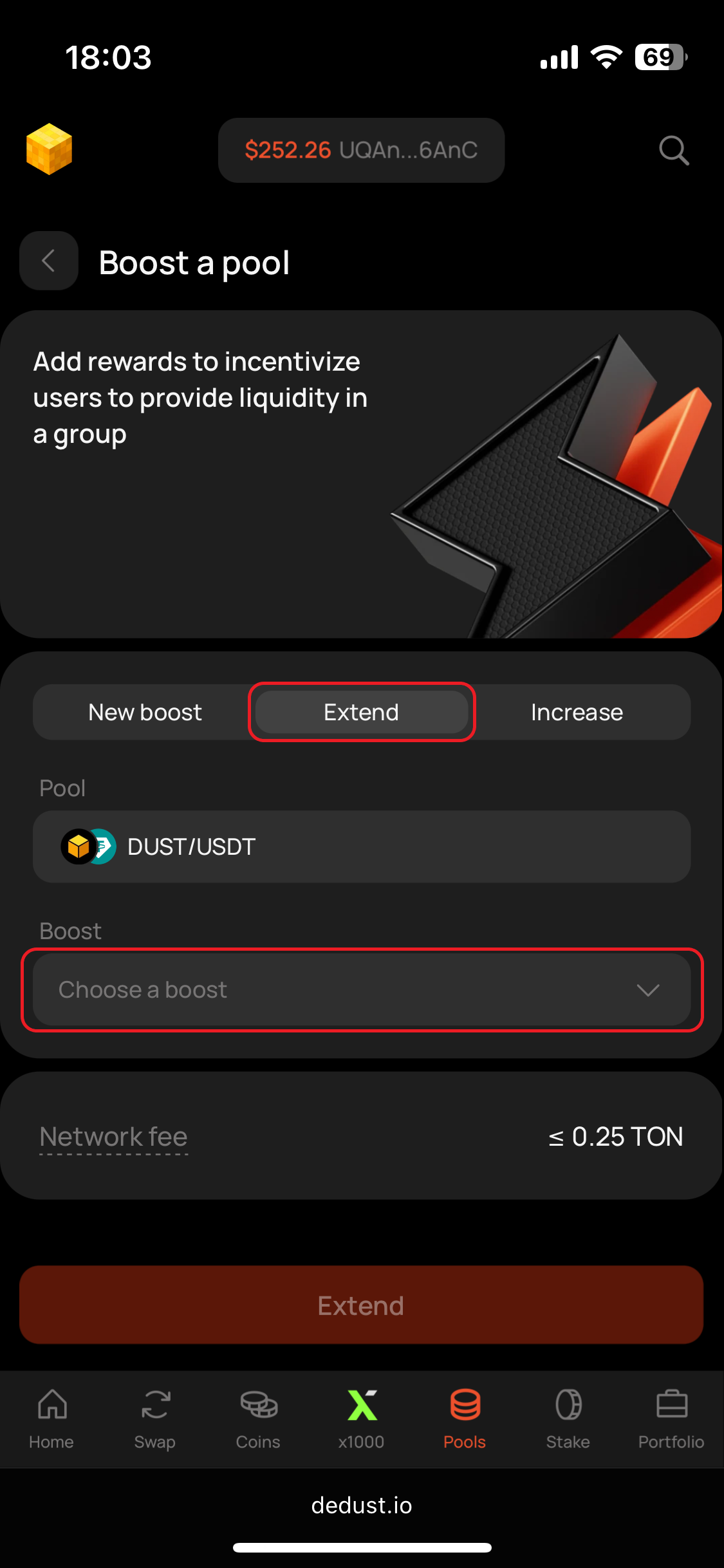
1. Open ***Extend*** tab on the boost setup page of your pool.
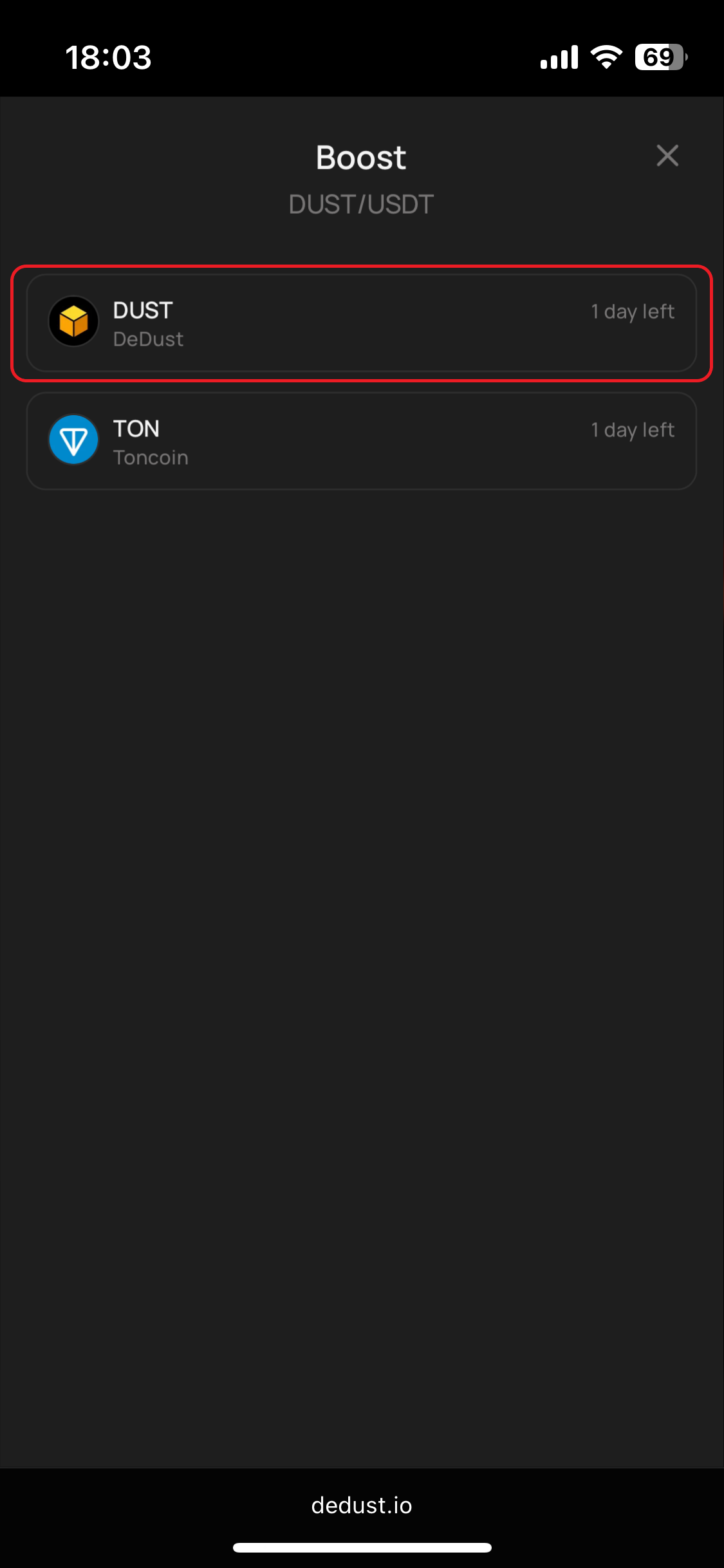
2. Choose active boost you'd like to prolong.
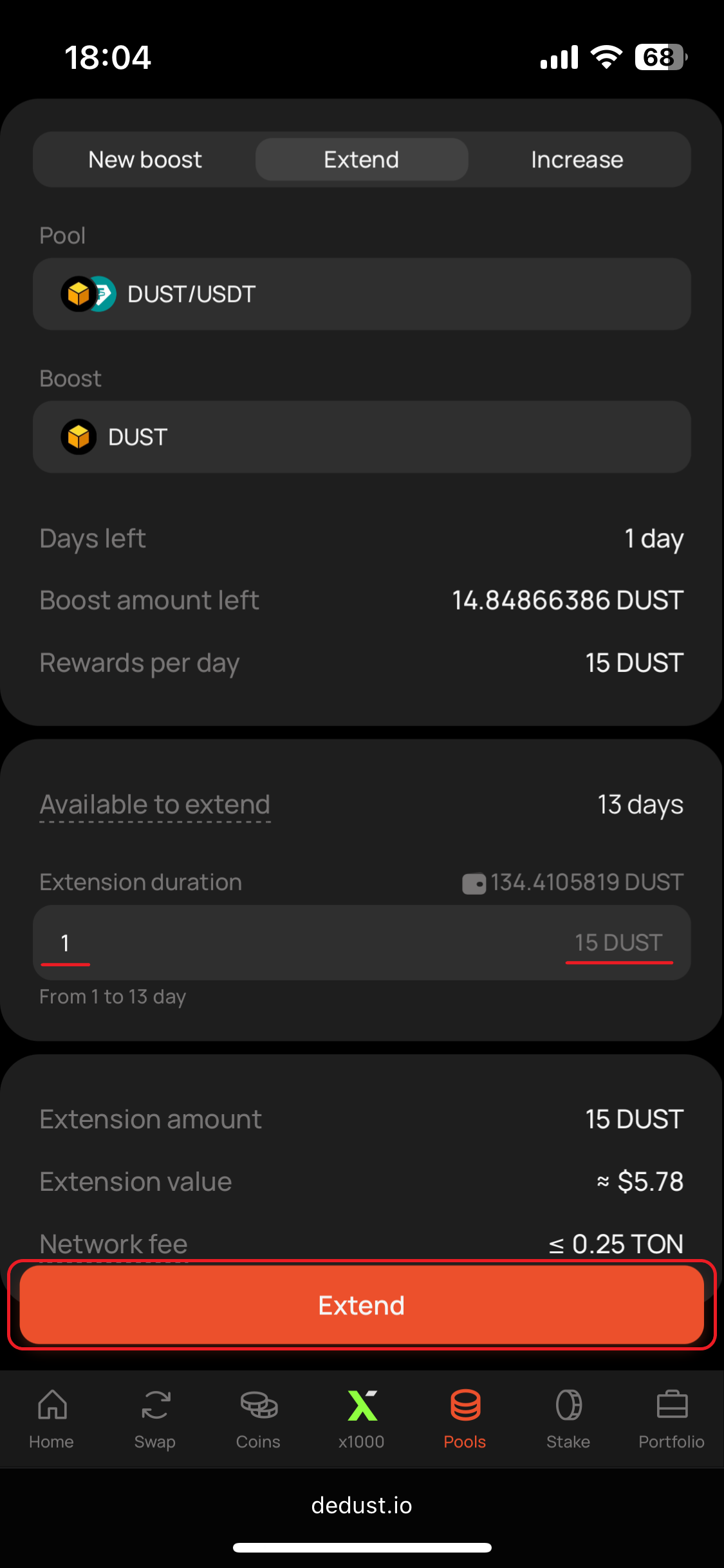
3. Enter number of days you'd like to add rewards for and press "**Extend**".
{% hint style="success" %}
Boost extension assumes adding daily rewards equal to those currently distributed in selected boost. Total extension budget will be calculated automatically, based on boost's daily rewards and duration.
{% endhint %}
{% hint style="info" %}
Boost extensions are limited by the maximum duration set for each pool — 14 days [by default](#user-content-fn-1)[^1].
***Available to extend*** shows how many days you're allowed to add right now. It depends on how many days are left in your current boost and how close you already are to the pool's maximum duration.
{% endhint %}
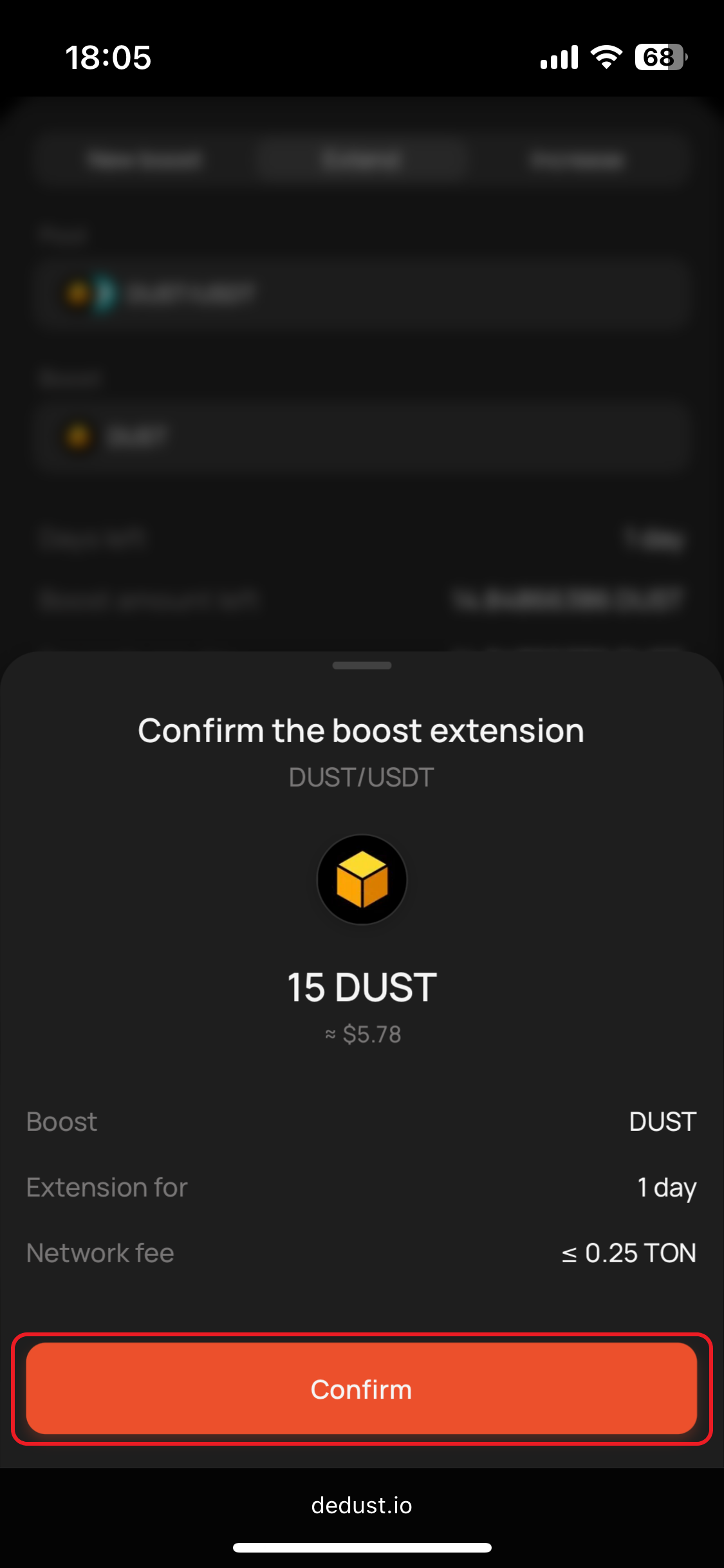
4. Check details, press "**Confirm**", and then sign the transaction in your wallet app.
Step 1
Step 2
Step 3
Step 4
{% hint style="success" %}
Boost extension is free. You pay only the Network fee and the boost amount itself.\
The [*Network fee*](#user-content-fn-2)[^2] is fixed and doesn't exceed 0.25 TON.
{% endhint %}
## Increase boost
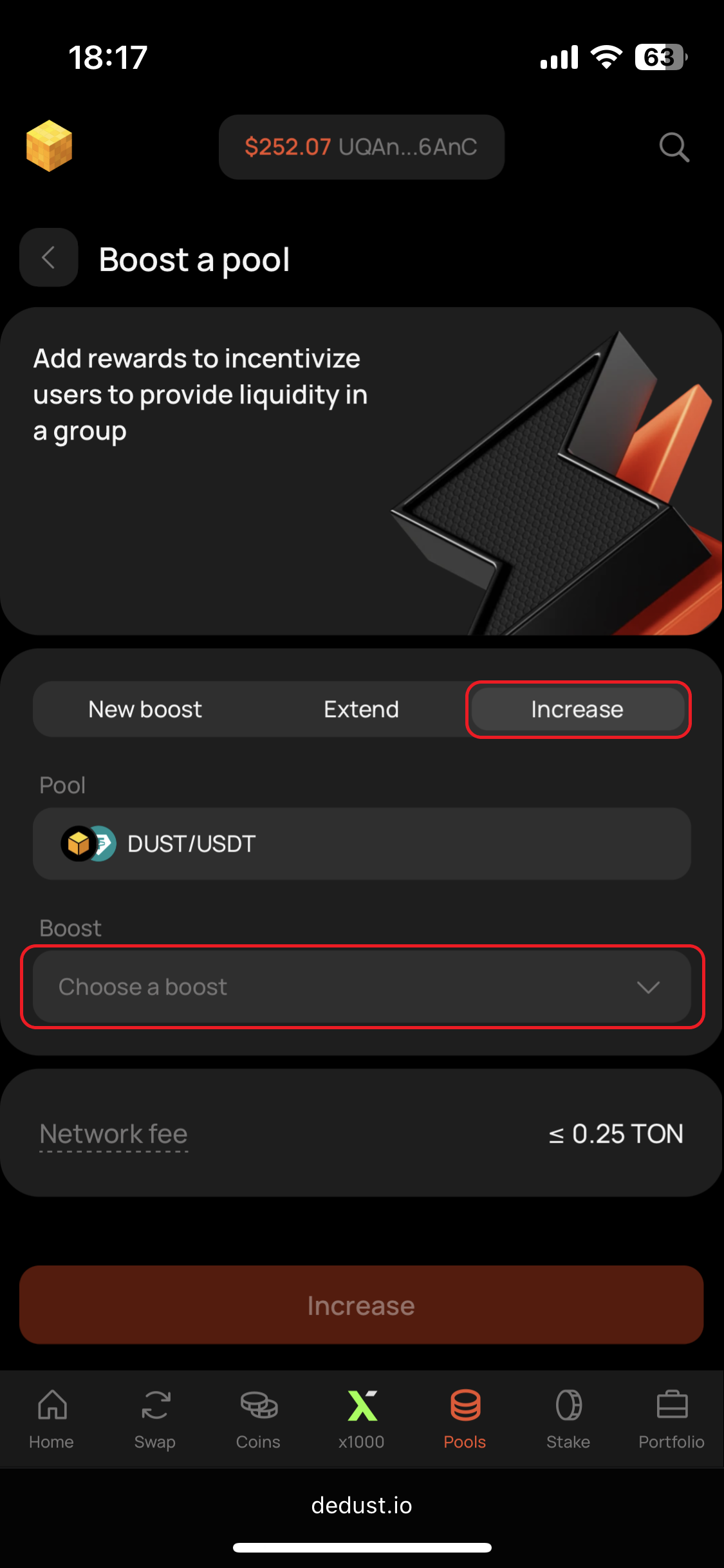
1. Open ***Increase*** tab on the boost setup page of your pool.
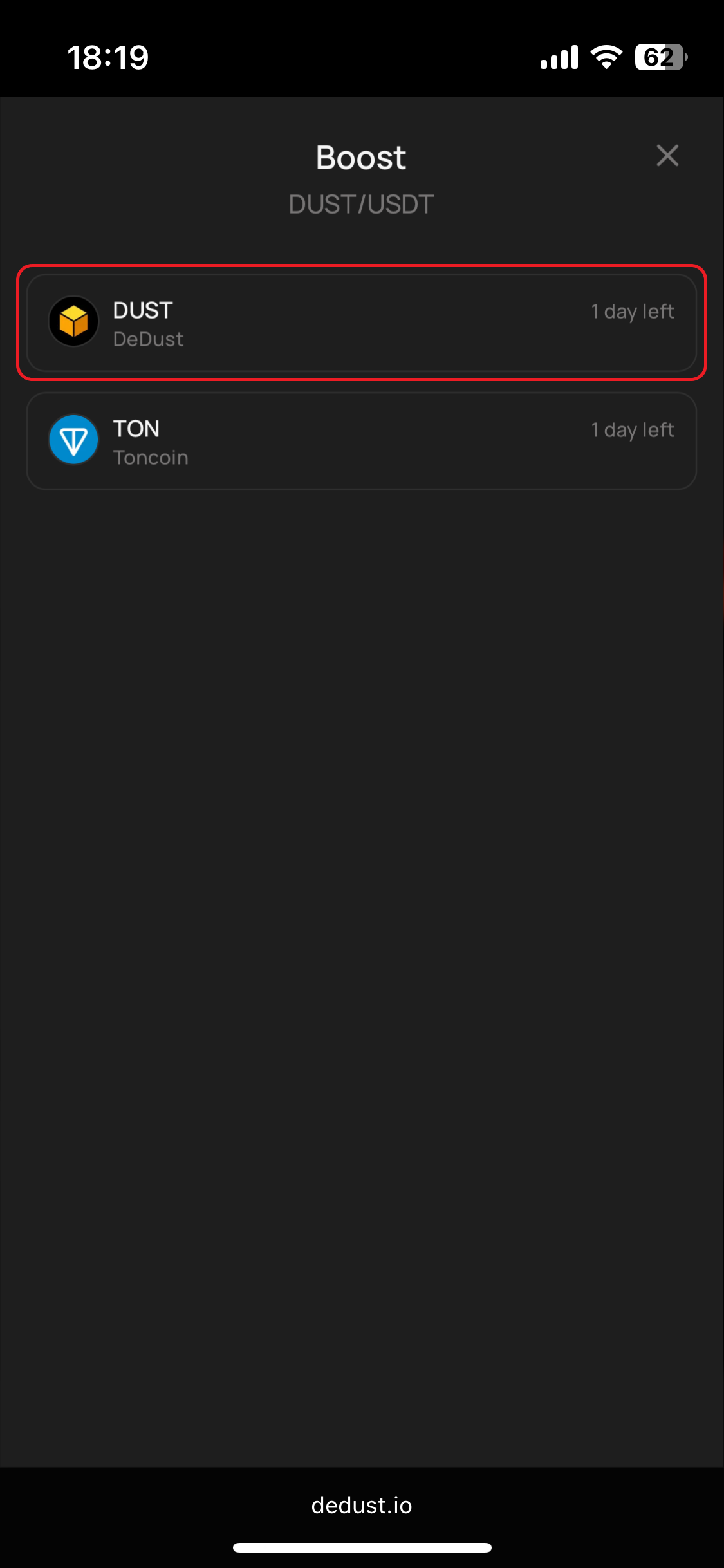
2. Choose active boost you'd like to prolong.
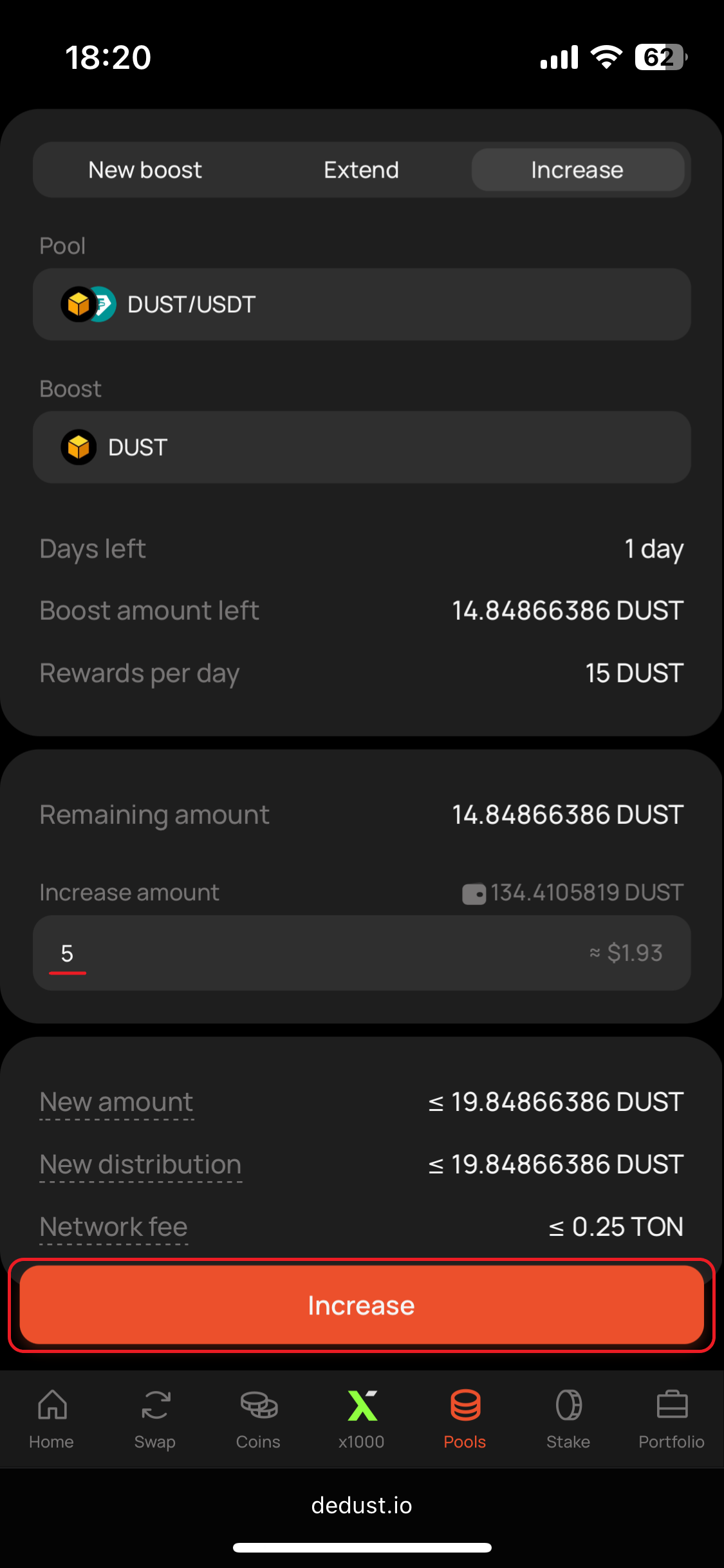
3. Enter any amount you'd like to add to overall boost budget and press "**Increase**".
{% hint style="info" %}
Boost duration will remain unchanged. New total budget and boost daily rewards will be re-calculated. Since now, if someone decides to extend the boost, new daily distribution amount will be considered.\
\
***New amount*** shows the total rewards for the rest of the boost after you add this amount. It includes your added rewards plus what's left.
***New distribution*** shows the amount paid out per day, based on the final boost and the days remaining. This is what liquidity providers will earn each day after the increase.
{% endhint %}
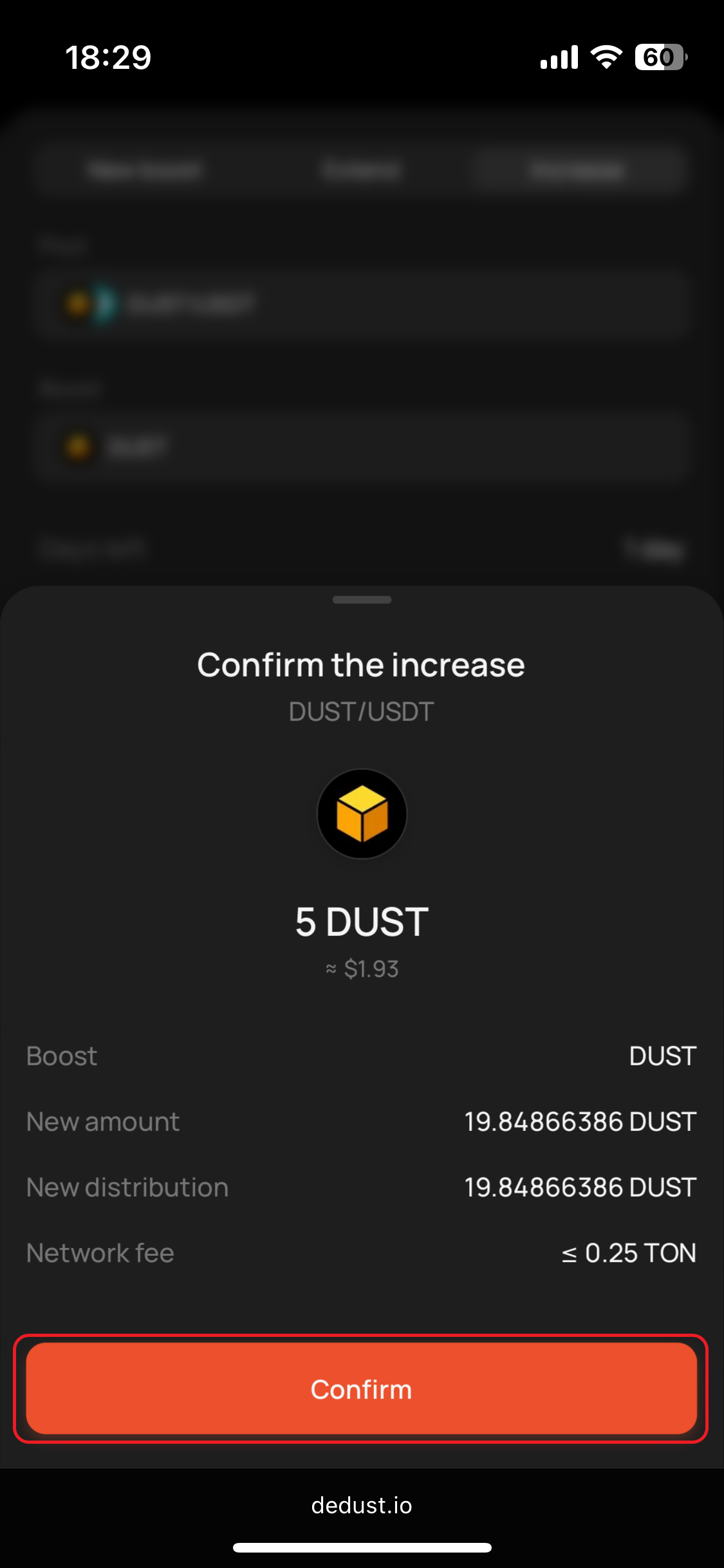
4. Check details, press "**Confirm**", and then sign the transaction in your wallet app.
Step 1
Step 2
Step 3
Step 4
{% hint style="success" %}
Boost increase is free. You pay only the Network fee and the boost amount itself.\
The [*Network fee*](#user-content-fn-2)[^2] is fixed and doesn't exceed 0.25 TON.
{% endhint %}
[^1]: Limitations are caused by boosts on-chain mechanics, allowing real-time rewards distribution. For custom pool settings please [contact our team](/en/ru/about/contacts.md).
[^2]: *The exact* [*Network fee*](/en/ru/protocol/fees.md#blockchain-fees-or-network-fees) *depends on involved assets, wallet app that you use, network load and performance. Usually less than a half of amount is really being used.*